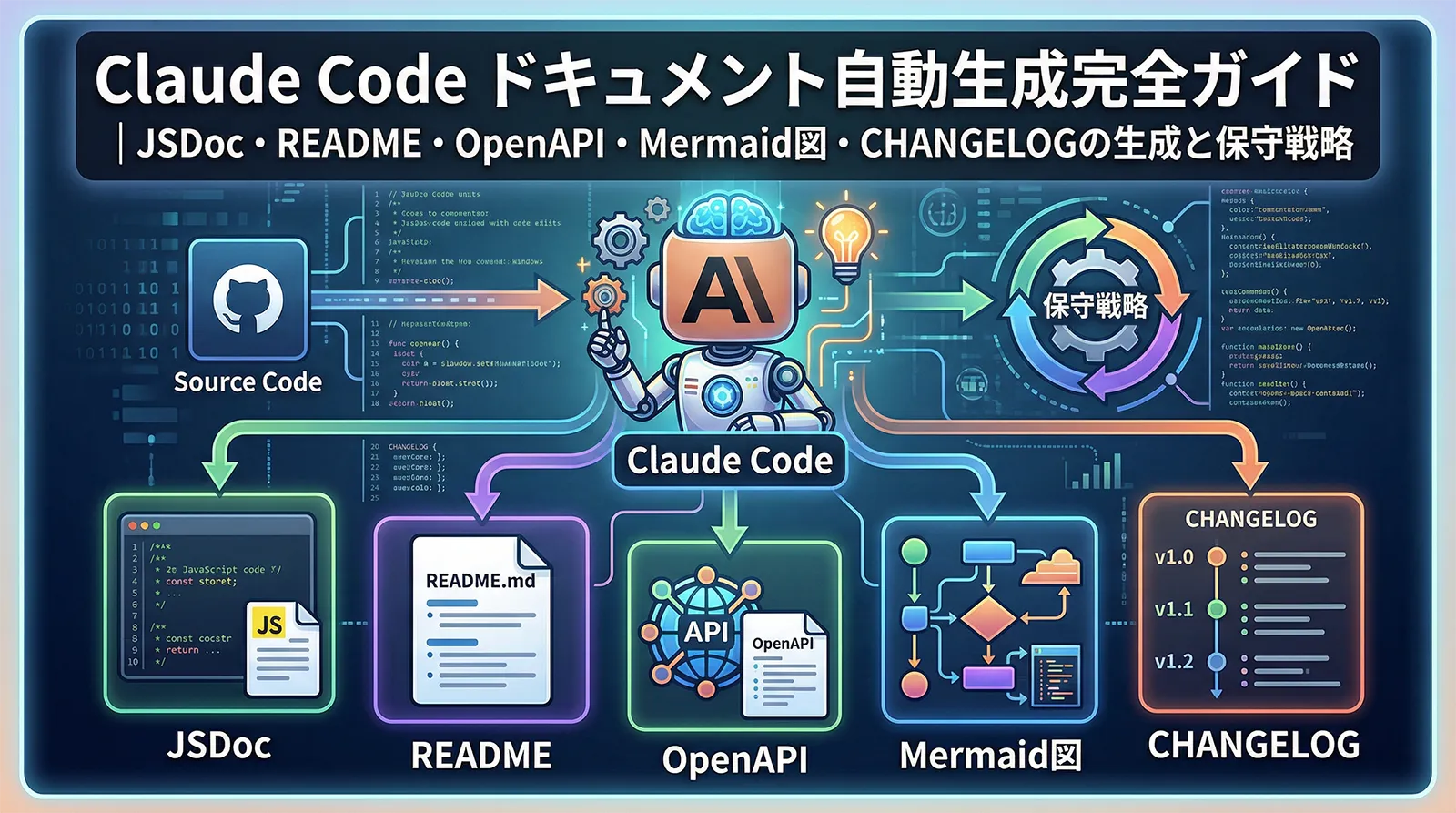
ドキュメントはコードと同じくらい重要ですが、後回しになりがちな作業です。Claude Codeを使えば、既存コードからJSDocコメントを補完・README.mdを生成・OpenAPI仕様書を作成・アーキテクチャ図を描くといった作業を大幅に効率化できます。
この記事ではClaude Codeを使ったドキュメント自動生成の実践手法を解説します。コード変更時にドキュメントを陳腐化させない保守戦略まで合わせて紹介します。Hooksを使ったドキュメント自動更新はHooks完全ガイドを、CLAUDE.mdの設計はCLAUDE.md完全設計ガイドを参照してください。
JSDoc / TSDoc コメントの自動生成
コメントのない既存コードにJSDoc/TSDocを追加する作業は、Claude Codeが最も得意とするタスクの一つです。関数の挙動・パラメータ・戻り値・例外をコードから推論して正確なコメントを生成します。
ファイル単位でJSDocを追加する
# 1ファイルにJSDocを追加
claude "Add JSDoc comments to all functions and classes in src/auth/token.ts.
For each function:
- Describe what it does in one sentence
- Document all parameters with @param and their types/descriptions
- Document return value with @returns
- Document thrown errors with @throws
- Add @example with a realistic usage example
Do not change any logic, only add comments."

# ディレクトリ全体に追加(サブエージェントで並列処理)
claude "Use subagents to add JSDoc comments to all TypeScript files in src/utils/.
Process files in parallel. For each file, follow the same JSDoc standards
as the existing comments in src/auth/token.ts."
/**
 * JWTアクセストークンを検証して、デコードされたペイロードを返す。
 *
 * @param token - 検証するJWT文字列
 * @param options - 検証オプション
 * @param options.ignoreExpiration - 有効期限を無視する場合はtrue(デフォルト: false)
 * @returns デコードされたトークンペイロード
 * @throws {TokenExpiredError} トークンの有効期限が切れている場合
 * @throws {JsonWebTokenError} トークンの署名が不正な場合
 *
 * @example
 * const payload = verifyAccessToken(req.headers.authorization.split(' ')[1]);
 * console.log(payload.userId); // "usr_abc123"
 */
export function verifyAccessToken(
  token: string,
  options: { ignoreExpiration?: boolean } = {}
): TokenPayload {
  return jwt.verify(token, process.env.JWT_SECRET!, options) as TokenPayload;
}
コメント品質を一定に保つプロンプトパターン
複数ファイルにわたってコメントスタイルを統一するには、基準となるファイルを示してからスタイルを合わせるよう指示します。
claude "Look at the JSDoc comments in src/auth/user.ts as the style reference.
Then add JSDoc comments to src/payment/checkout.ts following the exact same style:
- Same level of detail in descriptions
- Same format for @param descriptions
- Include @example for public methods
- Add @deprecated tags for any methods that look outdated"
既存コメントを更新する
# 関数の実装が変わった際にコメントを更新
claude "The verifyAccessToken function in src/auth/token.ts was updated to support
refresh tokens. Review the current implementation and update the JSDoc comments
to accurately reflect the new behavior, parameters, and return type."
README.md の自動生成
プロジェクト全体のREADME生成
Claude Codeはpackage.json・ソースコード・既存ドキュメントを読み込んで実用的なREADMEを生成できます。「どんなプロジェクトか」「どうインストールするか」「どう使うか」の3要素を軸に指示します。
claude "Generate a comprehensive README.md for this project.
Read package.json, src/index.ts, and any existing docs/ folder.
Include these sections:
1. Project name and one-line description
2. Features list (bullet points, max 8 items)
3. Prerequisites (Node.js version, env vars required)
4. Installation steps (numbered, copy-paste ready commands)
5. Quick start example (working code snippet)
6. Configuration options (table: option name, type, default, description)
7. API reference (main exports with brief descriptions)
8. Contributing guidelines
9. License

Use GitHub Flavored Markdown. Add badges for npm version, license, and CI status."
READMEの特定セクションだけ更新する
# 新しいエンドポイントが追加された際にAPIリファレンスだけ更新
claude "The API has new endpoints added in src/routes/webhooks.ts.
Update only the 'API Reference' section of README.md to include these endpoints.
Keep all other sections unchanged.
Format: endpoint path, HTTP method, description, request body, response."
ライブラリ向けREADME
npmで公開するライブラリは、実際の使用例を豊富に含めることが重要です。Claude Codeに「npm installしてすぐ試せる例を書いて」と指示すると効果的です。
claude "Generate a README for this npm library (src/index.ts is the entry point).
Focus on usage examples — write 5 realistic code examples showing the most
common use cases. Each example should be self-contained and copy-paste ready.
Include TypeScript and JavaScript variants where the API differs."
OpenAPI 仕様書の生成
ルート定義からOpenAPI仕様書を生成する
Express・Hono・Fastifyなどのルート定義コードから、OpenAPI 3.0形式の仕様書をYAMLで生成できます。既存のAPIをドキュメント化したいときに特に効果的です。
claude "Read all route files in src/routes/ and generate an OpenAPI 3.0
specification in YAML format. Save it as docs/openapi.yaml.

For each endpoint, include:
- HTTP method and path
- Summary and description (infer from function names and logic)
- Request body schema (infer from validation middleware or Zod schemas)
- Response schemas for 200, 400, 401, 404, 500 status codes
- Authentication requirements (check for auth middleware)
- Examples for request and response bodies"
openapi: 3.0.3
info:
  title: User Authentication API
  version: 1.0.0
paths:
  /auth/login:
    post:
      summary: ユーザーログイン
      description: メールアドレスとパスワードで認証し、JWTトークンを返す
      requestBody:
        required: true
        content:
          application/json:
            schema:
              type: object
              required: [email, password]
              properties:
                email:
                  type: string
                  format: email
                  example: user@example.com
                password:
                  type: string
                  minLength: 8
            example:
              email: user@example.com
              password: "secretpassword"
      responses:
        "200":
          description: 認証成功
          content:
            application/json:
              schema:
                type: object
                properties:
                  accessToken:
                    type: string
                  refreshToken:
                    type: string
        "401":
          description: 認証失敗(メールアドレスまたはパスワードが不正)
Zodスキーマから型定義とOpenAPIを同時に生成
claude "Our API uses Zod for validation (see src/schemas/).
Generate OpenAPI schemas for each Zod schema in that directory,
and update docs/openapi.yaml with the components/schemas section.
Map Zod types to OpenAPI types: z.string() -> string, z.number() -> number,
z.enum() -> enum, z.object() -> object with properties."
Mermaid図でアーキテクチャを可視化する
Mermaid記法はMarkdownに埋め込めるダイアグラムツールです。GitHubやNotionで自動レンダリングされるため、ドキュメントに図を追加する手段として最適です。Claude Codeはコードを読んでシーケンス図・フローチャート・ER図・アーキテクチャ図を生成できます。
シーケンス図の生成
claude "Read src/auth/ and generate a Mermaid sequence diagram showing
the complete authentication flow: from user login to token refresh.
Include all actors (Client, API Server, Database, JWT Service)
and show both the happy path and the token-expired error path."
```mermaid
sequenceDiagram
    participant C as Client
    participant A as API Server
    participant D as Database
    participant J as JWT Service

    C->>A: POST /auth/login {email, password}
    A->>D: SELECT user WHERE email = ?
    D-->>A: User record
    A->>A: bcrypt.compare(password, hash)
    A->>J: sign({userId, role})
    J-->>A: accessToken, refreshToken
    A->>D: INSERT refresh_tokens
    A-->>C: 200 {accessToken, refreshToken}

    Note over C,A: After access token expires (15min)
    C->>A: POST /auth/refresh {refreshToken}
    A->>D: SELECT WHERE token = ? AND expires_at > NOW()
    D-->>A: Valid token record
    A->>J: sign({userId, role})
    J-->>A: newAccessToken
    A-->>C: 200 {accessToken}
```
ER図の生成
claude "Read the Prisma schema in prisma/schema.prisma and generate
a Mermaid ER diagram showing all tables, their fields (with types),
and relationships (1:1, 1:N, N:M).
Focus on the core business entities, exclude audit/logging tables."
システム構成図の生成
claude "Read docker-compose.yml and the README to understand the system architecture.
Generate a Mermaid C4 container diagram showing:
- All services and their responsibilities
- How they communicate (REST, gRPC, message queue)
- External dependencies (databases, caches, third-party APIs)
- Which ports are exposed"
Mermaid図はMarkdownのコードブロック(
```mermaid)として書くだけで、GitHubのREADME・GitHub Wiki・Notionなどで自動レンダリングされます。Claude Codeに「README.mdのアーキテクチャセクションにMermaid図を埋め込んで」と指示するだけで配置まで行います。CHANGELOGの自動生成
git logからCHANGELOGを生成する
git logのコミット履歴を分析してCHANGELOG.mdを自動生成できます。Conventional Commitsの規約に従ったコミットメッセージであればfeat/fix/breaking changeを自動分類してくれます。
# v2.0.0からv2.1.0の変更履歴を生成
claude "Run git log v2.0.0..v2.1.0 --oneline and generate a CHANGELOG.md entry
for version 2.1.0 following Keep a Changelog format (https://keepachangelog.com).
Categorize commits into:
- Added (feat commits)
- Fixed (fix commits)
- Changed (refactor/perf commits)
- Deprecated
- Removed
- Security (security-related fixes)

Write descriptions in Japanese, user-friendly language (not commit message verbatim).
Add today's date as the release date."
# Changelog

## [2.1.0] - 2026-03-25

### Added
- Google OAuthログインに対応
- パスワードリセットメール送信機能を追加
- APIレスポンスに `X-Request-ID` ヘッダーを追加

### Fixed
- セッションタイムアウト後のリダイレクトが正しく動作しない問題を修正
- 日本語ユーザー名でのログインが失敗する文字コード問題を修正

### Changed
- JWTアクセストークンの有効期限を30分から15分に短縮
- ログインAPIのレスポンス形式を変更(`token` -> `accessToken`)

### Security
- bcryptのソルトラウンドを10から12に引き上げ

## [2.0.0] - 2026-02-01
...
プレリリースのCHANGELOGドラフト
# リリース前にCHANGELOGドラフトを確認
claude "Generate a CHANGELOG draft for the upcoming v3.0.0 release.
Look at commits since v2.1.0 and identify:
1. Any breaking changes (API signature changes, config changes)
2. New major features
3. Bug fixes

For breaking changes, explain what the user needs to change in their code.
Save as CHANGELOG.draft.md for review before the official release."
ドキュメントを最新に保つ保守戦略
PostToolUseフックでコード変更時にドキュメントを自動更新
ドキュメントの最大の問題はコードは更新されてもドキュメントが追いつかないことです。PostToolUseフックを使うと、ファイル編集のたびに関連ドキュメントの確認を促せます。
## Documentation Rules

When modifying any file in src/:
1. If you change a public function's signature or behavior, update its JSDoc comment
2. If you add/remove/change an API endpoint, update docs/openapi.yaml
3. If you change a database schema (prisma/schema.prisma), regenerate the ER diagram
4. If the change warrants a CHANGELOG entry, add a note to CHANGELOG.draft.md

After completing code changes, run:
- `npm run type-check` to verify TypeScript types are consistent
- `npm run docs:check` to verify doc examples still compile
コード変更後のドキュメント差分チェック
# PRマージ前にドキュメントの同期チェック
claude "Review the diff of this branch compared to main (run git diff main..HEAD).
For each changed TypeScript file:
1. Are the JSDoc comments still accurate?
2. Are there any new functions without documentation?
3. Do any examples in the documentation need updating?
List specific lines that need updating, then make the changes."
ドキュメント生成スキルを作成する
繰り返し使うドキュメント生成タスクはカスタムスキルとして登録しておくと便利です。例えば/docs-updateスキルを作っておけば、毎回長いプロンプトを書かずに済みます。
Update documentation for all recently changed files.

Steps:
1. Run `git diff --name-only HEAD~1 HEAD` to find changed files
2. For each changed .ts/.js file: check JSDoc comments are up-to-date
3. If src/routes/ changed: update docs/openapi.yaml
4. If prisma/schema.prisma changed: regenerate the ER diagram in docs/schema.md
5. Update CHANGELOG.draft.md with a summary of user-facing changes

Focus only on documentation changes, make no code modifications.
よくある質問
QJSDocコメントを自動生成すると、間違った説明が書かれることはありますか?
Aあります。特に複雑なビジネスロジックや、関数名から意図が読み取りにくいケースで誤った説明が生成されることがあります。生成後は必ずレビューしてください。「このコメントを生成したが正しいか確認して」と依頼すると、Claude Codeが実装を再読して矛盾を指摘してくれます。
QREADMEのコードサンプルが古くなったらどうすれば?
A「README.mdのサンプルコードをすべて実際に実行して正しく動くか確認して」と依頼します。Claude Codeがbashで実行を試みて失敗したサンプルを特定し、現在のAPIに合わせて修正します。または「src/index.tsと照合してREADMEのサンプルを最新の使い方に更新して」でも有効です。
QOpenAPI仕様書の生成はZodやTypeScriptの型から行うのと、ルートから行うのはどちらがよいですか?
Aどちらかに統一するより両方を組み合わせるのが実用的です。リクエスト/レスポンスのスキーマはZodや型定義から生成する方が正確で、エンドポイントの一覧と認証要件はルート定義から読み取る方が確実です。実際のAPIドキュメント整備では「まずルートからエンドポイント一覧を生成し、次にZodスキーマから各エンドポイントのスキーマを補完する」という2段階が精度を上げます。
QMermaid図をClaude Codeに生成させたが、構文エラーが出ます
AMermaid記法は細かい構文ルールがあり、稀に誤った構文が生成されることがあります。「このMermaidコードを https://mermaid.live で確認したらエラーが出た。修正して」と伝えると、エラー内容を見て修正してくれます。または「Mermaidのシンプルな記法で書いて。ノードIDにスペースや特殊文字を使わないで」と制約を加えると初回から通りやすくなります。
Qドキュメントの生成はどのタイミングで行うのが効率的ですか?
A3つのタイミングが実践的です。①機能実装直後:コードの意図が明確な段階でJSDocを生成する、②PRレビュー前:「このPRのドキュメント漏れを確認して」とClaude Codeに確認させる、③リリース前:CHANGELOGとREADMEの更新が揃っているか確認する。コード変更時にドキュメントも自動確認する場合はHooksを活用してください。詳細はHooks完全ガイドを参照してください。