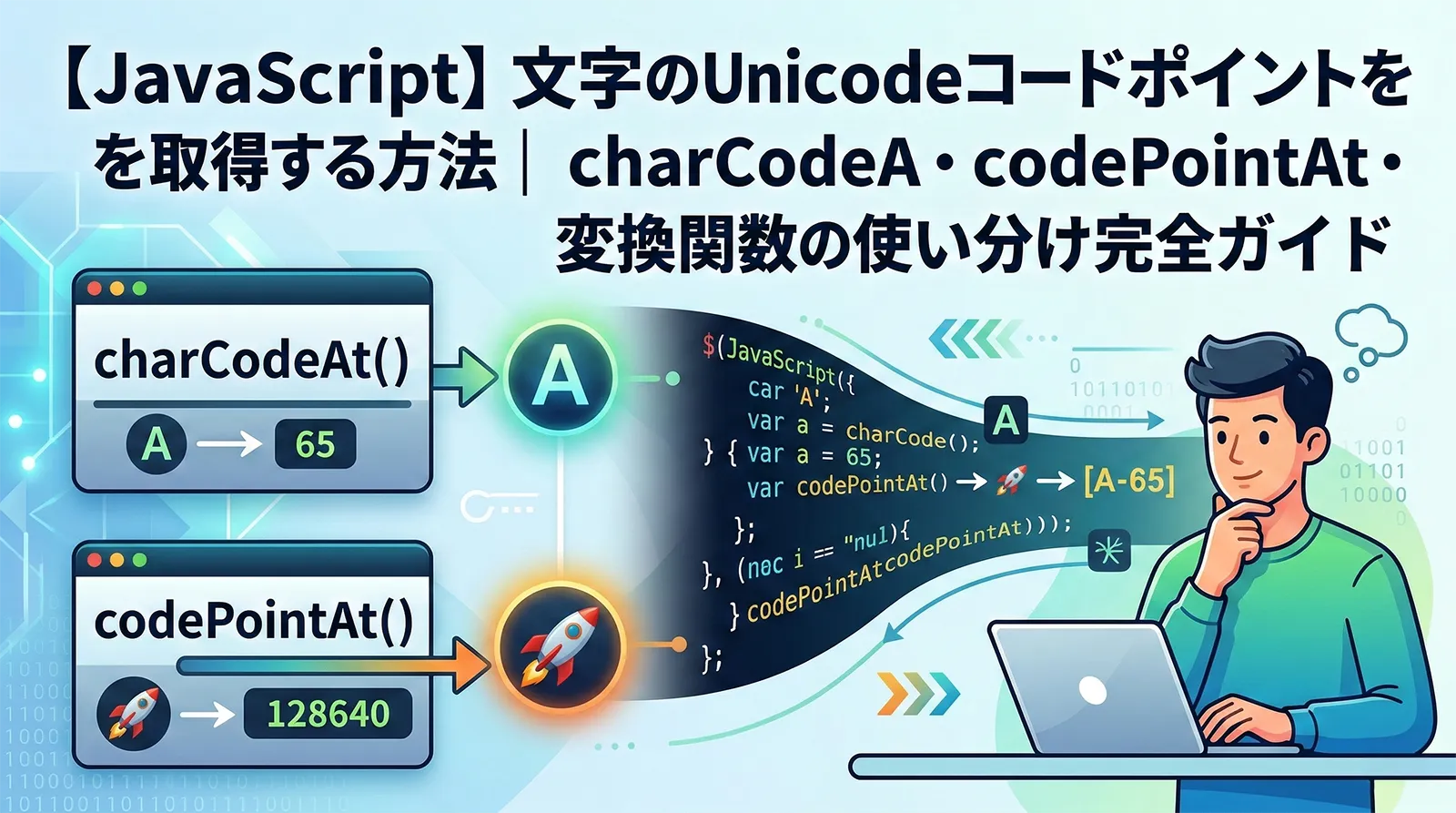
JavaScriptでは、Unicodeコードポイントを使って任意の文字を生成できます。絵文字や特殊記号、多言語の文字を扱うときに欠かせない技術です。
この記事では String.fromCodePoint() の基本から、fromCharCode() との違い、サロゲートペア、逆変換、Unicodeエスケープシーケンス、実務での活用例まで、Unicodeコードポイントと文字列変換を網羅的に解説します。
Unicodeコードポイントとは
Unicodeコードポイントは、世界中のすべての文字に割り当てられた一意の番号です。U+ に続く16進数で表記され、例えば「A」は U+0041、「あ」は U+3042 です。
Unicodeの基本
- 基本多言語面(BMP):U+0000〜U+FFFF(英数字、日本語など)
- 追加面(Supplementary):U+10000〜U+10FFFF(絵文字、古代文字など)
- 追加面の文字はJavaScript内部でサロゲートペア(2つの16ビット値)として表現される
| 文字 |
コードポイント |
10進数 |
面 |
| A |
U+0041 |
65 |
BMP |
| あ |
U+3042 |
12354 |
BMP |
| 漢 |
U+6F22 |
28450 |
BMP |
| ? |
U+1F600 |
128512 |
追加面 |
| ? |
U+20BB7 |
134071 |
追加面 |
String.fromCodePoint() の基本的な使い方
String.fromCodePoint() は、Unicodeコードポイント(数値)から対応する文字列を生成する静的メソッドです。ES2015(ES6)で導入されました。
基本構文
構文
String.fromCodePoint(num1)
String.fromCodePoint(num1, num2)
String.fromCodePoint(num1, num2, ..., numN)
基本的な文字の生成
JavaScript
// 10進数で指定
const a = String.fromCodePoint(65);
console.log(a); // "A"

// 16進数で指定
const hi = String.fromCodePoint(0x3042);
console.log(hi); // "あ"

// 漢字
const kanji = String.fromCodePoint(0x6F22);
console.log(kanji); // "漢"
複数の引数で文字列を一括生成
fromCodePoint() は複数のコードポイントを引数に渡すことで、まとめて文字列を生成できます。
JavaScript
// 複数のコードポイントから文字列を生成
const hello = String.fromCodePoint(72, 101, 108, 108, 111);
console.log(hello); // "Hello"

// 日本語の文字列を生成
const text = String.fromCodePoint(0x3053, 0x3093, 0x306B, 0x3061, 0x306F);
console.log(text); // "こんにちは"
絵文字の生成
fromCodePoint() の強みは、U+FFFFを超えるコードポイント(追加面の文字)をそのまま扱えることです。
JavaScript
// 絵文字をコードポイントから生成
const smile = String.fromCodePoint(0x1F600);
console.log(smile); // "?"

const rocket = String.fromCodePoint(0x1F680);
console.log(rocket); // "?"

// 複数の絵文字を一括生成
const emojis = String.fromCodePoint(0x1F600, 0x1F680, 0x2764, 0x1F525);
console.log(emojis); // "??❤?"
String.fromCharCode() との違いと使い分け
String.fromCharCode() は ES1 から存在する古いメソッドで、UTF-16のコードユニット(16ビット値)を受け取ります。一方 fromCodePoint() はUnicodeコードポイントをそのまま受け取れます。
BMP内の文字(U+FFFF以下)では同じ動作
JavaScript
// BMP内の文字は同じ結果
console.log(String.fromCharCode(65));     // "A"
console.log(String.fromCodePoint(65));    // "A"

console.log(String.fromCharCode(0x3042)); // "あ"
console.log(String.fromCodePoint(0x3042)); // "あ"
追加面の文字(U+10000以上)で差が出る
JavaScript
// fromCodePoint() は追加面のコードポイントをそのまま扱える
console.log(String.fromCodePoint(0x1F600)); // "?" ← 正しい

// fromCharCode() は16ビット値しか受け取れない
console.log(String.fromCharCode(0x1F600)); // ""(不正な文字)

// fromCharCode() でサロゲートペアを手動で指定すれば可能
console.log(String.fromCharCode(0xD83D, 0xDE00)); // "?"
注意:fromCharCode() に U+FFFF を超える値を渡しても、下位16ビットだけが使われるため正しい文字が生成されません。追加面の文字には fromCodePoint() を使いましょう。
比較表
| 項目 |
fromCharCode() |
fromCodePoint() |
| 導入バージョン |
ES1 |
ES2015(ES6) |
| 引数の意味 |
UTF-16コードユニット |
Unicodeコードポイント |
| BMP(U+FFFF以下) |
正常に動作 |
正常に動作 |
| 追加面(U+10000以上) |
サロゲートペアが必要 |
そのまま指定可能 |
| 推奨度 |
レガシー用途 |
新規コードに推奨 |
サロゲートペアとの関係
JavaScriptの文字列はUTF-16でエンコードされており、BMP外の文字はサロゲートペア(上位サロゲート + 下位サロゲート)で表されます。
JavaScript
const emoji = "?";

// .length はUTF-16コードユニット数
console.log(emoji.length); // 2(サロゲートペアのため)

// 各コードユニットを確認
console.log(emoji.charCodeAt(0).toString(16)); // "d83d"(上位サロゲート)
console.log(emoji.charCodeAt(1).toString(16)); // "de00"(下位サロゲート)

// codePointAt() で正しいコードポイントを取得
console.log(emoji.codePointAt(0).toString(16)); // "1f600"

// fromCodePoint() でサロゲートペアを意識せずに生成
const restored = String.fromCodePoint(0x1F600);
console.log(restored); // "?"
サロゲートペアの計算式
コードポイントからサロゲートペアを手動で計算することもできます。
JavaScript
function toSurrogatePair(codePoint) {
  const offset = codePoint - 0x10000;
  const high = 0xD800 + (offset >> 10);
  const low  = 0xDC00 + (offset & 0x3FF);
  return { high, low };
}

const pair = toSurrogatePair(0x1F600);
console.log(pair.high.toString(16)); // "d83d"
console.log(pair.low.toString(16));  // "de00"

// fromCharCode() でサロゲートペアから文字を生成
console.log(String.fromCharCode(pair.high, pair.low)); // "?"
ポイント:fromCodePoint() を使えばサロゲートペアの計算は不要です。新しいコードでは fromCodePoint() を使いましょう。
codePointAt() で逆変換(文字→コードポイント)
codePointAt() は文字からコードポイントを取得するメソッドです。fromCodePoint() とは逆方向の操作になります。
JavaScript
// 基本的な使い方
console.log("A".codePointAt(0));  // 65
console.log("あ".codePointAt(0)); // 12354
console.log("?".codePointAt(0)); // 128512 (0x1F600)

// 16進数で表示
console.log("?".codePointAt(0).toString(16)); // "1f600"
文字列をすべてコードポイントに変換する
for...of ループやスプレッド構文を使うと、サロゲートペアを正しく処理しながら各文字のコードポイントを取得できます。
JavaScript
const str = "Hello?";

// for...of はサロゲートペアを正しく処理する
const codePoints = [];
for (const char of str) {
  codePoints.push(char.codePointAt(0));
}
console.log(codePoints);
// [72, 101, 108, 108, 111, 128512]

// スプレッド構文でも同様
const cps = [...str].map(c => c.codePointAt(0));
console.log(cps);
// [72, 101, 108, 108, 111, 128512]

// 元の文字列に復元
const restored = String.fromCodePoint(...cps);
console.log(restored); // "Hello?"
実行結果
[72, 101, 108, 108, 111, 128512]
[72, 101, 108, 108, 111, 128512]
Hello?
Unicodeエスケープシーケンス(\u{…})
ES2015では \u{コードポイント} というエスケープシーケンスが追加され、文字列リテラル内で直接コードポイントを指定できます。
JavaScript
// 従来の \uXXXX 形式(BMP のみ)
console.log("\u0041");   // "A"
console.log("\u3042");   // "あ"

// ES2015 の \u{XXXXX} 形式(追加面にも対応)
console.log("\u{41}");     // "A"
console.log("\u{3042}");   // "あ"
console.log("\u{1F600}");  // "?"
console.log("\u{20BB7}");  // "?"
| 形式 |
構文 |
対応範囲 |
例 |
| 従来形式 |
\uXXXX |
BMP のみ |
\u0041 → A |
| ES2015形式 |
\u{XXXXX} |
全コードポイント |
\u{1F600} → ? |
| サロゲートペア |
\uXXXX\uXXXX |
追加面(レガシー) |
\uD83D\uDE00 → ? |
実務での活用例
絵文字の範囲チェック
ユーザー入力に絵文字が含まれているかを判定する関数です。
JavaScript
function containsEmoji(str) {
  for (const char of str) {
    const cp = char.codePointAt(0);
    if (cp > 0xFFFF) return true;
  }
  return false;
}

console.log(containsEmoji("Hello"));   // false
console.log(containsEmoji("Hello?")); // true
文字列の正確な文字数カウント
.length はUTF-16コードユニット数を返すため、絵文字を含む文字列では正確な文字数になりません。
JavaScript
function trueLength(str) {
  return [...str].length;
}

const text = "Hello?World";
console.log(text.length);            // 12(UTF-16)
console.log(trueLength(text));       // 11(正確な文字数)
特殊文字・記号の生成
JavaScript
// 著作権記号
console.log(String.fromCodePoint(0xA9));   // "©"

// 商標記号
console.log(String.fromCodePoint(0x2122)); // "™"

// 矢印記号
console.log(String.fromCodePoint(0x2190)); // "←"
console.log(String.fromCodePoint(0x2192)); // "→"

// チェックマーク
console.log(String.fromCodePoint(0x2713)); // "✓"
console.log(String.fromCodePoint(0x2717)); // "✗"
全角・半角変換への応用
Unicodeでは全角英数字と半角英数字のコードポイントには一定のオフセットがあるため、fromCodePoint() と codePointAt() で相互変換ができます。
JavaScript
// 全角→半角(英数字)
function toHalfWidth(str) {
  return [...str].map(char => {
    const cp = char.codePointAt(0);
    // 全角英数字: U+FF01〜U+FF5E → 半角: U+0021〜U+007E
    if (cp >= 0xFF01 && cp <= 0xFF5E) {
      return String.fromCodePoint(cp - 0xFEE0);
    }
    // 全角スペース → 半角スペース
    if (cp === 0x3000) return " ";
    return char;
  }).join("");
}

// 半角→全角(英数字)
function toFullWidth(str) {
  return [...str].map(char => {
    const cp = char.codePointAt(0);
    // 半角: U+0021〜U+007E → 全角: U+FF01〜U+FF5E
    if (cp >= 0x21 && cp <= 0x7E) {
      return String.fromCodePoint(cp + 0xFEE0);
    }
    if (cp === 0x20) return "\u3000";
    return char;
  }).join("");
}

console.log(toHalfWidth("Hello123")); // "Hello123"
console.log(toFullWidth("Hello123"));   // "Hello123"
コードポイントの連続性を活用する
Unicodeではアルファベットや数字は連続したコードポイントに配置されているため、ループで一覧を生成できます。
JavaScript
// A〜Zの大文字アルファベットを生成
const upperAlpha = [];
for (let cp = 0x41; cp <= 0x5A; cp++) {
  upperAlpha.push(String.fromCodePoint(cp));
}
console.log(upperAlpha.join(""));
// "ABCDEFGHIJKLMNOPQRSTUVWXYZ"

// ひらがな「あ」行〜「お」行を生成
const hiragana = [];
for (let cp = 0x3042; cp <= 0x304A; cp += 2) {
  hiragana.push(String.fromCodePoint(cp));
}
console.log(hiragana.join(""));
// "あいうえお"
実行結果
ABCDEFGHIJKLMNOPQRSTUVWXYZ
あいうえお
ブラウザ互換性
String.fromCodePoint() と codePointAt() は ES2015 で導入された機能です。
| ブラウザ / 環境 |
fromCodePoint() |
codePointAt() |
\u{…} エスケープ |
| Chrome |
41+ |
41+ |
44+ |
| Firefox |
29+ |
29+ |
40+ |
| Safari |
9+ |
9+ |
9+ |
| Edge |
12+ |
12+ |
12+ |
| Node.js |
4.0+ |
4.0+ |
4.0+ |
| IE |
非対応 |
非対応 |
非対応 |
注意:Internet Explorer ではこれらの ES2015 機能は使用できません。IE対応が必要な場合は fromCharCode() でサロゲートペアを手動計算するか、Polyfill を導入してください。
よくあるエラーとトラブルシューティング
RangeError: Invalid code point
有効な範囲(0〜0x10FFFF)外のコードポイントを指定するとエラーになります。
JavaScript
// エラー: 負の値
String.fromCodePoint(-1);
// RangeError: Invalid code point -1

// エラー: 最大値を超える
String.fromCodePoint(0x110000);
// RangeError: Invalid code point 1114112

// エラー: 小数
String.fromCodePoint(3.14);
// RangeError: Invalid code point 3.14
| エラー原因 |
コード例 |
対処法 |
| 負の値 |
fromCodePoint(-1) |
0以上の値を使う |
| 最大値超過 |
fromCodePoint(0x110000) |
0x10FFFF以下にする |
| 小数値 |
fromCodePoint(3.14) |
Math.floor() で整数化 |
| NaN |
fromCodePoint(NaN) |
入力値のバリデーション |
| 文字列 |
fromCodePoint("abc") |
Number() で数値変換 |
.length の誤解
JavaScript
const emoji = String.fromCodePoint(0x1F600);

// よくある間違い: .length で文字数を判定
console.log(emoji.length);      // 2(サロゲートペア)
console.log(emoji.length === 1); // false!

// 正しい方法: スプレッド構文で展開
console.log([...emoji].length);  // 1
console.log([...emoji].length === 1); // true
charCodeAt() vs codePointAt() の混同
JavaScript
const str = "?";

// charCodeAt() は上位サロゲートのみ返す
console.log(str.charCodeAt(0).toString(16)); // "d83d"

// codePointAt() は正しいコードポイントを返す
console.log(str.codePointAt(0).toString(16)); // "1f600"
ポイント:追加面の文字を扱う場合は、常に codePointAt() / fromCodePoint() のペアを使い、charCodeAt() / fromCharCode() は避けましょう。
よくある質問(FAQ)
Q. fromCodePoint()とfromCharCode()の違いは?
A. fromCharCode()はUTF-16コードユニット(BMP文字のみ)に対応します。fromCodePoint()はサロゲートペアを含む全Unicodeコードポイントに対応しており、絵文字などの処理に適しています。
Q. UnicodeコードポイントからHTMLエンティティを生成するには?
A. String.fromCodePoint(codePoint)で文字を生成し、そのままHTMLに挿入するか、&#x{hex};形式のエンティティ文字列を作成します。
Q. 文字列から各文字のコードポイントを取得するには?
A. string.codePointAt(0)で最初のコードポイントが取得できます。for…ofループと組み合わせることで、サロゲートペアを含む全文字を正しく処理できます。
まとめ
String.fromCodePoint() はUnicodeコードポイントから文字列を生成する ES2015 メソッド- 複数の引数を渡して一括で文字列を生成できる
- U+FFFF を超える追加面の文字(絵文字など)をそのまま扱えるのが最大の利点
fromCharCode() はBMP内のみ対応。追加面にはサロゲートペアの手動計算が必要- 逆変換は
codePointAt() で行う。for...of やスプレッド構文と組み合わせると安全
\u{XXXXX} エスケープシーケンスで文字列リテラルに直接記述も可能- 全角/半角変換、絵文字判定、文字数カウントなど実務での応用範囲は広い
- IE を除くモダンブラウザと Node.js 4.0+ で利用可能