.NET の設定管理は appsettings.json だけでなく、環境変数・コマンドライン引数・User Secrets・Azure Key Vault など複数のソース(構成プロバイダー)を階層的にマージする仕組みになっています。後から読み込まれたプロバイダーが前の値を上書きするため、「開発はローカル設定、本番は環境変数」というパターンがコード変更なしで実現できます。
本記事では構成プロバイダーの優先順位・環境別オーバーライド・IOptions/IOptionsSnapshot/IOptionsMonitor の詳細・DataAnnotations / IValidateOptions / ValidateOnStart によるバリデーション・Named Options・PostConfigure・User Secrets・環境変数のネスト規則・配列バインド・reloadOnChange・カスタムプロバイダーまで体系的に解説します。
- 構成プロバイダーの優先順位
- 環境別オーバーライド — Development / Staging / Production
- User Secrets — 開発者ローカルの秘密管理
- 環境変数のネスト規則
- 型安全なバインディング — Configure<T> と Get<T>
- IOptions / IOptionsSnapshot / IOptionsMonitor の詳細
- Options Validation — 起動時に設定ミスを検出
- Named Options — 同じ型を複数登録
- PostConfigure — 全登録の後に値を調整
- 配列・リスト・辞書のバインド
- reloadOnChange — ファイル変更の自動反映
- Console アプリでの設定管理
- よくある落とし穴
- よくある質問
- まとめ
構成プロバイダーの優先順位
Host.CreateApplicationBuilder() や WebApplication.CreateBuilder() は複数の構成プロバイダーを以下の順で読み込みます。後のプロバイダーが同じキーを上書きするため、最後に読まれたものが最も優先されます。
| 優先順位 | プロバイダー | 説明 |
|---|---|---|
| 1(最低) | appsettings.json |
ベース設定(Git 管理される) |
| 2 | appsettings.{Environment}.json |
環境別オーバーライド |
| 3 | User Secrets(Development のみ) | 開発者ローカルの機密情報 |
| 4 | 環境変数 | コンテナ・CI/CD で注入する設定 |
| 5(最高) | コマンドライン引数 | --key=value で即時上書き |
// 同じキーを複数プロバイダーで設定した場合:後勝ち
// appsettings.json:             {"Api": {"Url": "https://dev.api"}}
// appsettings.Production.json:  {"Api": {"Url": "https://prod.api"}}
// 環境変数:                     Api__Url=https://staging.api
// コマンドライン:               --Api:Url=https://override.api

// Production 環境でコマンドライン引数ありの場合:
// → https://override.api が最終値(コマンドラインが最優先)
appsettings.json は通常 Git 管理されるため、API キー・接続文字列・パスワードなどの秘密情報を絶対にコミットしないでください。開発環境では User Secrets(後述)、本番では環境変数か Azure Key Vault / AWS Secrets Manager から注入するのが鉄則です。環境別オーバーライド — Development / Staging / Production
{
  "ConnectionStrings": {
    "Default": "Server=localhost;Database=mydb;Trusted_Connection=True"
  },
  "Api": {
    "BaseUrl": "https://api.example.com",
    "Timeout": 30,
    "RetryCount": 3
  },
  "Logging": {
    "LogLevel": {
      "Default": "Information"
    }
  }
}
{
  "ConnectionStrings": {
    "Default": "Server=localhost;Database=mydb_dev;Trusted_Connection=True"
  },
  "Logging": {
    "LogLevel": {
      "Default": "Debug",
      "MyApp": "Trace"
    }
  }
}
// ASPNETCORE_ENVIRONMENT(ASP.NET Core)
// DOTNET_ENVIRONMENT(Generic Host)の環境変数で決まる
// → "Development" / "Staging" / "Production"

// launchSettings.json(開発用)に設定されている
// {
//   "profiles": {
//     "https": {
//       "environmentVariables": {
//         "ASPNETCORE_ENVIRONMENT": "Development"
//       }
//     }
//   }
// }

// 環境変数が未設定の場合のデフォルトは "Production"

// コード内で確認
var builder = WebApplication.CreateBuilder(args);
Console.WriteLine(builder.Environment.EnvironmentName); // "Development"
Console.WriteLine(builder.Environment.IsDevelopment()); // true
User Secrets — 開発者ローカルの秘密管理
// 初期化(プロジェクトフォルダで実行)
// dotnet user-secrets init
// → .csproj に <UserSecretsId>GUID</UserSecretsId> が追加される

// 秘密値の設定
// dotnet user-secrets set "Api:ApiKey" "my-secret-key-123"
// dotnet user-secrets set "ConnectionStrings:Default" "Server=...;Password=..."

// 保存先: %APPDATA%\Microsoft\UserSecrets\<GUID>\secrets.json(Windows)
//         ~/.microsoft/usersecrets/<GUID>/secrets.json(macOS/Linux)
// → Git 管理外のファイルに保存されるので安全

// Development 環境のみ自動読み込みされる(Production では読まれない)
var builder = WebApplication.CreateBuilder(args);
// builder.Configuration には User Secrets の値が含まれている
var apiKey = builder.Configuration["Api:ApiKey"]; // "my-secret-key-123"
User Secrets はあくまで開発環境での秘密情報管理ツールであり、暗号化もされていません。本番環境では環境変数・Azure Key Vault・AWS Secrets Managerを使ってください。CI/CD では「GitHub Actions Secrets」「Azure DevOps Variables」などのパイプライン機能で注入するのが定石です。
環境変数のネスト規則
// appsettings.json の階層をフラットな環境変数で上書きするには
// 区切り文字に __ (ダブルアンダースコア)を使う

// appsettings.json:
// {
//   "Api": {
//     "BaseUrl": "https://dev.api",
//     "Credentials": {
//       "ClientId": "dev-id"
//     }
//   }
// }

// 環境変数での上書き:
// Api__BaseUrl=https://prod.api
// Api__Credentials__ClientId=prod-id

// Docker / docker-compose.yml での指定例:
// environment:
//   - Api__BaseUrl=https://prod.api
//   - ConnectionStrings__Default=Server=prod-db;...

// : 区切り(コロン)もサポートされるが、Linux では使えない
// → 常に __ を使うのが安全
型安全なバインディング — Configure<T> と Get<T>
// ① 設定クラスを定義(init / required を推奨 → C# 11+)
public sealed class ApiOptions
{
    public required string BaseUrl    { get; init; }
    public int             Timeout    { get; init; } = 30;
    public int             RetryCount { get; init; } = 3;
    public CredentialOptions Credentials { get; init; } = new();
}

public sealed class CredentialOptions
{
    public string ClientId     { get; init; } = "";
    public string ClientSecret { get; init; } = "";
}

// ② DI に登録
var builder = WebApplication.CreateBuilder(args);
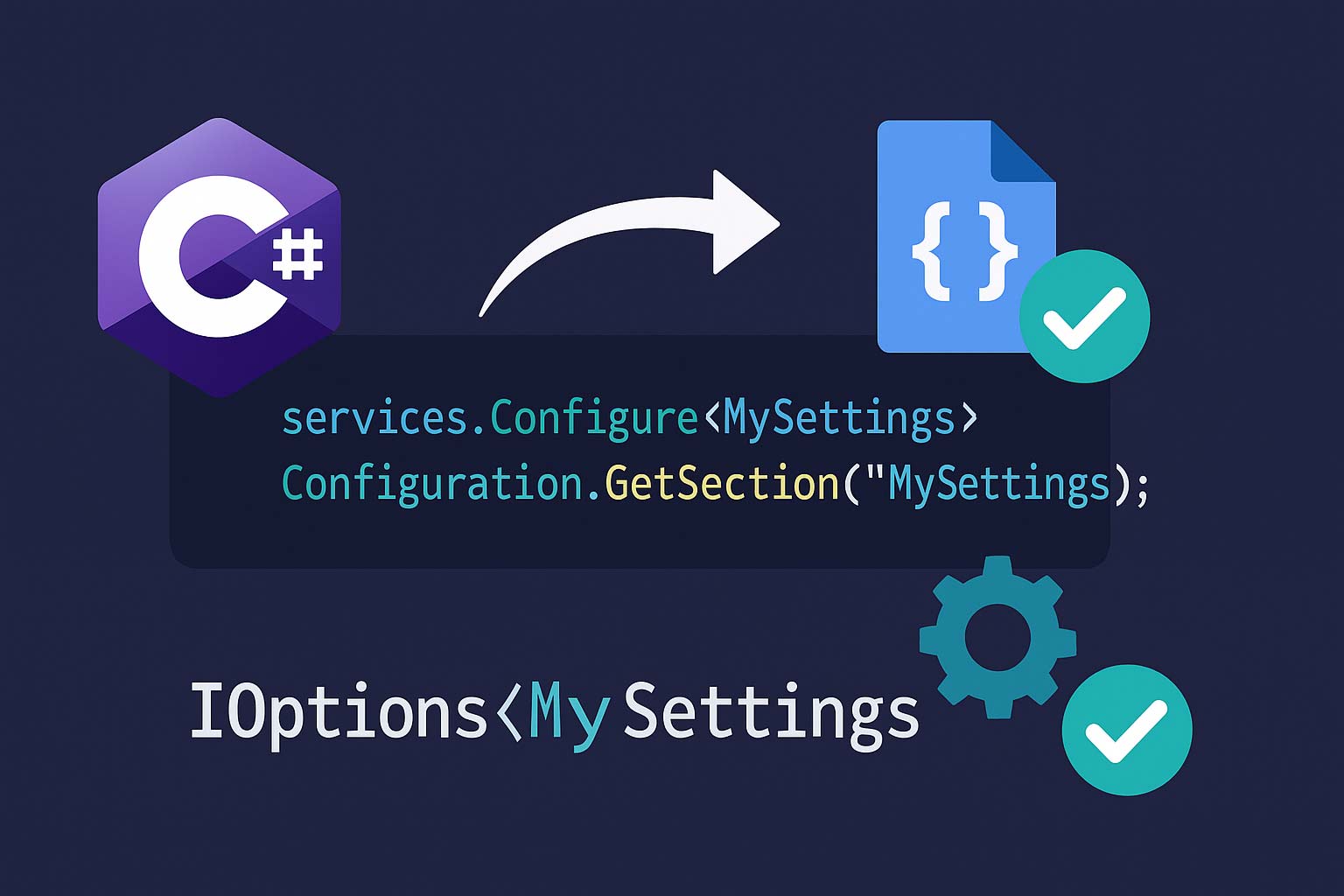
builder.Services.Configure<ApiOptions>(
    builder.Configuration.GetSection("Api"));

// ③ 使う側: コンストラクタ注入
public sealed class ApiClient(IOptions<ApiOptions> options)
{
    private readonly ApiOptions _opt = options.Value;

    public async Task<string> CallAsync()
    {
        using var http = new HttpClient { BaseAddress = new Uri(_opt.BaseUrl) };
        http.Timeout = TimeSpan.FromSeconds(_opt.Timeout);
        return await http.GetStringAsync("/data");
    }
}

// ④ DI を使わずに直接バインド(Console アプリ等)
var config = new ConfigurationBuilder()
    .AddJsonFile("appsettings.json")
    .Build();

var api = config.GetSection("Api").Get<ApiOptions>();
Console.WriteLine(api!.BaseUrl);

// ⑤ Bind で既存オブジェクトに上書き
var existing = new ApiOptions { BaseUrl = "default" };
config.GetSection("Api").Bind(existing);
IOptions / IOptionsSnapshot / IOptionsMonitor の詳細
| インターフェース | ライフタイム | 設定の再読み込み | 用途 |
|---|---|---|---|
IOptions<T> |
Singleton | されない(起動時の値が固定) | 変わらない設定。最もシンプル |
IOptionsSnapshot<T> |
Scoped | スコープ(HTTP リクエスト)開始時に再読み込み | リクエスト単位で最新設定を得たい |
IOptionsMonitor<T> |
Singleton | ファイル変更を検知して即時更新 | BackgroundService で動的設定を扱う |
// IOptions: アプリ起動時の値がずっと使われる
public class ServiceA(IOptions<ApiOptions> opt)
{
    public void Do() => Console.WriteLine(opt.Value.BaseUrl);
    // appsettings.json を編集しても値は変わらない
}

// IOptionsSnapshot: HTTP リクエストごとに最新
public class ServiceB(IOptionsSnapshot<ApiOptions> opt)
{
    public void Do() => Console.WriteLine(opt.Value.BaseUrl);
    // appsettings.json を変更すると次のリクエストから反映される
}

// IOptionsMonitor: Singleton でもリアルタイム変更
public class ServiceC(IOptionsMonitor<ApiOptions> monitor)
{
    public void Do() => Console.WriteLine(monitor.CurrentValue.BaseUrl);
    // ファイル変更時点で CurrentValue が更新される

    // 変更通知を購読することもできる
    public ServiceC(IOptionsMonitor<ApiOptions> monitor)
    {
        monitor.OnChange(newOpt =>
            Console.WriteLine($"設定変更: {newOpt.BaseUrl}"));
    }
}

// 判断基準:
// 静的な設定(DB 接続文字列・APIキー) → IOptions
// リクエスト単位で最新を反映(A/B テスト等) → IOptionsSnapshot
// BackgroundService で設定変更に追従 → IOptionsMonitor
Options Validation — 起動時に設定ミスを検出
設定値のバリデーションを行わないと、「接続文字列が空のまま動き出して最初のリクエストでクラッシュ」という本番障害が発生します。起動時にバリデーションを走らせるのがベストプラクティスです。
using System.ComponentModel.DataAnnotations;

public sealed class SmtpOptions
{
    [Required(ErrorMessage = "Host は必須です")]
    public string Host { get; init; } = "";

    [Range(1, 65535, ErrorMessage = "Port は 1〜65535")]
    public int Port { get; init; } = 587;

    [EmailAddress(ErrorMessage = "From は有効なメールアドレスが必要")]
    public string From { get; init; } = "";
}

// DI 登録
builder.Services
    .AddOptions<SmtpOptions>()
    .BindConfiguration("Smtp")       // Configure<T>(section) の代替
    .ValidateDataAnnotations()        // DataAnnotations で検証
    .ValidateOnStart();               // .NET 6+: アプリ起動時に即検証

// Host が空の appsettings.json でアプリを起動すると OptionsValidationException が投げられる
// → 「起動した瞬間」にわかるので、本番デプロイ後の初リクエストで落ちるのを防げる
public sealed class SmtpOptionsValidator : IValidateOptions<SmtpOptions>
{
    public ValidateOptionsResult Validate(string? name, SmtpOptions opt)
    {
        var errors = new List<string>();

        if (string.IsNullOrWhiteSpace(opt.Host))
            errors.Add("Host は必須です");
        if (opt.Port is < 1 or > 65535)
            errors.Add("Port は 1〜65535");
        if (opt.Port == 25 && !opt.Host.EndsWith(".internal"))
            errors.Add("Port 25 は内部サーバーのみ許可");

        return errors.Count > 0
            ? ValidateOptionsResult.Fail(errors)
            : ValidateOptionsResult.Success;
    }
}

// 登録
builder.Services.AddSingleton<IValidateOptions<SmtpOptions>, SmtpOptionsValidator>();
builder.Services.AddOptions<SmtpOptions>()
    .BindConfiguration("Smtp")
    .ValidateOnStart();
.NET 5 以前では
ValidateOnStart がないため、起動時のバリデーションは手動で行う必要があります。var opt = host.Services.GetRequiredService<IOptions<SmtpOptions>>().Value;のように起動直後にアクセスして例外を強制的に発生させるのが回避策です。.NET 8 以降では必ず ValidateOnStart() を付けてください。Named Options — 同じ型を複数登録
// 複数の外部 API にそれぞれ異なる設定を持たせたい
// appsettings.json:
// {
//   "ExternalApis": {
//     "Payment": { "BaseUrl": "https://pay.api", "Timeout": 10 },
//     "Shipping": { "BaseUrl": "https://ship.api", "Timeout": 30 }
//   }
// }

public sealed class ExternalApiOptions
{
    public required string BaseUrl { get; init; }
    public int Timeout { get; init; } = 30;
}

// 名前付きで登録
builder.Services.Configure<ExternalApiOptions>(
    "Payment", builder.Configuration.GetSection("ExternalApis:Payment"));
builder.Services.Configure<ExternalApiOptions>(
    "Shipping", builder.Configuration.GetSection("ExternalApis:Shipping"));

// 取得: IOptionsSnapshot<T> / IOptionsMonitor<T> の Get(name) を使う
public sealed class PaymentClient(IOptionsSnapshot<ExternalApiOptions> opts)
{
    private readonly ExternalApiOptions _opt = opts.Get("Payment");

    public async Task<string> CallAsync()
    {
        using var http = new HttpClient { BaseAddress = new Uri(_opt.BaseUrl) };
        return await http.GetStringAsync("/charge");
    }
}

// Keyed Services (.NET 8+) との使い分け:
// 型レベルで切り替える → Keyed Services
// 同じ型の設定値を複数持たせる → Named Options
PostConfigure — 全登録の後に値を調整
// PostConfigure は Configure の後に呼ばれる
// → ライブラリが「ユーザーの設定 + 自分のデフォルト」を統合するのに使う

builder.Services.PostConfigure<SmtpOptions>(opt =>
{
    // ポートが未設定(0)なら SSL に応じてデフォルト値を入れる
    if (opt.Port == 0) opt.Port = opt.UseSsl ? 465 : 25;
});

// ConfigureAll: Named Options を含むすべての名前に対して適用
builder.Services.ConfigureAll<ExternalApiOptions>(opt =>
{
    // 全 API に共通のタイムアウト下限を強制
    if (opt.Timeout < 5) opt.Timeout = 5;
});
配列・リスト・辞書のバインド
{
  "AllowedOrigins": [ "https://app.example.com", "https://admin.example.com" ],
  "Features": {
    "DarkMode": true,
    "BetaUsers": [ "alice", "bob" ]
  },
  "Endpoints": {
    "Primary": { "Url": "https://a.api", "Weight": 80 },
    "Secondary": { "Url": "https://b.api", "Weight": 20 }
  }
}
// 配列 → string[] / List<string>
public sealed class CorsOptions
{
    public string[] AllowedOrigins { get; init; } = Array.Empty<string>();
}
builder.Services.Configure<CorsOptions>(builder.Configuration);

// 辞書 → Dictionary<string, EndpointConfig>
public sealed class EndpointConfig
{
    public string Url { get; init; } = "";
    public int Weight { get; init; }
}

public sealed class RoutingOptions
{
    public Dictionary<string, EndpointConfig> Endpoints { get; init; } = new();
}
builder.Services.Configure<RoutingOptions>(builder.Configuration);

// 環境変数での配列上書き
// AllowedOrigins__0=https://override1.com
// AllowedOrigins__1=https://override2.com
// → インデックスを __ の後に数字で指定する
reloadOnChange — ファイル変更の自動反映
// Host.CreateApplicationBuilder は appsettings.json を reloadOnChange: true で登録する
// → ファイルを編集して保存すると FileSystemWatcher がトリガーされ設定が再読み込みされる

// 手動で ConfigurationBuilder を使う場合
var config = new ConfigurationBuilder()
    .AddJsonFile("appsettings.json", optional: false, reloadOnChange: true)
    .AddJsonFile($"appsettings.{env}.json", optional: true, reloadOnChange: true)
    .Build();

// reloadOnChange が効くのは IOptionsSnapshot と IOptionsMonitor のみ
// IOptions は Singleton なので再読み込みの影響を受けない

// Docker 環境での注意: ConfigMap を volume mount した場合
// ファイルがシンボリックリンクで置き換えられるため
// FileSystemWatcher が検知できないことがある → 環境変数で渡す方が確実
Console アプリでの設定管理
// Console アプリでも Host を使えば appsettings.json + DI が使える
var builder = Host.CreateApplicationBuilder(args);

// appsettings.json は自動で読み込まれる
builder.Services.Configure<ApiOptions>(
    builder.Configuration.GetSection("Api"));
builder.Services.AddTransient<App>();

var host = builder.Build();
var app  = host.Services.GetRequiredService<App>();
await app.RunAsync();

// App クラス
public sealed class App(IOptions<ApiOptions> options, ILogger<App> logger)
{
    public async Task RunAsync()
    {
        logger.LogInformation("BaseUrl: {Url}", options.Value.BaseUrl);
        // ...
    }
}
よくある落とし穴
// 構成プロバイダーのキーマッチングは大文字小文字を無視する(OrdinalIgnoreCase)
// → appsettings.json の "baseUrl" はプロパティ "BaseUrl" にバインドされる

// ただし環境変数は OS によって異なる
// Windows: 大文字小文字を区別しない
// Linux:   大文字小文字を区別する → Api__BaseUrl と api__baseurl は別のキー

// 推奨: 環境変数はパスカルケース(Api__BaseUrl)で統一する
// GetSection() は存在しないセクションでも null を返さない(空の IConfigurationSection)
var section = config.GetSection("NonExistent");
Console.WriteLine(section.Exists()); // false
Console.WriteLine(section.Value);    // null

// Get<T>() は null を返す
ApiOptions? opts = config.GetSection("NonExistent").Get<ApiOptions>();
Console.WriteLine(opts is null); // true

// Configure<T> で存在しないセクションをバインドすると全プロパティがデフォルト値になる
// → ValidateOnStart で必須項目チェックを入れないと「空の設定」で動いてしまう
// IOptionsSnapshot は Scoped ライフタイム
// Singleton サービスに注入するとライフタイム不整合で例外になる

public class MySingleton(IOptionsSnapshot<ApiOptions> opt) { }
// → InvalidOperationException: Cannot consume scoped service from singleton

// Singleton で設定変更を検知したい場合は IOptionsMonitor を使う
public class MySingleton(IOptionsMonitor<ApiOptions> monitor)
{
    public void Do() => Console.WriteLine(monitor.CurrentValue.BaseUrl);
}
// NG: 接続文字列やAPIキーを appsettings.json に直書き
{
    "ConnectionStrings": {
        "Default": "Server=prod-db;Password=secret123"  // Git に入る
    }
}

// OK: appsettings.json にはプレースホルダーだけ
{
    "ConnectionStrings": {
        "Default": ""  // 本番では環境変数で上書き
    }
}

// 環境変数で上書き
// ConnectionStrings__Default=Server=prod-db;Password=real-secret

// .gitignore に appsettings.*.json を入れたくなるが、
// appsettings.Development.json は他の開発者にも共有した方がよいことが多い
// 本当の秘密情報は User Secrets に入れるのがベスト
よくある質問
IOptions<T> で十分です。アプリ稼働中に設定ファイルを書き換えて反映させたい場合は IOptionsSnapshot<T>(Scoped)か IOptionsMonitor<T>(Singleton)を使います。判断基準は「設定変更時にアプリを再起動してもよいか」です。再起動 OK なら IOptions、無停止で反映したいなら IOptionsSnapshot or IOptionsMonitor です。ValidateOnStart() は .NET 6+ の API です。.NET 5 以前では、IHostedService の最初に全 IOptions<T> の .Value にアクセスしてバリデーションを強制発火させるか、Program.cs の builder.Build() 直後に手動で解決して例外を受け取ります。appsettings.json にデフォルト値を入れて Git 管理し、環境ごとの違い(DB 接続先・APIキー・ログレベル)は環境変数で上書きします。Docker では docker-compose.yml の environment、CI/CD ではパイプラインの Secret 変数で注入するのが標準です。IConfigurationProviderとIConfigurationSourceを実装します。Load() メソッドで Data ディクショナリ(Dictionary<string, string?>)にキー=値を詰める仕組みです。DB・API・Consul・etcd などのバックエンドから設定を読む場面で使います。.NET 公式ドキュメントに「Custom configuration provider」のテンプレートがあり、20行程度で最小実装ができます。BindConfiguration("Section") は AddOptions<T>().BindConfiguration("Section") の構文で、Configure<T>(section) と同じ動作です。ただし BindConfiguration を使うと同じチェーンに .ValidateDataAnnotations().ValidateOnStart() を付けられるため、バリデーション付き登録をする場合はこちらが便利です。まとめ
| 項目 | ベストプラクティス |
|---|---|
| プロバイダー優先順位 | appsettings.json(低) → 環境別 → User Secrets → 環境変数 → コマンドライン(高) |
| 秘密情報 | 開発は User Secrets、本番は環境変数 / Azure Key Vault |
| 設定クラス | required + init で不変 + 必須を表現(C# 11+) |
| バリデーション | [Required] / [Range] + ValidateOnStart()(.NET 6+) |
| IOptions 選択 | 固定 → IOptions、リクエスト単位 → IOptionsSnapshot、動的 → IOptionsMonitor |
| 複数設定 | Named Options(同じ型を名前で区別) |
| 後処理 | PostConfigure でデフォルト値の補完やサニタイズ |
| 配列 | JSON 配列 → string[] / List<T>。環境変数は Key__0 形式 |
| reloadOnChange | IOptionsSnapshot / IOptionsMonitor で反映。Docker では環境変数の方が確実 |
| 落とし穴 | 存在しないセクション → デフォルト値で動く。Snapshot → Singleton 注入で例外 |
関連機能は以下を参照してください。依存性注入(DI)完全ガイドで IOptions の DI 登録と Captured Dependencies、ログ出力完全ガイドで appsettings.json によるログレベル制御と Serilog 設定、init専用プロパティ完全ガイドで不変な設定クラスの設計を解説しています。