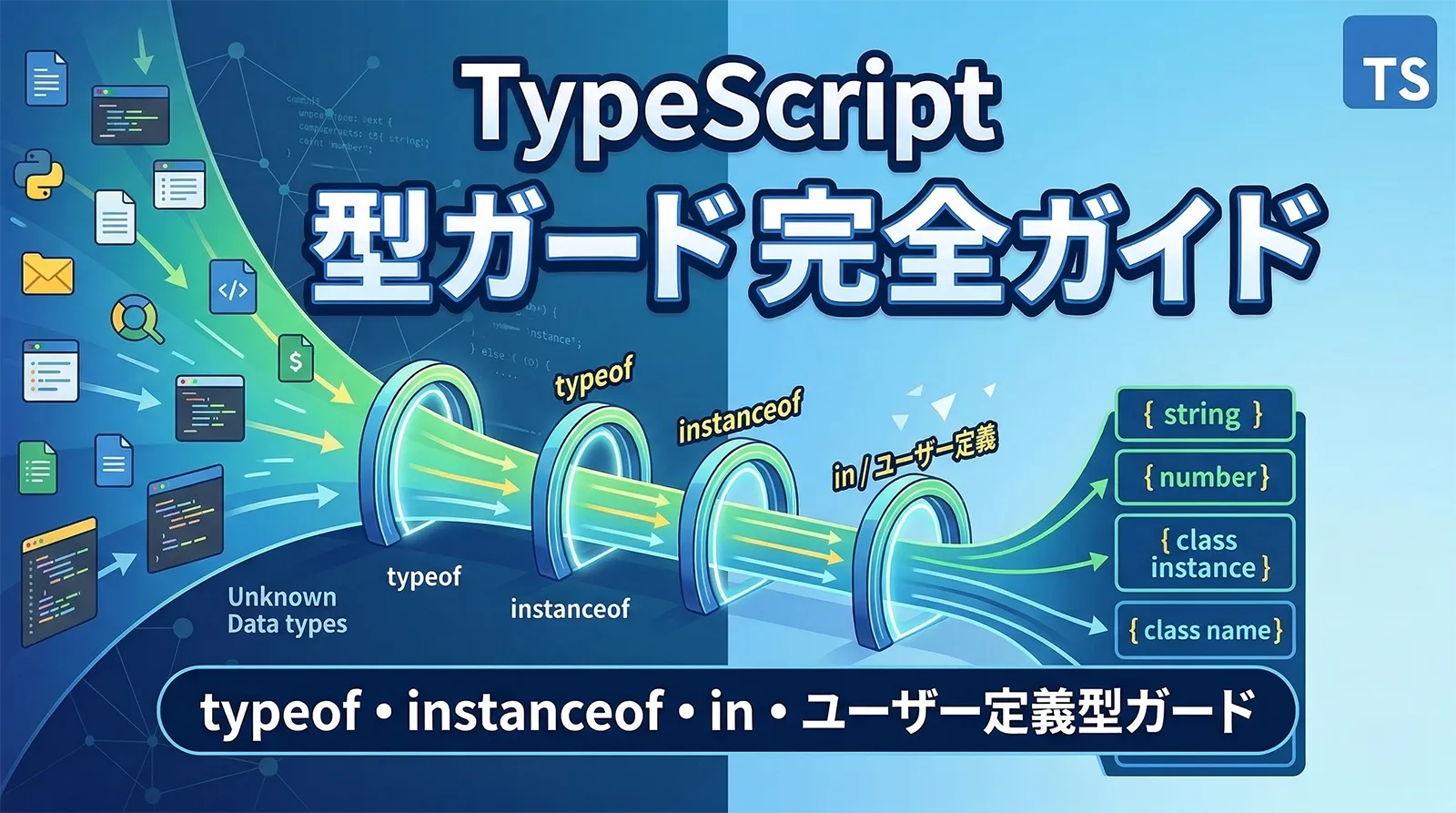
TypeScriptの最大の強みは型安全性です。しかし、現実のコードでは「この変数はstringかもしれないしnumberかもしれない」「nullの可能性がある」という場面が頻繁に発生します。そのとき、TypeScriptはどうやって型を判定し、安全にコードを実行させるのでしょうか。
答えは型の絞り込み(Type Narrowing)です。TypeScriptのコンパイラは、条件分岐やチェック処理の文脈を読み取って、変数の型を自動的に狭めてくれます。これを制御フロー解析(Control Flow Analysis)と呼びます。
この記事では、TypeScriptの型の絞り込みに完全特化して、typeof・instanceof・in演算子・ユーザー定義型ガード・satisfies演算子から、Discriminated Unions・網羅性チェック・制御フロー解析の限界と回避策まで、すべての手法を体系的に解説します。
この記事で学べること
- 型の絞り込み(Narrowing)の仕組みと制御フロー解析の基本概念
typeof による8つのプリミティブ型判定と注意点- 真偽値チェック(Truthiness Narrowing)と等価性チェック(Equality Narrowing)
in 演算子・instanceof によるオブジェクト型の絞り込み- 代入による絞り込み(Assignment Narrowing)の仕組み
- Discriminated Unions(判別可能なユニオン型)の設計パターン
never 型と網羅性チェック(Exhaustive Check)- ユーザー定義型ガード(
is)と Assertion Functions(asserts)
- Optional Chaining(
?.)・Nullish Coalescing(??)・satisfies 演算子
- 制御フロー解析の限界と回避策(コールバック、クロージャ、非同期処理)
- 実務パターン集(APIレスポンス判定、エラーハンドリング、フォームバリデーション、State Machine)
- 型の絞り込み手法の使い分け判断フローチャート
前提知識:この記事はTypeScriptの基本的な型(string、number、Union型など)を理解している方を対象としています。型の基本から学びたい方は【TypeScript】型の書き方 完全入門を先にお読みください。
型の絞り込み(Type Narrowing)とは
型の絞り込み(Type Narrowing)とは、TypeScriptのコンパイラが条件分岐やチェック処理を解析して、変数の型をより具体的な型に自動で狭めてくれる仕組みです。
なぜ型の絞り込みが必要なのか
TypeScriptでは、ひとつの変数が複数の型を持つことがあります。例えば、string | number というUnion型の変数に対して、string 専用のメソッドである toUpperCase() をそのまま呼ぶとエラーになります。
型の絞り込みが必要な例
function printValue(value: string | number) {
  // エラー: Property 'toUpperCase' does not exist on type 'string | number'
  console.log(value.toUpperCase());
}

function printValueSafe(value: string | number) {
  if (typeof value === "string") {
    // ここでは value は string 型に絞り込まれる
    console.log(value.toUpperCase()); // OK
  } else {
    // ここでは value は number 型に絞り込まれる
    console.log(value.toFixed(2)); // OK
  }
}
typeof value === "string" という条件分岐を書くだけで、TypeScriptは if ブロック内では value が string 型であることを理解し、else ブロックでは残りの number 型であることを推論します。これが型の絞り込みです。
制御フロー解析(Control Flow Analysis)の仕組み
TypeScriptのコンパイラは、コードの実行パス(制御フロー)を追跡しています。条件分岐(if/else)、switch文、早期リターン、例外のthrowなどをすべて分析し、各時点での変数の型を正確に把握します。
制御フロー解析の例
function example(value: string | number | null) {
  // ここでは value: string | number | null

  if (value === null) {
    // ここでは value: null
    return;
  }

  // ここでは value: string | number(nullが除外された)

  if (typeof value === "string") {
    // ここでは value: string
    console.log(value.toUpperCase());
  } else {
    // ここでは value: number
    console.log(value.toFixed(2));
  }
}
このように、TypeScriptは上から順にコードを追跡し、各チェックポイントで型を更新していきます。nullチェックの後はnullが除外され、typeofチェックの後は対応する型に絞り込まれます。
型の絞り込みが発生する主なパターン
typeof 演算子(プリミティブ型の判定)- 真偽値チェック(
if (value)、!!、Boolean())
- 等価性チェック(
===、!==、==、!=、switch)
in 演算子(プロパティの存在確認)instanceof 演算子(クラスインスタンスの判定)- 代入(Assignment)
- Discriminated Unions(判別可能なユニオン型)
- ユーザー定義型ガード(
isキーワード)
- Assertion Functions(
assertsキーワード)
typeof による型の絞り込み
typeof 演算子は、値のランタイム型を文字列で返すJavaScriptの組み込み演算子です。TypeScriptはこのtypeofチェックを認識して、型を自動的に絞り込みます。
typeof が返す値の一覧
typeof演算子が返す文字列は、JavaScriptの仕様で以下の8種類に限定されています。
| typeof の戻り値 |
対応する値 |
TypeScriptでの絞り込み先 |
"string" |
文字列 |
string |
"number" |
数値(NaN、Infinity含む) |
number |
"bigint" |
BigInt |
bigint |
"boolean" |
true / false |
boolean |
"symbol" |
Symbol |
symbol |
"undefined" |
undefined |
undefined |
"object" |
オブジェクト、配列、null |
object(null含む場合あり) |
"function" |
関数 |
Function |
基本的な typeof ガードの使い方
typeof ガードは、プリミティブ型のUnionを絞り込むのに最も適した方法です。
typeof ガードの基本パターン
function padLeft(value: string, padding: string | number): string {
  if (typeof padding === "number") {
    // padding: number
    return " ".repeat(padding) + value;
  }
  // padding: string
  return padding + value;
}

console.log(padLeft("Hello", 4));      // "    Hello"
console.log(padLeft("Hello", ">> ")); // ">> Hello"
複数の typeof チェックの組み合わせ
3つ以上の型のUnionでも、typeofチェックを連鎖させることで段階的に絞り込めます。
複数の typeof チェック
function processInput(input: string | number | boolean) {
  if (typeof input === "string") {
    // input: string
    return input.trim().toLowerCase();
  }
  if (typeof input === "number") {
    // input: number
    return input.toFixed(2);
  }
  // input: boolean(string と number が除外された)
  return input ? "yes" : "no";
}
typeof "object" の罠 ― null に注意
JavaScriptの歴史的なバグにより、typeof null は "object" を返します。そのため、typeof で "object" を判定しても、null が除外されません。
typeof "object" と null の問題
function processObject(value: object | null | string) {
  if (typeof value === "object") {
    // 注意: value は object | null(null が残っている!)
    // value.toString(); // エラーの可能性
  }
}

// 正しい方法: null チェックを先に行う
function processObjectSafe(value: object | null | string) {
  if (value !== null && typeof value === "object") {
    // value: object(null が確実に除外された)
    console.log(value.toString()); // OK
  }
}
注意:typeof null === "object" はJavaScriptの仕様上のバグですが、後方互換性のため修正されていません。オブジェクト判定の際は必ず null チェックを組み合わせましょう。
typeof ガードと早期リターン(Early Return)
早期リターンパターンを使うと、else ブロックを書かずにネストの浅いコードが書けます。TypeScriptは早期リターンの後の型も正しく追跡します。
早期リターンによる絞り込み
function getLength(value: string | string[]): number {
  if (typeof value === "string") {
    // value: string
    return value.length;
  }
  // ここに到達 = value は string[] に絞り込まれる
  return value.length;
}
真偽値チェック(Truthiness Narrowing)
JavaScriptでは、if 文の条件式に渡された値がtruthy(真値)かfalsy(偽値)かで分岐します。TypeScriptはこの真偽値チェックも型の絞り込みに活用します。
falsy な値の一覧
JavaScriptでfalsyと評価される値は以下の7つです。これら以外はすべてtruthyです。
| falsy な値 |
typeof の結果 |
備考 |
false |
"boolean" |
boolean の false |
0、-0、0n |
"number"/"bigint" |
ゼロ |
""(空文字列) |
"string" |
空の文字列 |
null |
"object" |
値が存在しない |
undefined |
"undefined" |
値が未定義 |
NaN |
"number" |
非数 |
document.all |
"undefined" |
レガシー(ほぼ使わない) |
if (value) による null / undefined の除外
Truthiness Narrowing が最もよく使われるのは、null や undefined の除外です。
Truthiness Narrowing で null/undefined を除外
function printName(name: string | null | undefined) {
  if (name) {
    // name: string(null と undefined が除外された)
    console.log("Hello, " + name.toUpperCase());
  }
}

// 配列の要素チェックにも使える
function getFirstElement<T>(arr: T[] | undefined): T | undefined {
  if (arr) {
    // arr: T[](undefined が除外された)
    return arr[0];
  }
  return undefined;
}
注意:Truthiness Narrowing は 0、""(空文字列)、NaN も falsy として扱います。数値の 0 や空文字列が有効な値である場合は、!== null や !== undefined で明示的にチェックしましょう。
!! と Boolean() による絞り込み
!!(二重否定)やBoolean()関数を使って真偽値に変換する手法も、TypeScriptは型の絞り込みとして認識します。
!! と Boolean() による絞り込み
function processValues(values: (string | null | undefined)[]) {
  // filter + Boolean で null/undefined を除外
  const validValues = values.filter(Boolean);
  // validValues: (string | null | undefined)[]
  // ※ TypeScript 5.5以降では string[] に推論される
}

// 明示的な型ガード関数を使う方が確実
function isNotNullish<T>(value: T | null | undefined): value is T {
  return value !== null && value !== undefined;
}

const definitelyStrings = values.filter(isNotNullish);
// definitelyStrings: string[]
否定 (!) による絞り込み
否定演算子 ! を使った条件でも、TypeScriptは型を正しく絞り込みます。
否定による絞り込み
function handleError(error: Error | null) {
  if (!error) {
    // error: null(Error が除外された)
    console.log("No error");
    return;
  }
  // error: Error(null が除外された)
  console.log(error.message);
}
等価性チェック(Equality Narrowing)
TypeScriptは、===(厳密等価)、!==(厳密不等価)、==、!= といった等価性チェックも型の絞り込みに利用します。switch 文も同様です。
=== と !== による絞り込み
特定の値との厳密比較を行うと、その分岐内での型がリテラル型に絞り込まれます。
=== による絞り込み
function compare(a: string | number, b: string | boolean) {
  if (a === b) {
    // a と b が === で一致する = 両方とも string
    // a: string, b: string
    console.log(a.toUpperCase()); // OK
    console.log(b.toUpperCase()); // OK
  }
}
上記の例では、a(string | number)とb(string | boolean)が===で一致する場合、共通の型はstringのみなので、両方ともstring型に絞り込まれます。
!== null / !== undefined による絞り込み
最も頻繁に使う等価性絞り込みは、null や undefined との比較です。
null/undefined チェック
function greet(name: string | null | undefined) {
  if (name !== null && name !== undefined) {
    // name: string
    console.log("Hello, " + name);
  }
}

// == null は null と undefined の両方をチェックする
function greetShort(name: string | null | undefined) {
  if (name != null) {
    // name: string(null と undefined の両方が除外される)
    console.log("Hello, " + name);
  }
}
ポイント:== null(緩い等価)を使うと、null と undefined の両方を一度にチェックできます。これはTypeScriptの公式ドキュメントでも推奨されているイディオムです。
switch 文による絞り込み
switch 文も等価性チェックと同じ原理で型を絞り込みます。リテラル型のUnionを扱うときに特に有効です。
switch 文による絞り込み
type Direction = "up" | "down" | "left" | "right";

function move(direction: Direction) {
  switch (direction) {
    case "up":
      // direction: "up"
      console.log("Moving up");
      break;
    case "down":
      // direction: "down"
      console.log("Moving down");
      break;
    case "left":
      // direction: "left"
      console.log("Moving left");
      break;
    case "right":
      // direction: "right"
      console.log("Moving right");
      break;
  }
}
in 演算子による型の絞り込み
in 演算子は、オブジェクトが特定のプロパティを持っているかどうかを判定するJavaScriptの演算子です。TypeScriptはinチェックを認識して、オブジェクトのUnion型を絞り込みます。
基本的な in ガードの使い方
異なるプロパティを持つ2つの型のUnionを、in演算子で振り分けるパターンです。
in 演算子による絞り込み
interface Fish {
  swim: () => void;
}

interface Bird {
  fly: () => void;
}

function move(animal: Fish | Bird) {
  if ("swim" in animal) {
    // animal: Fish
    animal.swim();
  } else {
    // animal: Bird
    animal.fly();
  }
}
共通プロパティがある場合の in ガード
両方の型に共通プロパティがある場合でも、一方にしかないプロパティの存在チェックで絞り込めます。
共通プロパティがある場合
interface Admin {
  name: string;
  role: "admin";
  permissions: string[];
}

interface User {
  name: string;
  role: "user";
}

function showInfo(person: Admin | User) {
  console.log(person.name); // OK(共通プロパティ)

  if ("permissions" in person) {
    // person: Admin
    console.log("Permissions:", person.permissions);
  }
}
オプショナルプロパティと in ガードの注意点
in演算子はプロパティが存在するかどうかを判定しますが、オプショナルプロパティ(?付き)の場合は注意が必要です。
オプショナルプロパティと in ガード
interface Dog {
  bark: () => void;
  breed?: string; // オプショナル
}

interface Cat {
  meow: () => void;
  breed?: string; // オプショナル(両方にある)
}

function handlePet(pet: Dog | Cat) {
  // breed は両方の型にオプショナルで存在するため、絞り込めない
  if ("breed" in pet) {
    // pet: Dog | Cat(絞り込まれない)
  }

  // 一方にしかないプロパティで絞り込む
  if ("bark" in pet) {
    // pet: Dog(正しく絞り込まれる)
    pet.bark();
  }
}
ポイント:in 演算子はオブジェクト型の絞り込みに適しています。一方の型にしか存在しないプロパティで判定するのがベストプラクティスです。両方の型に存在するプロパティでは絞り込みが効かない場合があります。
instanceof による型の絞り込み
instanceof 演算子は、オブジェクトが特定のクラスのインスタンスであるかどうかを判定します。TypeScriptはinstanceofチェックを型の絞り込みに利用します。
基本的な instanceof ガードの使い方
instanceof はクラスベースの型判定に使います。interface には使えません(ランタイムに存在しないため)。
instanceof による絞り込み
function logValue(value: Date | string) {
  if (value instanceof Date) {
    // value: Date
    console.log(value.toISOString());
  } else {
    // value: string
    console.log(value.toUpperCase());
  }
}
組み込みクラスでの instanceof
JavaScriptの組み込みクラス(Date、RegExp、Map、Set、Error など)も instanceof で判定できます。
組み込みクラスでの instanceof
function handleError(error: unknown) {
  if (error instanceof TypeError) {
    // error: TypeError
    console.log("TypeError:", error.message);
  } else if (error instanceof RangeError) {
    // error: RangeError
    console.log("RangeError:", error.message);
  } else if (error instanceof Error) {
    // error: Error
    console.log("Error:", error.message);
  } else {
    // error: unknown
    console.log("Unknown error:", error);
  }
}
注意:エラー型の instanceof チェックでは、サブクラスの判定を先に書きましょう。TypeError は Error のサブクラスなので、Error の判定を先に書くとすべてのエラーがそこでマッチしてしまいます。
カスタムクラスでの instanceof
自分で定義したクラスでも instanceof ガードが使えます。
カスタムクラスでの instanceof
class HttpError extends Error {
  constructor(
    message: string,
    public statusCode: number
  ) {
    super(message);
  }
}

class ValidationError extends Error {
  constructor(
    message: string,
    public field: string
  ) {
    super(message);
  }
}

function handleAppError(error: Error) {
  if (error instanceof HttpError) {
    // error: HttpError
    console.log(`HTTP ${error.statusCode}: ${error.message}`);
  } else if (error instanceof ValidationError) {
    // error: ValidationError
    console.log(`Validation failed on ${error.field}: ${error.message}`);
  } else {
    // error: Error
    console.log(`Unexpected error: ${error.message}`);
  }
}
instanceof と interface の違い
instanceof はクラス(ランタイムに存在するコンストラクタ関数)にしか使えません。interface や type はコンパイル時にのみ存在するため、instanceof の対象にはできません。
| 判定方法 |
class |
interface |
type alias |
| instanceof |
使える |
使えない |
使えない |
| in 演算子 |
使える |
使える |
使える |
| typeof |
使えない(常に"object") |
使えない |
使えない |
| ユーザー定義型ガード (is) |
使える |
使える |
使える |
代入による型の絞り込み(Assignment Narrowing)
TypeScriptは、変数への代入も型の絞り込みとして認識します。変数に具体的な値を代入すると、その時点での型が代入された値の型に絞り込まれます。
let 変数への代入による絞り込み
代入による絞り込み
let value: string | number;

value = "hello";
// ここでは value: string
console.log(value.toUpperCase()); // OK

value = 42;
// ここでは value: number
console.log(value.toFixed(2)); // OK
ただし、代入による絞り込みは宣言された型の範囲内でしか行われません。上記の例では、valueは string | number と宣言されているため、string を代入しても後で number を再代入できます。
const 変数とリテラル型の絞り込み
const で宣言した変数にリテラル値を代入すると、リテラル型に絞り込まれます。
const とリテラル型
const message = "hello";
// message の型: "hello"(リテラル型)

let greeting = "hello";
// greeting の型: string(let なので広い型に推論される)

// as const で配列やオブジェクトもリテラル型に
const colors = ["red", "green", "blue"] as const;
// colors の型: readonly ["red", "green", "blue"]
分割代入(Destructuring)での絞り込み
分割代入でも、TypeScriptは適切に型を追跡します。
分割代入と型の絞り込み
interface ApiResponse {
  status: "success" | "error";
  data?: unknown;
  error?: string;
}

function processResponse(response: ApiResponse) {
  const { status, data, error } = response;

  if (status === "success") {
    // status: "success"
    console.log("Data:", data);
  } else {
    // status: "error"
    console.log("Error:", error);
  }
}
Discriminated Unions(判別可能なユニオン型)
Discriminated Unions(判別可能なユニオン型)は、TypeScriptで最も強力な型の絞り込みパターンのひとつです。共通の判別プロパティ(Discriminant)を持つ複数の型をUnionにすることで、その判別プロパティの値に基づいて正確に型を絞り込めます。
基本的な Discriminated Union
各型に共通のリテラル型プロパティ(通常は type、kind、status など)を持たせます。
Discriminated Union の基本
interface Circle {
  kind: "circle";
  radius: number;
}

interface Rectangle {
  kind: "rectangle";
  width: number;
  height: number;
}

interface Triangle {
  kind: "triangle";
  base: number;
  height: number;
}

type Shape = Circle | Rectangle | Triangle;

function getArea(shape: Shape): number {
  switch (shape.kind) {
    case "circle":
      // shape: Circle
      return Math.PI * shape.radius ** 2;
    case "rectangle":
      // shape: Rectangle
      return shape.width * shape.height;
    case "triangle":
      // shape: Triangle
      return (shape.base * shape.height) / 2;
  }
}
ポイント:Discriminated Unions の3つの要件: (1) 共通のプロパティ名を持つ(判別子)、(2) そのプロパティがリテラル型である、(3) Union型でまとめられている。この3つが揃うと、TypeScriptは switch や if で完全な型の絞り込みを行えます。
実務でよく使う Discriminated Union パターン
Discriminated Unions は実務で幅広く活用されます。代表的なパターンを見ていきましょう。
1. APIレスポンスの型
APIレスポンスの Discriminated Union
interface SuccessResponse<T> {
  status: "success";
  data: T;
}

interface ErrorResponse {
  status: "error";
  message: string;
  code: number;
}

interface LoadingResponse {
  status: "loading";
}

type ApiResponse<T> = SuccessResponse<T> | ErrorResponse | LoadingResponse;

function handleResponse<T>(response: ApiResponse<T>) {
  switch (response.status) {
    case "success":
      console.log("Data:", response.data);
      break;
    case "error":
      console.log(`Error ${response.code}: ${response.message}`);
      break;
    case "loading":
      console.log("Loading...");
      break;
  }
}
2. イベントハンドリングの型
イベント型の Discriminated Union
type AppEvent =
  | { type: "click"; x: number; y: number }
  | { type: "keypress"; key: string }
  | { type: "scroll"; scrollY: number };

function handleEvent(event: AppEvent) {
  switch (event.type) {
    case "click":
      console.log(`Clicked at (${event.x}, ${event.y})`);
      break;
    case "keypress":
      console.log(`Key pressed: ${event.key}`);
      break;
    case "scroll":
      console.log(`Scrolled to ${event.scrollY}`);
      break;
  }
}
3. State Machine パターン
State Machine の Discriminated Union
type FetchState<T> =
  | { status: "idle" }
  | { status: "loading" }
  | { status: "success"; data: T }
  | { status: "error"; error: Error };

function renderState<T>(state: FetchState<T>): string {
  switch (state.status) {
    case "idle":
      return "Click to load";
    case "loading":
      return "Loading...";
    case "success":
      return `Data: ${JSON.stringify(state.data)}`;
    case "error":
      return `Error: ${state.error.message}`;
  }
}
never 型と網羅性チェック(Exhaustive Check)
TypeScriptのnever型は、「ありえない状態」を表す特別な型です。すべての型の絞り込みが完了した後に残る型がneverになることを利用して、switch文や条件分岐の網羅性をコンパイル時にチェックできます。
never 型とは
never型は以下の性質を持ちます。
| 性質 |
説明 |
| すべての型のサブタイプ |
neverは任意の型に代入できる |
| どの型も never に代入できない |
never型の変数には何も代入できない(never自身を除く) |
| 到達不能なコード |
すべての分岐が処理された後の到達不能な場所で出現する |
| 例外を投げる関数の戻り値 |
throw で常に例外を投げる関数の戻り値型は never |
Exhaustive Check の実装
Discriminated Unions と never 型を組み合わせることで、すべてのケースが処理されているかをコンパイル時にチェックできます。
Exhaustive Check パターン
type Shape = Circle | Rectangle | Triangle;

// 網羅性チェック用のヘルパー関数
function assertNever(value: never): never {
  throw new Error(`Unexpected value: ${JSON.stringify(value)}`);
}

function getArea(shape: Shape): number {
  switch (shape.kind) {
    case "circle":
      return Math.PI * shape.radius ** 2;
    case "rectangle":
      return shape.width * shape.height;
    case "triangle":
      return (shape.base * shape.height) / 2;
    default:
      return assertNever(shape);
  }
}
新しい型を追加したときの安全性
assertNever パターンの真価は、Union型に新しい型を追加したときに発揮されます。
型を追加した場合のコンパイルエラー
// 新しい図形を追加
interface Pentagon {
  kind: "pentagon";
  sideLength: number;
}

type Shape = Circle | Rectangle | Triangle | Pentagon;

// getArea 関数でコンパイルエラーが発生!
// Argument of type 'Pentagon' is not assignable to parameter of type 'never'
// → "pentagon" の case を追加する必要があることが分かる
ポイント:assertNever パターンは、Union型に新しいメンバーを追加した際に、対応する処理の追加漏れをコンパイルエラーで通知してくれます。大規模なコードベースでは特に効果的なパターンです。
satisfies 演算子を使った網羅性チェック(TypeScript 4.9+)
TypeScript 4.9 以降では、satisfies 演算子を使った別の網羅性チェック方法もあります。
satisfies による網羅性チェック
type ShapeKind = Shape["kind"];

const shapeLabels = {
  circle: "円",
  rectangle: "長方形",
  triangle: "三角形",
} satisfies Record<ShapeKind, string>;
ユーザー定義型ガード(Type Predicates: is キーワード)
これまで紹介したtypeofやinstanceofは、TypeScriptが自動的に認識する型ガードでした。しかし、より複雑な型判定が必要な場合には、自分で型ガード関数を定義できます。これがユーザー定義型ガード(Type Predicates)です。
基本構文: paramName is Type
ユーザー定義型ガードは、関数の戻り値の型に paramName is Type という形式の型述語(Type Predicate)を書きます。
ユーザー定義型ガードの基本
interface Fish {
  swim: () => void;
}

interface Bird {
  fly: () => void;
}

// 型ガード関数: 戻り値が "animal is Fish"
function isFish(animal: Fish | Bird): animal is Fish {
  return ("swim" in animal);
}

function move(animal: Fish | Bird) {
  if (isFish(animal)) {
    // animal: Fish(型ガードにより絞り込まれる)
    animal.swim();
  } else {
    // animal: Bird
    animal.fly();
  }
}
型ガード関数 vs 通常の boolean 関数
function isFish(animal: Fish | Bird): boolean → 戻り値が boolean だけ。呼び出し側で型の絞り込みは起こらないfunction isFish(animal: Fish | Bird): animal is Fish → 型述語付き。呼び出し側で型の絞り込みが起こる
unknown 型のバリデーションに使う
ユーザー定義型ガードの最も実践的な用途は、外部から入ってくるデータの型を安全に判定するケースです。
unknown 型のバリデーション
interface User {
  id: number;
  name: string;
  email: string;
}

// unknown から User 型かどうかを判定する型ガード
function isUser(value: unknown): value is User {
  return (
    typeof value === "object" &&
    value !== null &&
    "id" in value &&
    "name" in value &&
    "email" in value &&
    typeof (value as User).id === "number" &&
    typeof (value as User).name === "string" &&
    typeof (value as User).email === "string"
  );
}

// APIレスポンスのバリデーションに活用
async function fetchUser(id: number): Promise<User> {
  const response = await fetch(`/api/users/${id}`);
  const data: unknown = await response.json();

  if (isUser(data)) {
    // data: User(安全に使える)
    return data;
  }
  throw new Error("Invalid user data");
}
配列の filter メソッドとの組み合わせ
型ガード関数は Array.prototype.filter() と組み合わせると非常に便利です。
filter と型ガードの組み合わせ
function isNotNull<T>(value: T | null): value is T {
  return value !== null;
}

function isDefined<T>(value: T | undefined): value is T {
  return value !== undefined;
}

const mixedArray: (string | null)[] = ["hello", null, "world", null];

// 型ガード関数なし: (string | null)[]
const withoutGuard = mixedArray.filter(item => item !== null);

// 型ガード関数あり: string[]
const withGuard = mixedArray.filter(isNotNull);
// withGuard: string[] ← 正しく絞り込まれる!
注意:ユーザー定義型ガードでは、TypeScriptは関数内部の実装が正しいかどうかを検証しません。例えば return true と書いてもコンパイルエラーにはなりません。型ガード関数の実装は開発者の責任で正しく書く必要があります。
this ベースの型ガード
クラスのメソッドとして型ガードを定義する場合は、this is Type という構文を使えます。
this ベースの型ガード
class Shape {
  isCircle(): this is Circle {
    return this instanceof Circle;
  }
  isRectangle(): this is Rectangle {
    return this instanceof Rectangle;
  }
}

class Circle extends Shape {
  constructor(public radius: number) { super(); }
}

class Rectangle extends Shape {
  constructor(public width: number, public height: number) { super(); }
}

function processShape(shape: Shape) {
  if (shape.isCircle()) {
    // shape: Circle
    console.log(shape.radius);
  }
}
Assertion Functions(asserts キーワード)
Assertion Functions は、TypeScript 3.7 で追加された機能で、関数が正常に戻った場合に特定の条件が真であることをTypeScriptに伝えます。Node.jsの assert 関数のような「検証に失敗したら例外を投げる」パターンを型安全に実現できます。
基本構文: asserts condition
asserts condition パターン
function assert(condition: unknown, message?: string): asserts condition {
  if (!condition) {
    throw new Error(message ?? "Assertion failed");
  }
}

function processValue(value: string | null) {
  assert(value !== null, "Value must not be null");
  // ここ以降、value: string(null が除外される)
  console.log(value.toUpperCase());
}
asserts value is Type パターン
asserts と is を組み合わせることで、型の絞り込みを伴うアサーション関数を作れます。
asserts value is Type パターン
function assertIsString(value: unknown): asserts value is string {
  if (typeof value !== "string") {
    throw new TypeError(`Expected string, got ${typeof value}`);
  }
}

function assertIsError(value: unknown): asserts value is Error {
  if (!(value instanceof Error)) {
    throw new TypeError("Expected Error instance");
  }
}

// 使用例
function handleInput(input: unknown) {
  assertIsString(input);
  // input: string
  console.log(input.trim().toLowerCase());
}
is と asserts の使い分け
| 項目 |
is(型述語) |
asserts(アサーション) |
| 戻り値 |
boolean |
void(正常時)/ 例外(失敗時) |
| 分岐 |
if で条件分岐する |
分岐なし(失敗したら例外) |
| ユースケース |
条件に応じて異なる処理をしたい |
前提条件のバリデーション |
| 具体例 |
filter のコールバック、条件分岐 |
関数の先頭でのガード句 |
Optional Chaining(?.)と Nullish Coalescing(??)による絞り込み
TypeScript 3.7 で追加されたOptional Chaining(?.)とNullish Coalescing(??)は、null や undefined を安全に扱うための演算子です。これらも型の絞り込みに関連します。
Optional Chaining(?.)
?. は、左辺が null または undefined の場合に undefined を返し、そうでなければ通常通りプロパティアクセスやメソッド呼び出しを行います。
Optional Chaining の基本
interface User {
  name: string;
  address?: {
    city: string;
    zip?: string;
  };
}

function getCity(user: User): string | undefined {
  // Optional Chaining なし(冗長)
  // const city = user.address ? user.address.city : undefined;

  // Optional Chaining あり(簡潔)
  return user.address?.city;
}

// メソッド呼び出しにも使える
const length = user.address?.city?.length;
// length: number | undefined

// 配列のインデックスアクセスにも使える
const arr: number[] | undefined = undefined;
const first = arr?.[0]; // number | undefined

// 関数呼び出しにも使える
const callback: ((x: number) => number) | undefined = undefined;
const result = callback?.(42); // number | undefined
Nullish Coalescing(??)
?? は、左辺が null または undefined の場合にのみ右辺の値を返します。|| と異なり、0 や "" は falsy ですが nullish ではないため、右辺に置き換わりません。
?? と || の違い
const count: number | null = 0;

// || は falsy なら右辺を返す(0 も falsy)
const a = count || 10; // 10(0 は falsy なので右辺)

// ?? は null/undefined のときだけ右辺を返す
const b = count ?? 10; // 0(0 は nullish ではないので左辺)

const empty: string | null = "";
const c = empty || "default"; // "default"
const d = empty ?? "default"; // ""(空文字は nullish ではない)
?. と ?? の組み合わせパターン
実務では ?. と ?? を組み合わせて、安全にデフォルト値を設定するパターンがよく使われます。
?. と ?? の実務パターン
interface Config {
  database?: {
    host?: string;
    port?: number;
  };
}

function getDbHost(config: Config): string {
  return config.database?.host ?? "localhost";
  // 戻り値型: string(undefined の可能性が ?? で解消される)
}

function getDbPort(config: Config): number {
  return config.database?.port ?? 5432;
}
satisfies 演算子と型の絞り込み(TypeScript 4.9+)
satisfies 演算子は TypeScript 4.9 で追加された機能で、値が特定の型を満たすことを検証しつつ、推論された型をそのまま保持できます。型の絞り込みと組み合わせると強力な型安全性が得られます。
satisfies の基本
satisfies の基本
type Color = "red" | "green" | "blue";
type ColorMap = Record<Color, string | number[]>;

// 型注釈を使った場合
const colorsAnnotated: ColorMap = {
  red: "#ff0000",
  green: [0, 255, 0],
  blue: "#0000ff",
};
// colorsAnnotated.red の型: string | number[]
// リテラル型の情報が失われる

// satisfies を使った場合
const colorsSatisfies = {
  red: "#ff0000",
  green: [0, 255, 0],
  blue: "#0000ff",
} satisfies ColorMap;
// colorsSatisfies.red の型: string ← 具体的な型が保持される
// colorsSatisfies.green の型: number[] ← 具体的な型が保持される

// satisfies の方が型の絞り込みが効く
colorsSatisfies.red.toUpperCase(); // OK: string と分かっている
colorsSatisfies.green.map(n => n * 2); // OK: number[] と分かっている
satisfies + as const の組み合わせ
satisfies + as const
type Route = {
  path: string;
  method: "GET" | "POST" | "PUT" | "DELETE";
};

const routes = {
  home:    { path: "/",         method: "GET" },
  users:   { path: "/users",    method: "GET" },
  addUser: { path: "/users",    method: "POST" },
} as const satisfies Record<string, Route>;

// routes.home.method の型: "GET"(リテラル型が保持される)
// routes.addUser.method の型: "POST"(リテラル型が保持される)
ポイント:satisfies は「型の検証 + 推論型の保持」を両立させる演算子です。型注釈(: Type)を使うと具体的な型情報が失われてしまう場面で、satisfies を使えば型の絞り込みがそのまま活きます。
制御フロー解析の限界と回避策
TypeScriptの制御フロー解析は非常に強力ですが、すべての場面で完璧に動作するわけではありません。制御フロー解析が正しく型を絞り込めないパターンを理解し、その回避策を身につけましょう。
1. コールバック関数内での絞り込みの喪失
型の絞り込みを行った後でも、コールバック関数の中では絞り込みが失われることがあります。
コールバック内での絞り込みの喪失
let value: string | null = "hello";

if (value !== null) {
  // value: string(ここでは絞り込まれている)

  setTimeout(() => {
    // value: string | null(絞り込みが失われている!)
    // TypeScriptは「コールバック実行時に value が変更されているかもしれない」と判断
    console.log(value.toUpperCase()); // エラー!
  }, 1000);
}
回避策: const 変数に代入するか、コールバック内で再度チェックします。
回避策: const 変数に代入
let value: string | null = "hello";

if (value !== null) {
  // 方法1: const 変数にコピー
  const narrowed = value; // narrowed: string

  setTimeout(() => {
    // narrowed: string(const なので変更されない保証がある)
    console.log(narrowed.toUpperCase()); // OK
  }, 1000);
}
2. クロージャでの変数の再代入
let 変数がクロージャで参照されている場合、TypeScriptは変数が再代入される可能性を考慮して絞り込みをリセットします。
クロージャでの問題と回避策
function example() {
  let name: string | undefined;

  // 何らかの条件で name を設定
  name = "TypeScript";

  // 別のクロージャが name を変更する可能性がある
  const reset = () => { name = undefined; };

  // TypeScript は name が undefined に戻る可能性を考慮
  // name: string | undefined

  // 回避策: 再度チェックする
  if (name !== undefined) {
    console.log(name.toUpperCase()); // OK
  }
}
3. オブジェクトのプロパティの絞り込み
TypeScriptの制御フロー解析は、オブジェクトのプロパティに対しても一定の絞り込みを行いますが、一部の場面では絞り込みが効かないケースがあります。
オブジェクトプロパティの絞り込み
interface Config {
  name: string | null;
}

function processConfig(config: Config) {
  if (config.name !== null) {
    // config.name: string(直接アクセスではOK)
    console.log(config.name.toUpperCase()); // OK
  }
}

// 回避策: 変数に取り出して使う
function processConfigSafe(config: Config) {
  const { name } = config;
  if (name !== null) {
    // name: string
    console.log(name.toUpperCase()); // OK
  }
}
4. 非同期処理(async/await)での注意
await の前後では型の絞り込みがリセットされる場合があります。
async/await での絞り込みの注意
let globalValue: string | null = "hello";

async function process() {
  if (globalValue !== null) {
    // globalValue: string
    console.log(globalValue.toUpperCase()); // OK

    await someAsyncOperation();

    // await 後: globalValue: string | null に戻る可能性
    // (他のコードが await 中に globalValue を変更しうるため)
  }
}

// 回避策: ローカル変数にコピー
async function processSafe() {
  const localValue = globalValue;
  if (localValue !== null) {
    await someAsyncOperation();
    console.log(localValue.toUpperCase()); // OK(const なので安全)
  }
}
制御フロー解析の限界まとめ
let 変数がコールバック/クロージャで参照される場合 → const にコピーするawait の前後でグローバル変数の絞り込みがリセット → ローカル変数にコピーする- TypeScriptが認識しない独自の判定ロジック → ユーザー定義型ガード(
is)を使う
- 複雑なオブジェクトの入れ子プロパティ → 分割代入で取り出してからチェックする
実務パターン集
ここでは、実務で頻繁に遭遇する型の絞り込みパターンを4つのカテゴリに分けて紹介します。
パターン1: APIレスポンスの型安全な処理
APIレスポンスの型安全な処理
// APIレスポンス型の定義
type ApiResult<T> =
  | { ok: true; data: T }
  | { ok: false; error: { code: number; message: string } };

// レスポンスのバリデーション型ガード
function isApiResult<T>(
  value: unknown,
  validateData: (data: unknown) => data is T
): value is ApiResult<T> {
  if (typeof value !== "object" || value === null) return false;
  if (!("ok" in value)) return false;

  const obj = value as Record<string, unknown>;
  if (obj.ok === true) {
    return "data" in obj && validateData(obj.data);
  }
  return obj.ok === false && "error" in obj;
}

// 使用例
async function fetchUsers() {
  const response = await fetch("/api/users");
  const result: ApiResult<User[]> = await response.json();

  if (result.ok) {
    // result.data: User[]
    return result.data;
  } else {
    // result.error: { code: number; message: string }
    throw new Error(`API Error ${result.error.code}: ${result.error.message}`);
  }
}
パターン2: エラーハンドリング
堅牢なエラーハンドリング
// catch の error は unknown 型
function getErrorMessage(error: unknown): string {
  // 1. Error インスタンスかチェック
  if (error instanceof Error) {
    return error.message;
  }
  // 2. 文字列かチェック
  if (typeof error === "string") {
    return error;
  }
  // 3. message プロパティを持つオブジェクトかチェック
  if (
    typeof error === "object" &&
    error !== null &&
    "message" in error &&
    typeof (error as Record<string, unknown>).message === "string"
  ) {
    return (error as { message: string }).message;
  }
  // 4. それ以外は文字列化
  return String(error);
}

// 使い方
try {
  riskyOperation();
} catch (error) {
  console.error(getErrorMessage(error));
}
パターン3: フォームバリデーション
型安全なフォームバリデーション
type ValidationResult<T> =
  | { valid: true; data: T }
  | { valid: false; errors: string[] };

interface ContactForm {
  name: string;
  email: string;
  message: string;
}

function validateContactForm(input: unknown): ValidationResult<ContactForm> {
  const errors: string[] = [];

  if (typeof input !== "object" || input === null) {
    return { valid: false, errors: ["Input must be an object"] };
  }

  const obj = input as Record<string, unknown>;

  if (typeof obj.name !== "string" || obj.name.trim() === "") {
    errors.push("Name is required");
  }
  if (typeof obj.email !== "string" || !obj.email.includes("@")) {
    errors.push("Valid email is required");
  }
  if (typeof obj.message !== "string" || obj.message.length < 10) {
    errors.push("Message must be at least 10 characters");
  }

  if (errors.length > 0) {
    return { valid: false, errors };
  }

  return {
    valid: true,
    data: {
      name: obj.name as string,
      email: obj.email as string,
      message: obj.message as string,
    },
  };
}

// 使い方
const result = validateContactForm(formData);
if (result.valid) {
  // result.data: ContactForm(安全に使える)
  sendEmail(result.data);
} else {
  // result.errors: string[]
  showErrors(result.errors);
}
パターン4: 状態管理の State Machine
認証フローの State Machine
type AuthState =
  | { status: "unauthenticated" }
  | { status: "authenticating"; email: string }
  | { status: "authenticated"; user: User; token: string }
  | { status: "error"; message: string };

function renderAuthUI(state: AuthState): string {
  switch (state.status) {
    case "unauthenticated":
      return "Please log in";
    case "authenticating":
      return `Logging in as ${state.email}...`;
    case "authenticated":
      return `Welcome, ${state.user.name}!`;
    case "error":
      return `Login failed: ${state.message}`;
    default:
      return assertNever(state);
  }
}
型の絞り込み手法の使い分け判断フローチャート
どの絞り込み手法を使えばよいか迷ったときの判断基準を、比較テーブルとフローチャートで整理します。
手法の比較テーブル
| 手法 |
対象 |
ランタイムコスト |
使いどころ |
typeof |
プリミティブ型 |
非常に低い |
string | number 等の判定 |
| Truthiness |
null / undefined |
非常に低い |
nullish の除外(0や空文字に注意) |
=== / !== |
リテラル / null / undefined |
非常に低い |
特定の値との比較 |
in |
オブジェクト型 |
低い |
プロパティの有無で判定 |
instanceof |
クラスインスタンス |
低い |
クラス階層の判定 |
| Discriminated Union |
タグ付きオブジェクト |
低い |
複数の状態やイベントの分岐 |
is 型ガード |
任意の型 |
実装依存 |
複雑な判定ロジック、filter |
asserts |
任意の型 |
実装依存 |
前提条件のバリデーション |
判断フローチャート
以下のフローに従って、最適な絞り込み手法を選択できます。
判断フローチャート
判定したい型は?
  |
  +-- プリミティブ型 (string, number, boolean 等)
  |     → typeof を使う
  |
  +-- null / undefined
  |     +-- 0 や "" も falsy として除外して OK?
  |     |     +-- Yes → if (value) (Truthiness)
  |     |     +-- No  → !== null / != null
  |
  +-- クラスのインスタンス
  |     → instanceof を使う
  |
  +-- オブジェクト型 (interface / type)
        +-- 判別プロパティ (kind/type/status) がある?
        |     +-- Yes → Discriminated Union + switch
        |     +-- No  → in 演算子 or ユーザー定義型ガード (is)
        |
        +-- 外部データのバリデーション?
              → ユーザー定義型ガード (is)
よくあるエラーと対処法
型の絞り込みに関連して、TypeScriptでよく遭遇するエラーメッセージとその解決方法を紹介します。
1. Object is possibly ‘undefined’ (TS2532)
TS2532 の解決方法
const arr = [1, 2, 3];
const first = arr.find(x => x > 0);
// first: number | undefined

// NG: Object is possibly 'undefined'
// console.log(first.toFixed(2));

// OK: 方法1 - if チェック
if (first !== undefined) {
  console.log(first.toFixed(2));
}

// OK: 方法2 - Optional Chaining
console.log(first?.toFixed(2));

// OK: 方法3 - Nullish Coalescing でデフォルト値
const safeFirst = first ?? 0;
console.log(safeFirst.toFixed(2));
2. Property ‘x’ does not exist on type ‘Y’ (TS2339)
TS2339 の解決方法
type Shape = { kind: "circle"; radius: number } | { kind: "rect"; width: number };

function process(shape: Shape) {
  // NG: Property 'radius' does not exist on type 'Shape'
  // console.log(shape.radius);

  // OK: 絞り込んでからアクセス
  if (shape.kind === "circle") {
    console.log(shape.radius); // OK
  }
}
3. Argument of type ‘X’ is not assignable to parameter of type ‘never’ (TS2345)
TS2345 never エラーの解決方法
// このエラーが出る場合 = switch の網羅性が不足している
// → Union 型に新しいメンバーが追加されたが、case が足りない

// 解決策: 不足している case を追加する
type Status = "active" | "inactive" | "pending"; // "pending" が新しく追加された

function getLabel(status: Status): string {
  switch (status) {
    case "active":
      return "有効";
    case "inactive":
      return "無効";
    case "pending": // ← これを追加
      return "保留中";
    default:
      return assertNever(status);
  }
}
4. Type ‘X’ is not assignable to type ‘Y’ ― 型ガードの書き間違い (TS2322)
型ガード関数の戻り値の書き間違い
// NG: 戻り値型が boolean のままだと絞り込みが効かない
function isStringWrong(value: unknown): boolean {
  return typeof value === "string";
}

// OK: 型述語を使う
function isStringCorrect(value: unknown): value is string {
  return typeof value === "string";
}

function example(value: unknown) {
  if (isStringWrong(value)) {
    // value: unknown(絞り込まれない!)
  }
  if (isStringCorrect(value)) {
    // value: string(正しく絞り込まれる)
  }
}
5. 型の絞り込みに関するエラー早見表
| エラーコード |
メッセージ(要約) |
対処法 |
| TS2532 |
Object is possibly ‘undefined’ |
null/undefinedチェック、?.、?? |
| TS2531 |
Object is possibly ‘null’ |
null チェック、?.、?? |
| TS2339 |
Property does not exist on type |
型の絞り込み(in, instanceof, typeof) |
| TS2345 |
not assignable to parameter of type ‘never’ |
switch の case 追加(網羅性不足) |
| TS18046 |
‘X’ is of type ‘unknown’ |
typeof, instanceof, in, 型ガード |
| TS2322 |
Type ‘X’ is not assignable to type ‘Y’ |
型の確認、絞り込みの追加 |
よくある質問(FAQ)
Q. 型の絞り込み(narrowing)が必要なのはなぜですか?
A. TypeScriptではユニオン型(例:string | number)の変数を使う際、どちらの型かが不明なため共通のメソッドしか使えません。narrowingで型を絞り込むことで、その型専用のメソッドやプロパティに安全にアクセスできるようになります。
Q. typeof以外でナローイングする方法はありますか?
A. instanceof(クラスインスタンスの判定)・Array.isArray()(配列判定)・in演算子(プロパティの存在確認)・カスタム型ガード関数(is 型を返す)・discriminated union(判別可能なユニオン)など複数の方法があります。
Q. 型ガード関数(is構文)はいつ使いますか?
A. typeofやinstanceofで対応できない複雑な型の判定に使います。例:function isUser(obj: unknown): obj is User { return typeof obj.name === "string"; }。APIレスポンスの型チェックや、unknown型から特定型への変換時に活用できます。
まとめ
TypeScriptの型の絞り込み(Type Narrowing)は、Union型や unknown 型を安全に扱うための核心技術です。この記事で解説した内容を振り返りましょう。
| 手法 |
概要 |
主なユースケース |
typeof |
プリミティブ型の判定 |
string | number の分岐 |
| Truthiness |
null/undefinedの簡易除外 |
if (value) でのnullチェック |
| 等価性チェック |
===/!==/switch |
リテラル型の分岐、null除外 |
in 演算子 |
プロパティの存在確認 |
interface のUnion型の分岐 |
instanceof |
クラスインスタンスの判定 |
エラー型の分岐、カスタムクラス |
| 代入 |
値の代入による型更新 |
let/const への代入 |
| Discriminated Unions |
判別プロパティによる分岐 |
API応答、イベント、State Machine |
never + assertNever |
網羅性のコンパイル時チェック |
switchの全case処理保証 |
is(型述語) |
カスタム型ガード関数 |
複雑な判定、filter、外部データ検証 |
asserts |
アサーション関数 |
前提条件の検証(失敗で例外) |
?. / ?? |
null安全なアクセスとデフォルト値 |
ネストしたオプショナルプロパティ |
satisfies |
型検証 + 推論型保持 |
設定オブジェクト、定数定義 |
型の絞り込みは、TypeScriptの制御フロー解析が基盤となっています。コンパイラが各チェックポイントで変数の型を追跡し、自動的に狭めてくれることを理解すれば、型安全なコードを自然に書けるようになります。
また、制御フロー解析には限界もあります。コールバック関数やクロージャ、非同期処理では絞り込みが失われることがあるため、const変数へのコピーやユーザー定義型ガードで対処しましょう。
実務では、Discriminated Unions + switch + assertNever(網羅性チェック)の組み合わせが最も頻繁に使われるパターンです。APIレスポンス、エラーハンドリング、状態管理など、あらゆる場面で活用できる強力なテクニックをぜひマスターしてください。