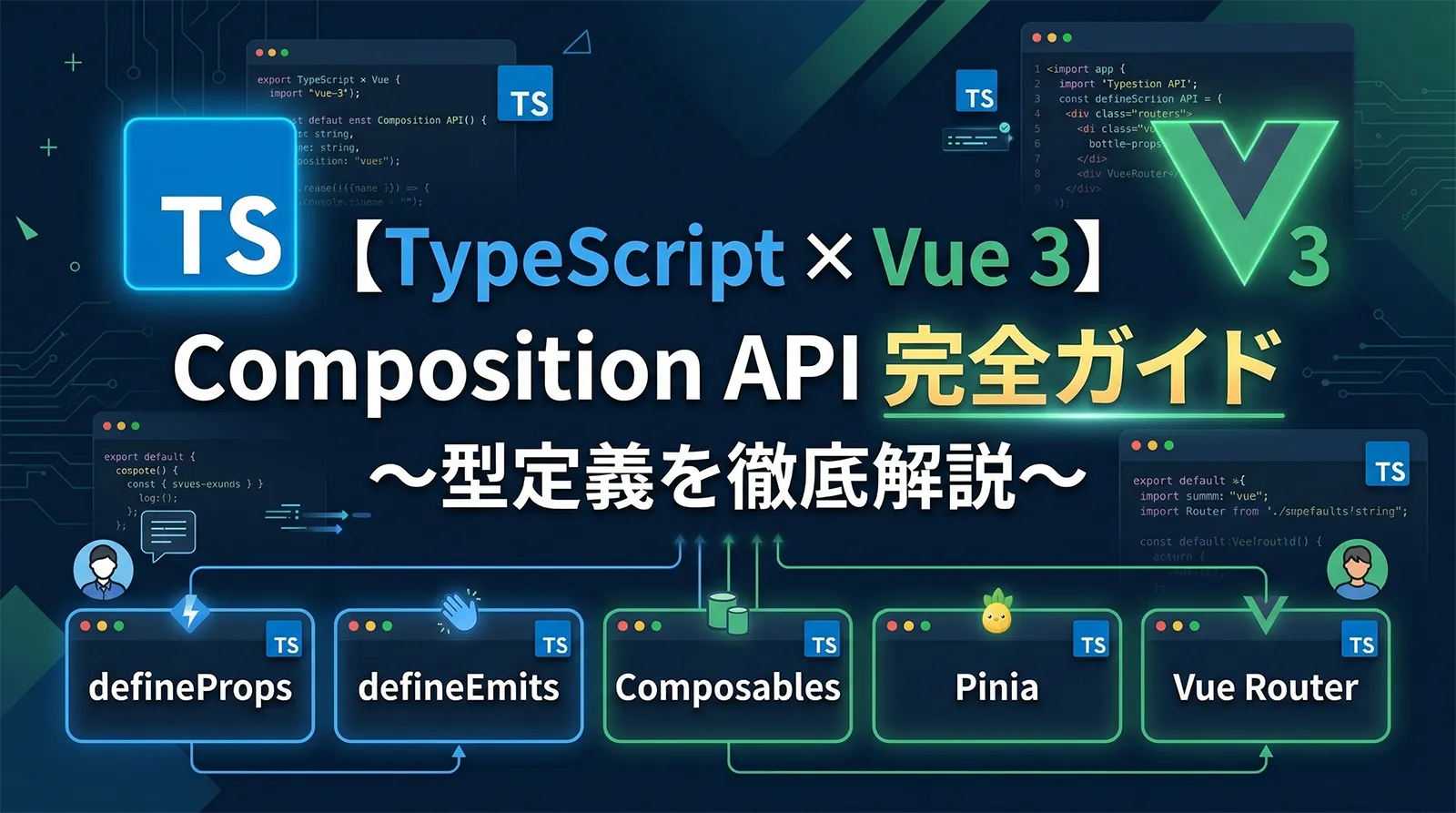
Vue 3 の Composition API は、TypeScriptとの相性が非常に優れています。Vue 2 の Options API では型推論が効きにくい部分が多かったのですが、Vue 3 では defineProps・defineEmits・ref・computed などのAPIが最初から型安全に設計されています。
この記事では、Vue 3 + TypeScript の基礎セットアップから、Composition API の型定義パターン、Composables(カスタムフック相当)、状態管理ライブラリの Pinia、ルーティングの Vue Router まで、実務で必要な知識を体系的に解説します。React + TypeScriptやReact Hooks の型定義と合わせて読むと、フレームワーク間の型パターンの共通点と違いを理解できます。
Vue 3 + TypeScript のプロジェクトセットアップ(Vite)、defineProps・defineEmits の型定義方法、ref・reactive・computed・watch の型安全な使い方、Composables(再利用可能な Composition 関数)の型設計、Pinia ストアの TypeScript 型定義、Vue Router の型安全なルーティング、コンポーネント間通信のベストプラクティスまで網羅
Vue 3 + TypeScript のプロジェクトセットアップ
Vue 3 × TypeScript のプロジェクトは Vite を使って作成するのが現在のスタンダードです。Vite は高速なHMR(ホットモジュールリプレースメント)と TypeScript のネイティブサポートを備えています。
Vite でプロジェクトを作成する
# プロジェクト作成(vue-ts テンプレートを選択)
npm create vite@latest my-vue-app -- --template vue-ts
cd my-vue-app
npm install
npm run dev
または、Vue CLI を使って対話的に選択することもできます。
# Vue CLI でのプロジェクト作成
npm create vue@latest
# → TypeScript: Yes を選択
tsconfig.json の確認
Vite テンプレートには tsconfig.json と tsconfig.node.json が含まれています。重要な設定を確認しておきましょう。
// tsconfig.json
{
  "compilerOptions": {
    "target": "ES2020",
    "useDefineForClassFields": true,
    "module": "ESNext",
    "lib": ["ES2020", "DOM", "DOM.Iterable"],
    "skipLibCheck": true,

    /* Bundler mode */
    "moduleResolution": "bundler",
    "allowImportingTsExtensions": true,
    "resolveJsonModule": true,
    "isolatedModules": true,
    "noEmit": true,
    "jsx": "preserve",

    /* 厳格な型チェック */
    "strict": true,
    "noUnusedLocals": true,
    "noUnusedParameters": true,
    "noFallthroughCasesInSwitch": true
  },
  "include": ["src/**/*.ts", "src/**/*.d.ts", "src/**/*.tsx", "src/**/*.vue"],
  "references": [{ "path": "./tsconfig.node.json" }]
}
useDefineForClassFields: true は Vue 3 では必須設定です。これがないと、クラスプロパティの初期化動作がVueのリアクティビティシステムと干渉することがあります。vue-tsc によるVueファイルの型チェック
通常の tsc はVueの .vue ファイルを処理できません。Vue専用の型チェックツール vue-tsc を使います。
# 型チェック実行
npx vue-tsc --noEmit

# package.json に登録
# "type-check": "vue-tsc --noEmit"
script setup と型定義の基礎
Vue 3.2 以降、<script setup> 構文が推奨されています。従来の setup() 関数より簡潔に書けて、TypeScript との相性も良くなっています。
script setup の基本構造
<!-- UserCard.vue -->
<script setup lang="ts">
import { ref, computed } from 'vue'

// ref は型を自動推論
const count = ref(0)          // Ref<number>
const name = ref('Alice')     // Ref<string>

// 明示的に型を指定する場合
const userId = ref<number | null>(null)

// computed も型推論される
const doubleCount = computed(() => count.value * 2)  // ComputedRef<number>

// 関数
function increment() {
  count.value++
}
</script>

<template>
  <div>
    <p>{{ name }}: {{ count }}</p>
    <button @click="increment">+1</button>
  </div>
</template>
<script setup lang="ts"> の lang="ts" は必須です。これを書かないとVSCodeの型補完が動作しません。ref と reactive の使い分け
| API | 用途 | 型パターン | アクセス |
|---|---|---|---|
ref<T>() |
プリミティブ・単一値 | Ref<T> |
.value 必要 |
reactive<T>() |
オブジェクト全体 | T(そのまま) |
.value 不要 |
computed() |
派生値(読み取り専用) | ComputedRef<T> |
.value 必要 |
shallowRef<T>() |
深いリアクティビティ不要 | ShallowRef<T> |
.value 必要 |
import { ref, reactive } from 'vue'

// ref: プリミティブに適切
const count = ref(0)          // Ref<number>
const isOpen = ref(false)     // Ref<boolean>

// オブジェクトも ref で使える(.value でアクセス)
const user = ref({ id: 1, name: 'Alice' })
// user.value.name にアクセス

// reactive: オブジェクトを直接リアクティブに
interface UserState {
  id: number
  name: string
  email: string
}

const userState = reactive<UserState>({
  id: 1,
  name: 'Alice',
  email: 'alice@example.com'
})
// userState.name でアクセス(.value 不要)
reactive() は TypeScript の型推論が弱い場合があります。複雑なオブジェクトには reactive<UserState>({}) のように明示的な型引数を使うことを推奨します。また、reactive に ref をネストすると自動アンラップされます(.value が不要になる)。watch と watchEffect の型定義
Vue 3 の watch と watchEffect は、リアクティブな値の変化を監視する際に使います。TypeScript では監視する値と変化前後の型が正しく推論されます。
watch の基本的な型定義
import { ref, watch } from 'vue'

const count = ref(0)        // Ref<number>
const name  = ref('Alice')  // Ref<string>

// 単一の ref を監視(newVal・oldVal の型が自動推論される)
watch(count, (newVal, oldVal) => {
  // newVal: number, oldVal: number
  console.log(`${oldVal} → ${newVal}`)
})

// 複数の ref を配列で監視
watch([count, name], ([newCount, newName], [oldCount, oldName]) => {
  // newCount: number, newName: string
  console.log(newCount, newName)
})

// getter 関数で監視(reactive オブジェクトの特定プロパティなど)
const user = ref({ id: 1, name: 'Alice', age: 30 })
watch(
  () => user.value.age,
  (newAge, oldAge) => {
    // newAge: number, oldAge: number
    console.log('年齢変更:', oldAge, '→', newAge)
  }
)
watch のオプションと型
import { ref, watch } from 'vue'

interface Config {
  theme: 'light' | 'dark'
  language: 'ja' | 'en'
}

const config = ref<Config>({ theme: 'light', language: 'ja' })

// deep: true でオブジェクト内部の変化を監視
watch(
  config,
  (newConfig) => {
    // newConfig: Config(deep でも型推論される)
    console.log('設定変更:', newConfig.theme)
  },
  { deep: true }
)

// immediate: true で即時実行(初期値でも発火)
watch(
  () => config.value.theme,
  (theme) => {
    // theme: 'light' | 'dark'
    document.body.setAttribute('data-theme', theme)
  },
  { immediate: true }
)

// 監視を停止する(返り値の StopHandle を呼ぶ)
const stop = watch(config, () => { /* ... */ })
stop()  // 後で停止
watchEffect の型定義
import { ref, watchEffect } from 'vue'

const userId = ref<number | null>(null)
const userData = ref<{ name: string } | null>(null)

// watchEffect: 内部で参照したリアクティブ値を自動で追跡
const stop = watchEffect(async () => {
  if (userId.value === null) {
    userData.value = null
    return
  }

  // userId.value を参照しているので、変化時に自動再実行
  const response = await fetch(`/api/users/${userId.value}`)
  userData.value = await response.json()
})

// クリーンアップ(副作用の後処理)
watchEffect((onCleanup) => {
  const timer = setInterval(() => {
    console.log('tick', userId.value)
  }, 1000)

  // コールバック再実行前 or コンポーネント破棄時に実行
  onCleanup(() => clearInterval(timer))
})
| watch | watchEffect | |
|---|---|---|
| 監視対象 | 明示的に指定 | 自動追跡(内部で参照した値) |
| 初回実行 | immediate: true で有効化 |
常に即時実行 |
| 変化前の値 | oldVal で取得可能 |
取得不可 |
| 用途 | 特定の値を明示的に監視 | 副作用を宣言的に書く |
変化前後の値(
oldVal/newVal)が必要 → watch。「このリアクティブ値を使った副作用」を書きたい場合 → watchEffect が簡潔。DOM 操作・API リクエスト・ログ記録などの副作用には watchEffect + onCleanup の組み合わせが有効です。defineProps と defineEmits の型定義
コンポーネントの props と emits の型定義は Vue 3 の TypeScript 統合の中でも特に重要です。defineProps と defineEmits を使った型定義パターンを詳しく解説します。
defineProps の型定義方法
props の型定義には2つのアプローチがあります。
// ① ランタイム宣言(従来のVue式)
const props = defineProps({
  title: String,
  count: {
    type: Number,
    required: true
  },
  items: {
    type: Array as PropType<string[]>,
    default: () => []
  }
})

// ② 型引数による宣言(TypeScript推奨)
interface Props {
  title: string
  count: number
  items?: string[]
  user?: {
    id: number
    name: string
  }
}

const props = defineProps<Props>()
// props.title → string
// props.count → number
// props.items → string[] | undefined
withDefaults でデフォルト値を設定する
型引数スタイルの defineProps にデフォルト値を付けるには withDefaults を使います。
interface Props {
  title?: string
  count?: number
  items?: string[]
  variant?: 'primary' | 'secondary' | 'danger'
}

const props = withDefaults(defineProps<Props>(), {
  title: 'デフォルトタイトル',
  count: 0,
  items: () => [],   // 配列・オブジェクトはファクトリ関数で
  variant: 'primary'
})

// props.title → string(undefined にならない)
// props.variant → 'primary' | 'secondary' | 'danger'(型推論される)
defineEmits の型定義方法
// ① 配列スタイル(型なし)
const emit = defineEmits(['update', 'delete'])

// ② オブジェクト型スタイル(バリデーション付き)
const emit = defineEmits({
  update: (id: number, value: string) => true,
  delete: (id: number) => id > 0
})

// ③ 型引数スタイル(TypeScript推奨)
const emit = defineEmits<{
  update: [id: number, value: string]  // ラベル付きタプル(Vue 3.3+)
  delete: [id: number]
  'update:modelValue': [value: string]  // v-model 対応
}>()

// 使用時
emit('update', 1, '新しい値')  // ✅ 型チェックあり
emit('update', '1', '値')     // ❌ 型エラー(id は number)
v-model の型定義
カスタムコンポーネントの v-model を TypeScript で型安全に実装する方法です。
<!-- MyInput.vue: v-model 対応コンポーネント -->
<script setup lang="ts">
const props = defineProps<{
  modelValue: string
  placeholder?: string
}>()

const emit = defineEmits<{
  'update:modelValue': [value: string]
}>()

function handleInput(event: Event) {
  const target = event.target as HTMLInputElement
  emit('update:modelValue', target.value)
}
</script>

<template>
  <input
    :value="modelValue"
    :placeholder="placeholder"
    @input="handleInput"
  />
</template>
<!-- 親コンポーネントでの使用 -->
<script setup lang="ts">
import { ref } from 'vue'
import MyInput from './MyInput.vue'

const username = ref('')
</script>

<template>
  <!-- v-model が型安全に動作 -->
  <MyInput v-model="username" placeholder="ユーザー名を入力" />
  <p>入力値: {{ username }}</p>
</template>
Vue 3.3 から
defineProps でジェネリクスを使えるようになりました(<script setup lang="ts" generic="T">)。また、ラベル付きタプル構文(update: [id: number])が使えるようになり、emit の型が読みやすくなっています。テンプレートの型安全と型チェック
Vue 3 × TypeScript では、テンプレート内でも型チェックが有効です。vue-tsc を使うことでテンプレートの型エラーを検出できます。
テンプレート内のイベント型
<script setup lang="ts">
// イベントハンドラの型定義
function handleClick(event: MouseEvent) {
  console.log(event.clientX, event.clientY)
}

function handleInput(event: Event) {
  // Event から HTMLInputElement にキャスト
  const target = event.target as HTMLInputElement
  console.log(target.value)
}

function handleSubmit(event: SubmitEvent) {
  event.preventDefault()
  // フォームの処理
}
</script>

<template>
  <button @click="handleClick">クリック</button>
  <input @input="handleInput" />
  <form @submit="handleSubmit">...</form>
</template>
v-for と型推論
<script setup lang="ts">
interface Todo {
  id: number
  title: string
  completed: boolean
}

const todos: Todo[] = [
  { id: 1, title: 'TypeScriptを学ぶ', completed: false },
  { id: 2, title: 'Vueを学ぶ', completed: true }
]
</script>

<template>
  <!-- todo は Todo 型として推論される -->
  <ul>
    <li v-for="todo in todos" :key="todo.id">
      <!-- todo.title → string(型チェックあり) -->
      {{ todo.title }}
      <!-- todo.completed → boolean -->
      <span v-if="todo.completed">✓</span>
    </li>
  </ul>
</template>
template ref の型定義
<script setup lang="ts">
import { ref, onMounted } from 'vue'

// HTMLElement の ref
const inputEl = ref<HTMLInputElement | null>(null)

// コンポーネントの ref
import MyModal from './MyModal.vue'
const modalRef = ref<InstanceType<typeof MyModal> | null>(null)

onMounted(() => {
  // null チェックが必要
  inputEl.value?.focus()
  modalRef.value?.open()
})
</script>

<template>
  <input ref="inputEl" type="text" />
  <MyModal ref="modalRef" />
</template>
InstanceType<typeof MyModal> パターンは、コンポーネントの ref から expose された メソッド・プロパティに型安全にアクセスするために使います。詳しくはReact Hooks の型定義の forwardRef・useImperativeHandle の解説(React版)も参考になります。defineExpose で公開するAPIを型安全に定義する
defineExpose を使うと、親コンポーネントから子コンポーネントの特定のプロパティ・メソッドにアクセスできるようにできます。
<!-- MyModal.vue -->
<script setup lang="ts">
import { ref } from 'vue'

const isVisible = ref(false)

function open() {
  isVisible.value = true
}

function close() {
  isVisible.value = false
}

// defineExpose で公開するAPIを明示
defineExpose({
  open,
  close,
  isVisible  // 読み取り専用にしたい場合は computed で
})
</script>
<!-- 親コンポーネント -->
<script setup lang="ts">
import { ref } from 'vue'
import MyModal from './MyModal.vue'

// InstanceType で expose されたAPIの型を取得
const modal = ref<InstanceType<typeof MyModal> | null>(null)

function showModal() {
  modal.value?.open()   // open() は型安全にアクセスできる
}
</script>

<template>
  <button @click="showModal">モーダルを開く</button>
  <MyModal ref="modal" />
</template>
Composables(コンポーザブル)の型設計
Composables は Vue 3 のリアクティビティシステムを使った再利用可能な関数です。React の Custom Hooks に相当します。TypeScript で型安全に設計する方法を解説します。
基本的なComposableの型定義
// composables/useCounter.ts
import { ref, computed } from 'vue'

export function useCounter(initialValue = 0) {
  const count = ref(initialValue)

  const doubleCount = computed(() => count.value * 2)

  function increment() { count.value++ }
  function decrement() { count.value-- }
  function reset() { count.value = initialValue }

  return {
    count,          // Ref<number>
    doubleCount,    // ComputedRef<number>
    increment,
    decrement,
    reset
  }
}

// 使用時: 戻り値の型は自動推論される
// const { count, increment } = useCounter(10)
非同期データ取得のComposable
非同期処理を含むComposableは、ローディング・エラー状態も含めて型定義します。非同期処理の型定義の非同期パターンも参考にしてください。
// composables/useFetch.ts
import { ref, Ref } from 'vue'

interface FetchState<T> {
  data: Ref<T | null>
  loading: Ref<boolean>
  error: Ref<Error | null>
  execute: () => Promise<void>
}

export function useFetch<T>(url: string): FetchState<T> {
  const data = ref<T | null>(null) as Ref<T | null>
  const loading = ref(false)
  const error = ref<Error | null>(null)

  async function execute(): Promise<void> {
    loading.value = true
    error.value = null

    try {
      const response = await fetch(url)
      if (!response.ok) {
        throw new Error(`HTTP error! status: ${response.status}`)
      }
      data.value = await response.json() as T
    } catch (e) {
      error.value = e instanceof Error ? e : new Error(String(e))
    } finally {
      loading.value = false
    }
  }

  return { data, loading, error, execute }
}
<!-- 使用例 -->
<script setup lang="ts">
import { onMounted } from 'vue'
import { useFetch } from './composables/useFetch'

interface User {
  id: number
  name: string
  email: string
}

// T = User として型推論される
const { data: users, loading, error, execute } = useFetch<User[]>(
  'https://api.example.com/users'
)

onMounted(() => execute())
</script>

<template>
  <div v-if="loading">読み込み中...</div>
  <div v-else-if="error">エラー: {{ error.message }}</div>
  <ul v-else>
    <!-- user は User 型として推論される -->
    <li v-for="user in users" :key="user.id">
      {{ user.name }} - {{ user.email }}
    </li>
  </ul>
</template>
ローカルストレージのComposable
// composables/useLocalStorage.ts
import { ref, watch, Ref } from 'vue'

export function useLocalStorage<T>(
  key: string,
  defaultValue: T
): Ref<T> {
  // ストレージから初期値を読み込む
  const storedValue = localStorage.getItem(key)
  const initialValue: T = storedValue
    ? (JSON.parse(storedValue) as T)
    : defaultValue

  const value = ref<T>(initialValue) as Ref<T>

  // 値が変わったらストレージに保存
  watch(
    value,
    (newValue) => {
      localStorage.setItem(key, JSON.stringify(newValue))
    },
    { deep: true }
  )

  return value
}

// 使用例
// const theme = useLocalStorage('theme', 'light') // Ref<string>
// const settings = useLocalStorage('settings', { fontSize: 16 }) // Ref<{fontSize: number}>
Pinia による型安全な状態管理
Pinia は Vue 3 の公式状態管理ライブラリです。Vuex より TypeScript との相性が格段に良く、型推論が自然に機能します。
Pinia のセットアップ
npm install pinia
// main.ts
import { createApp } from 'vue'
import { createPinia } from 'pinia'
import App from './App.vue'

const app = createApp(App)
app.use(createPinia())
app.mount('#app')
Setup Store(Composition API スタイル)
Pinia には Options Store と Setup Store の2つのスタイルがあります。TypeScript の型推論が最も効きやすい Setup Store を推奨します。
// stores/userStore.ts
import { defineStore } from 'pinia'
import { ref, computed } from 'vue'

interface User {
  id: number
  name: string
  email: string
  role: 'admin' | 'user' | 'guest'
}

export const useUserStore = defineStore('user', () => {
  // state: ref を使う
  const currentUser = ref<User | null>(null)
  const users = ref<User[]>([])
  const isLoading = ref(false)

  // getters: computed を使う
  const isLoggedIn = computed(() => currentUser.value !== null)
  const adminUsers = computed(() =>
    users.value.filter(u => u.role === 'admin')
  )

  // actions: 関数を定義
  async function fetchUsers(): Promise<void> {
    isLoading.value = true
    try {
      const response = await fetch('/api/users')
      users.value = await response.json() as User[]
    } finally {
      isLoading.value = false
    }
  }

  function login(user: User): void {
    currentUser.value = user
  }

  function logout(): void {
    currentUser.value = null
  }

  // 公開するものを明示的に返す
  return {
    currentUser,
    users,
    isLoading,
    isLoggedIn,
    adminUsers,
    fetchUsers,
    login,
    logout
  }
})
<!-- コンポーネントでの使用 -->
<script setup lang="ts">
import { onMounted } from 'vue'
import { storeToRefs } from 'pinia'
import { useUserStore } from './stores/userStore'

const userStore = useUserStore()

// storeToRefs: リアクティビティを保ちながら分割代入
// ※ アクションは storeToRefs に含めない
const { currentUser, users, isLoading, isLoggedIn } = storeToRefs(userStore)
const { fetchUsers, login, logout } = userStore

onMounted(() => fetchUsers())
</script>

<template>
  <div v-if="isLoading">読み込み中...</div>
  <div v-else-if="isLoggedIn">
    ようこそ、{{ currentUser?.name }} さん
    <button @click="logout">ログアウト</button>
  </div>
  <ul>
    <li v-for="user in users" :key="user.id">
      {{ user.name }} ({{ user.role }})
    </li>
  </ul>
</template>
const { currentUser } = userStore と直接分割代入すると、リアクティビティが失われてテンプレートが更新されなくなります。storeToRefs() を使うと ref として取り出されるため、リアクティビティが維持されます。ただしアクション(関数)は storeToRefs に含めず、ストアから直接取り出します。Pinia プラグインの型定義
// Pinia プラグインで永続化(pinia-plugin-persistedstate の例)
import { createPinia } from 'pinia'
import piniaPluginPersistedstate from 'pinia-plugin-persistedstate'

const pinia = createPinia()
pinia.use(piniaPluginPersistedstate)

// ストア定義でオプションを指定
export const useSettingsStore = defineStore('settings', () => {
  const theme = ref<'light' | 'dark'>('light')
  const language = ref<'ja' | 'en'>('ja')
  return { theme, language }
}, {
  persist: true  // ローカルストレージに自動保存
})
Vue Router の型安全なルーティング
Vue Router 4 は TypeScript をネイティブサポートしています。ルートパラメータや名前付きルートを型安全に扱う方法を解説します。
ルーター設定の型定義
// router/index.ts
import { createRouter, createWebHistory, RouteRecordRaw } from 'vue-router'

const routes: RouteRecordRaw[] = [
  {
    path: '/',
    name: 'home',
    component: () => import('../views/HomeView.vue')
  },
  {
    path: '/users/:id',
    name: 'user-detail',
    component: () => import('../views/UserDetailView.vue'),
    props: true  // params を props として渡す
  },
  {
    path: '/admin',
    component: () => import('../layouts/AdminLayout.vue'),
    meta: { requiresAuth: true, role: 'admin' },
    children: [
      {
        path: '',
        name: 'admin-dashboard',
        component: () => import('../views/AdminDashboard.vue')
      }
    ]
  }
]

const router = createRouter({
  history: createWebHistory(import.meta.env.BASE_URL),
  routes
})

export default router
RouteMeta の型拡張
ルートの meta プロパティに独自の型を追加するには、型宣言ファイルを使います。
// src/types/vue-router.d.ts
import 'vue-router'

declare module 'vue-router' {
  interface RouteMeta {
    requiresAuth?: boolean
    role?: 'admin' | 'user'
    title?: string
  }
}
// ナビゲーションガードでの使用
router.beforeEach((to, _from, next) => {
  // to.meta.requiresAuth は boolean | undefined として型推論される
  if (to.meta.requiresAuth) {
    const isAuthenticated = checkAuth()
    if (!isAuthenticated) {
      next({ name: 'login' })
      return
    }
  }
  next()
})
useRouter と useRoute の型安全な使用
<script setup lang="ts">
import { useRouter, useRoute } from 'vue-router'
import { computed } from 'vue'

const router = useRouter()
const route = useRoute()

// route.params は Record<string, string | string[]>
// 明示的なキャストが必要な場合
const userId = computed(() => {
  const id = route.params.id
  return Array.isArray(id) ? id[0] : id
})

// 型安全なナビゲーション
function goToUserDetail(id: number) {
  router.push({ name: 'user-detail', params: { id } })
}

function goBack() {
  router.back()
}
</script>
unplugin-vue-router を使うと、ファイルベースルーティングと型安全なルート名・パラメータが自動生成されます。Nuxt.js 3 のルーティングと同等の型安全性をVue 3 単体でも実現できます。
provide / inject の型安全なパターン
Vue 3 の provide / inject を TypeScript で使う場合、InjectionKey を使って型安全にする必要があります。
// composables/useTheme.ts
import { provide, inject, ref, Ref, InjectionKey } from 'vue'

type Theme = 'light' | 'dark'

interface ThemeContext {
  theme: Ref<Theme>
  toggleTheme: () => void
}

// InjectionKey で型を紐付ける(Symbol を使う)
export const ThemeKey: InjectionKey<ThemeContext> = Symbol('theme')

// Provider側(通常はApp.vueやレイアウトコンポーネント)
export function useThemeProvider() {
  const theme = ref<Theme>('light')

  function toggleTheme() {
    theme.value = theme.value === 'light' ? 'dark' : 'light'
  }

  provide(ThemeKey, { theme, toggleTheme })

  return { theme, toggleTheme }
}

// Consumer側(子コンポーネント)
export function useTheme() {
  // inject は型が自動推論される(ThemeContext | undefined)
  const context = inject(ThemeKey)
  if (!context) {
    throw new Error('useTheme は ThemeProvider の子コンポーネントで使用してください')
  }
  return context
}
<!-- App.vue: Provider -->
<script setup lang="ts">
import { useThemeProvider } from './composables/useTheme'
useThemeProvider()
</script>

<!-- ChildComponent.vue: Consumer -->
<script setup lang="ts">
import { useTheme } from './composables/useTheme'
const { theme, toggleTheme } = useTheme()
</script>

<template>
  <div :class="`theme-${theme}`">
    <button @click="toggleTheme">
      {{ theme === 'light' ? 'ダークモード' : 'ライトモード' }}に切り替え
    </button>
  </div>
</template>
実務で使える型定義パターン集
コンポーネントのProps型をエクスポートして再利用
<!-- ButtonComponent.vue -->
<script setup lang="ts">
export interface ButtonProps {
  label: string
  variant?: 'primary' | 'secondary' | 'danger'
  size?: 'sm' | 'md' | 'lg'
  disabled?: boolean
  loading?: boolean
}

const props = withDefaults(defineProps<ButtonProps>(), {
  variant: 'primary',
  size: 'md',
  disabled: false,
  loading: false
})
</script>
// 他のコンポーネントやComposableで再利用
import type { ButtonProps } from './ButtonComponent.vue'

// フォームのボタン設定など
interface FormConfig {
  submitButton: ButtonProps
  cancelButton: ButtonProps
}

const formConfig: FormConfig = {
  submitButton: { label: '保存する', variant: 'primary', loading: false },
  cancelButton: { label: 'キャンセル', variant: 'secondary' }
}
非同期コンポーネントとエラーハンドリング
// 非同期コンポーネントの型安全な定義
import { defineAsyncComponent } from 'vue'

const AsyncUserList = defineAsyncComponent({
  loader: () => import('./components/UserList.vue'),
  loadingComponent: () => import('./components/LoadingSpinner.vue'),
  errorComponent: () => import('./components/ErrorMessage.vue'),
  delay: 200,         // ローディング表示までの遅延(ms)
  timeout: 10000      // タイムアウト(ms)
})
Generic コンポーネント(Vue 3.3+)
Vue 3.3 以降では、コンポーネント自体にジェネリクスを持たせることができます。
<!-- SelectComponent.vue -->
<script setup lang="ts" generic="T extends { id: number; label: string }">
interface Props {
  items: T[]
  modelValue: T | null
  placeholder?: string
}

interface Emits {
  'update:modelValue': [value: T]
}

const props = withDefaults(defineProps<Props>(), {
  placeholder: '選択してください'
})

const emit = defineEmits<Emits>()
</script>

<template>
  <select
    :value="modelValue?.id ?? ''"
    @change="(e) => {
      const id = Number((e.target as HTMLSelectElement).value)
      const selected = items.find(item => item.id === id)
      if (selected) emit('update:modelValue', selected)
    }"
  >
    <option value="">{{ placeholder }}</option>
    <option v-for="item in items" :key="item.id" :value="item.id">
      {{ item.label }}
    </option>
  </select>
</template>
<!-- 使用例 -->
<script setup lang="ts">
import { ref } from 'vue'
import SelectComponent from './SelectComponent.vue'

interface Category {
  id: number
  label: string
  color: string  // 追加プロパティ
}

const categories: Category[] = [
  { id: 1, label: 'TypeScript', color: 'blue' },
  { id: 2, label: 'Vue.js', color: 'green' }
]

const selectedCategory = ref<Category | null>(null)
</script>

<template>
  <!-- T = Category として型推論される -->
  <SelectComponent
    v-model="selectedCategory"
    :items="categories"
    placeholder="カテゴリを選択"
  />
</template>
よくある質問(FAQ)
this の型推論が複雑で、Mixins を使うと型が失われることがあります。Composition API は関数ベースのため型推論が自然に機能し、Composables による再利用も型安全に行えます。新規プロジェクトでは Composition API の使用を強く推奨します。tsc は通常の TypeScript ファイル(.ts)しか処理できません。vue-tsc は .vue ファイルのテンプレートも含めて型チェックできます。CI/CD パイプラインでは必ず vue-tsc --noEmit を使ってください。ただし vue-tsc は型チェックのみで、実際のコンパイルは Vite が行います。ref を使うことを推奨します。理由は(1).value アクセスで明示的にリアクティブな値だとわかる、(2)プリミティブとオブジェクト両方に使える、(3)Composables からの返り値として扱いやすい、の3点です。reactive はオブジェクト全体をリアクティブにしたいとき、かつ .value を書くのが煩わしい場合に使うと良いでしょう。defineAsyncComponent で遅延ロード、(2)v-memo ディレクティブで再レンダリング抑制、(3)大きなリストには v-for + :key を適切に設定、(4)shallowRef・shallowReactive で深いリアクティビティを避ける、(5)computed の積極活用(副作用なしの値は watch より computed を使う)、の5点です。まとめ
Vue 3 + TypeScript の型定義パターンをまとめます。
| 機能 | 推奨パターン | ポイント |
|---|---|---|
| Props定義 | defineProps<Interface>() |
withDefaults でデフォルト値 |
| Emits定義 | defineEmits<{event: [args]}>() |
ラベル付きタプル(Vue 3.3+) |
| リアクティブ値 | ref<T>() を基本に |
reactive はオブジェクト全体向け |
| 派生値 | computed() |
副作用なしなら watch より優先 |
| 再利用ロジック | Composables(use〇〇関数) | InjectionKey で型安全なprovide/inject |
| 状態管理 | Pinia(Setup Store) | storeToRefs でリアクティビティ保持 |
| ルーティング | RouteRecordRaw[] + RouteMeta拡張 |
unplugin-vue-router で更に型安全に |
| 公開API | defineExpose() |
InstanceType で親から型安全アクセス |
Vue 3 + TypeScript をさらに深めるには、ジェネリクス完全ガイドを読んでComposablesのジェネリクス設計を学ぶのが効果的です。また、型の絞り込み(Type Narrowing)を理解しておくと、テンプレートやComposable内での型絞り込みがスムーズになります。バックエンドとの連携は非同期処理の型定義の非同期処理パターンも参考にしてください。