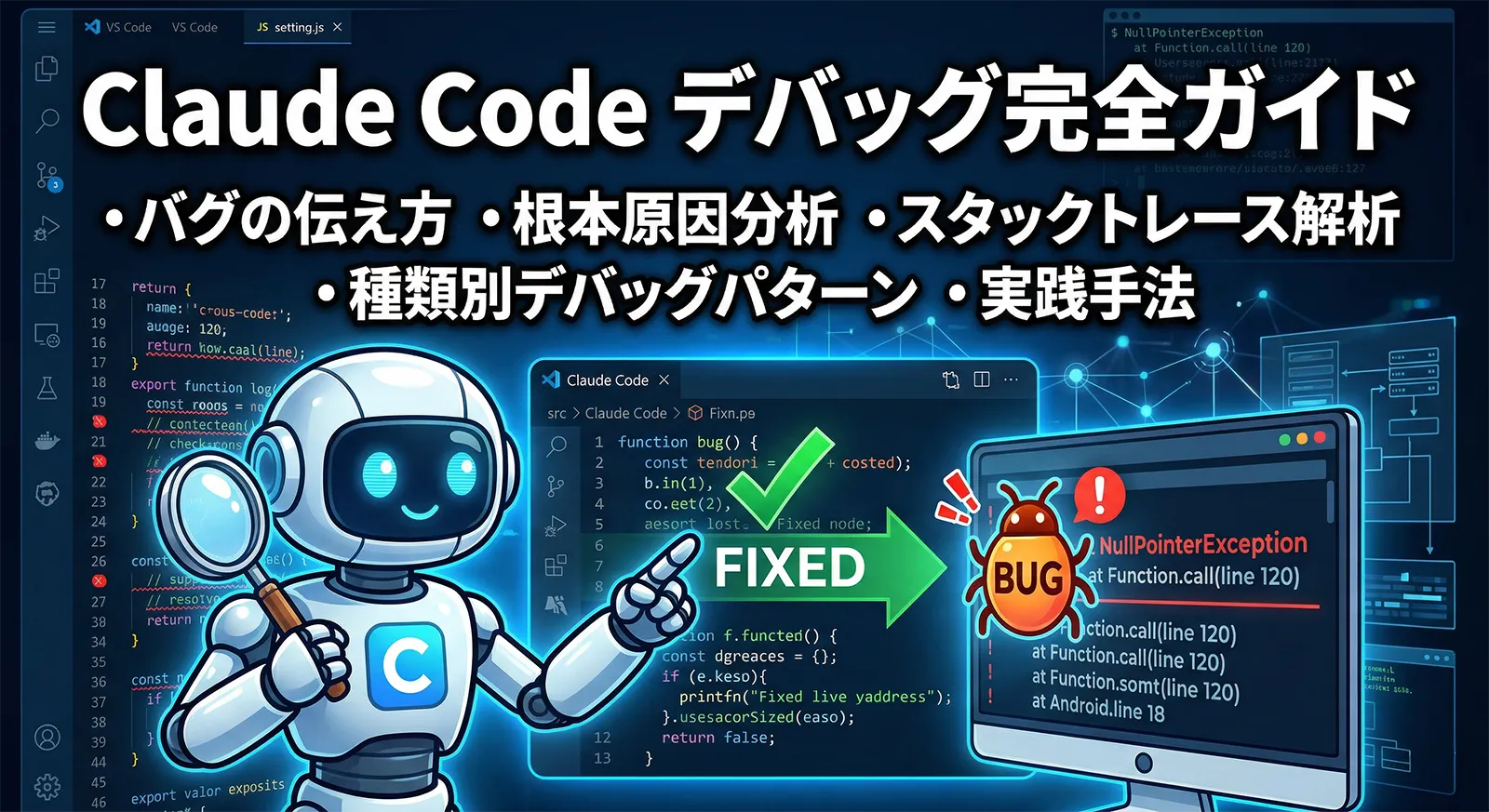
バグ修正はClaude Codeが最も活躍する場面の一つですが、「直してください」と丸投げするだけでは期待する結果が得られないことがあります。バグを正確に伝える方法・根本原因に到達するための調査フロー・失敗したときのリセット戦略を組み合わせることで、解決速度が大幅に上がります。
この記事では、種類別のデバッグパターンを実際のプロンプト例とともに解説します。Claude Code自体の起動エラーやネットワークエラーへの対処はトラブルシューティング完全ガイドを、ブラウザのUIデバッグはChrome統合完全ガイドを参照してください。
バグを正確に伝えるプロンプト設計
「ログインできません」より「セッションタイムアウト後にリダイレクトが起きません」の方が、Claudeは的確な調査を開始できます。症状・発生条件・期待する動作・実際の動作の4要素を伝えるのが基本です。
| 要素 | 説明 | 例 |
|---|---|---|
| 症状 | エラーメッセージ・スタックトレース・実際の出力 | TypeError: Cannot read properties of undefined (reading "userId") |
| 発生条件 | いつ・どこで・どういう操作で起きるか | ログイン後15分経過してからAPIを呼ぶと発生 |
| 期待する動作 | 正しくはどうなるべきか | リフレッシュトークンで再認証してAPIを再実行する |
| 実際の動作 | 何が起きているか | 401エラーになりリダイレクトされずに画面が止まる |
claude "There is a bug in the authentication flow.

Symptom: After 15 minutes of inactivity, any API call returns 401 and the
user is NOT redirected to the login page. The browser console shows:
  TypeError: Cannot read properties of undefined (reading 'userId')
  at refreshSession (src/auth/session.ts:42)

Expected: When the access token expires, the app should automatically
use the refresh token to get a new access token and retry the API call.
If the refresh token is also expired, redirect to /login.

Actual: The error is thrown and caught silently. No redirect happens.

Please investigate src/auth/session.ts and src/api/client.ts first."
スタックトレースを貼り付ける
スタックトレースはそのまま貼り付けるのが最も効果的です。「このエラーが出ています」と一文添えるだけで、Claude Codeは関連ファイルを特定して調査を開始します。
claude "I'm getting this error. Please investigate and fix it.

Error:
  UnhandledPromiseRejectionWarning: Error: ECONNREFUSED connect ECONNREFUSED 127.0.0.1:5432
    at TCPConnectWrap.afterConnect [as oncomplete] (net.js:1148:16)
  From previous event:
    at Pool.connect (node_modules/pg/lib/pool.js:56:13)
    at Object.query (src/db/client.ts:23:28)
    at UserRepository.findById (src/repository/user.ts:15:20)

This happens when running the integration tests with npm test.
The database should be running in Docker (docker-compose up -d)."
再現手順を明示する
再現が難しいバグほど手順を丁寧に書きます。特定の環境・データ・操作順序でのみ発生するバグは、再現条件を与えることでClaudeが最短経路で原因に到達できます。
claude "Bug: The cart total is incorrect when applying a discount code.

Steps to reproduce:
1. Add item A ($100) to cart
2. Add item B ($50) to cart
3. Apply discount code SAVE20 (20% off)
4. Expected total: $120 (($100+$50) × 0.8)
5. Actual total: $130 (only item A is discounted)

The discount logic is in src/cart/discount.ts.
The issue might be related to when items are added to the cart before
vs after applying the discount code."
Plan Modeで根本原因を分析する
原因がわからないバグは、まずPlan Modeで調査フェーズを設けます。Claude Codeがコードを読んで仮説を立て、原因の見当をつけてから実装フェーズに移ることで、場当たり的な修正の繰り返しを防げます。
# Shift+Tab でPlan Modeに切り替えてから依頼
"Investigate this bug without making any changes yet:

The payment webhook is being processed twice, causing duplicate charges.
Symptoms: customer support is receiving reports of double charges,
and the orders table has duplicate entries with the same Stripe event ID.

Read:
- src/webhooks/stripe.ts (webhook handler)
- src/orders/create.ts (order creation logic)
- migrations/ (check if there is a unique constraint on stripe_event_id)

After investigating, present:
1. The root cause
2. Where in the code the bug originates
3. Two or three possible fixes with tradeoffs
4. Your recommended fix with reasoning"
Plan Modeでも「make no changes」を明示するとClaudeが調査だけに集中します。Plan Modeは思考を制限するモードであり、調査中に関連ファイルを変更してしまうケースを防ぐために明示指定が有効です。
複数の仮説を立てて優先順位をつける
# Plan Modeで仮説を列挙させる
"The user dashboard sometimes shows stale data (old username, old avatar).
This happens randomly, maybe 1 in 10 page loads.

List all possible causes for stale data in a React application,
ordered by likelihood for our codebase (read src/hooks/useUser.ts,
src/cache/userCache.ts, and src/api/user.ts).
For each cause, describe what evidence to look for."

# 仮説を絞り込んでから実装フェーズで修正
"Based on your analysis, the most likely cause is #2 (stale-while-revalidate
not invalidating on mutation). Implement the fix."
ultrathinkと組み合わせる複雑なバグ
「何度試しても原因がわからない」「複数のサービスが絡んでいる」という難解なバグにはultrathinkキーワードが有効です。Claude Codeが通常より多くのトークンを使って深く推論するため、複雑な条件の絡み合いを解きほぐす能力が上がります。ultrathinkの詳細はultrathink完全ガイドを参照してください。
claude "ultrathink

We have a race condition that occurs under high load (100+ concurrent users).
Symptoms:
- User A's cart occasionally contains items from User B's session
- Only happens when two users checkout within ~50ms of each other
- Frequency: ~0.01% of transactions, reproducible with Artillery load test

Relevant files:
- src/session/cart.ts
- src/checkout/process.ts
- src/db/transaction.ts

Analyze all possible race conditions. Check for:
1. Shared mutable state between requests
2. Missing database transactions or insufficient isolation levels
3. Race conditions in session handling
4. Missing locks on concurrent writes

Propose the fix with the lowest risk of introducing new bugs."
Interleaved Thinkingを活用した多段調査
Claude 4.6のInterleaved Thinking(ツール呼び出し間の思考)は多段階の調査が必要なバグで特に効果的です。ファイルを読むたびに推論を挟めるため、「この関数を読んだ→次に見るべき箇所を考える→別ファイルを読む」という段階的な絞り込みが自然に行われます。
claude "The email notifications are being sent in the wrong timezone.
Users in JST receive emails with UTC timestamps.

Trace the complete path of a notification:
1. Start from where the notification is triggered (search for sendNotification)
2. Follow each function call to understand how the timestamp is created
3. Identify where timezone conversion should happen but doesn't
4. Find where the final email template renders the timestamp

At each step, note what you found before moving to the next."
デバッグ中のコンテキスト管理
同じ修正を繰り返したら /clear でリセットする
デバッグセッションが長くなると、失敗した試みや誤った仮説がコンテキストに積み重なって判断精度が落ちます。同じ修正を2回以上繰り返し失敗したら/clearのサインです。
# /clear でコンテキストをリセット
/clear

# 現在の状況を整理して再開
claude "Continuing to debug a cart discount bug.

What we know so far:
- Bug: 20% discount only applies to the first item, not all items
- Location: src/cart/discount.ts applyDiscount() function
- Root cause candidate: the forEach loop exits early when an item has no
  'discountable' flag set

What we've already tried and failed:
- Changing the loop from forEach to for...of (didn't fix it)
- Moving the flag check outside the loop (broke other tests)

Next approach: trace the exact value of 'discountable' for each item
by adding console.log before the flag check."
Checkpointsで試行を切り替える
デバッグ中に「この方向性は違う」と気づいたとき、Checkpointsでコード変更を巻き戻して別アプローチを試せます。
# アプローチAを試す
claude "Fix the race condition by adding a database transaction."

# うまくいかない場合は Esc×2 で /rewind メニューを開く
# → コードの変更を巻き戻して別アプローチへ

# アプローチBを試す
claude "Instead of a database transaction, fix the race condition by
adding an optimistic lock (version column) to the orders table."
種類別デバッグパターン
非同期・Promiseのバグ
async/awaitやPromiseの扱いミスは、エラーが発生した箇所と原因が遠く離れていることが多く、スタックトレースだけでは特定が困難です。
claude "There is an unhandled promise rejection happening somewhere in the
payment flow, but the stack trace only shows internal Node.js frames.

Search the codebase for:
1. .catch() that silently swallows errors (empty catch blocks)
2. async functions not wrapped in try/catch
3. Promise chains without .catch()
4. Event emitters without 'error' event handlers

Focus on src/payment/ and src/webhook/ directories.
List every location that could be swallowing the error."
メモリリーク
claude "The Node.js process memory grows from 200MB to 2GB over 24 hours
and then crashes. This is a memory leak.

Investigate the codebase for common memory leak patterns:
1. Event listeners added but never removed (EventEmitter.on without removeListener)
2. Timers created (setInterval/setTimeout) that are never cleared
3. Closures holding references to large objects
4. Cache objects that grow without bounds
5. Circular references in objects

Start with src/server.ts and follow the request lifecycle.
Report every suspicious pattern with file and line number."
パフォーマンス問題・N+1クエリ
claude "The /api/users endpoint is very slow (~3 seconds for 100 users).
I suspect an N+1 query problem.

Read src/repository/user.ts and src/repository/post.ts.
Check if there is any code that:
1. Fetches a list of users, then
2. Makes a separate database query for each user (to get their posts, profile, etc.)

If found, fix it by using JOIN or eager loading (include in Prisma, JOIN in raw SQL).
Show the before and after query count."
型エラー・実行時型不一致
TypeScriptの型エラーや、実行時に型が想定と異なる問題はClaude Codeが特に得意とする分野です。
# TypeScriptの型エラーを一括修正
claude "Run npx tsc --noEmit and fix all TypeScript errors.
For each error:
1. Understand why the type mismatch occurs
2. Fix with the most type-safe solution (avoid using 'as any' or type assertions)
3. If the error reveals a real logic bug, fix the logic too
4. Run tsc --noEmit again after fixing to ensure no new errors were introduced"

# 実行時型不一致の調査
claude "The API response sometimes has 'amount' as a string '100' instead of
number 100. This causes NaN in the total calculation.

Find where 'amount' is parsed/returned and add proper type coercion.
Also find all places that use 'amount' in calculations and add defensive
Number() conversion."
環境差異によるバグ(ローカルでは動くが本番で動かない)
claude "The file upload works on my local machine but fails in production
with 'ENOENT: no such file or directory'.

Investigate differences between local and production:
1. Check how file paths are constructed (absolute vs relative paths)
2. Look for hardcoded paths like /tmp/ or C:/Users/
3. Check if the upload directory is created before writing
4. Check environment variables that might differ (FILE_UPLOAD_DIR, etc.)

Read src/upload/ directory and any Docker/deployment configs."
日付・タイムゾーンのバグ
claude "Reports created at 11pm JST are sometimes showing the next day's date.
This is a timezone bug.

Investigate:
1. How dates are stored (UTC? local time? with timezone info?)
2. Where date conversion happens (database, API response, frontend)
3. Whether Date objects are created with new Date() (uses local timezone)
   or new Date(isoString) (UTC)
4. If moment.js or date-fns is used, check timezone handling

Search for all new Date() calls and date formatting in src/."
Node.jsデバッガーとClaude Codeの組み合わせ
Claude Codeのコード調査と、Node.jsの組み込みデバッガーやVSCodeのデバッグ機能を組み合わせることで、より正確な原因特定ができます。
console.logによるデバッグポイントの挿入
# デバッグ用のログを追加して原因を絞り込む
claude "Add console.log statements to trace the discount calculation in
src/cart/discount.ts. Log:
1. Each item before and after discount is applied (show item.id, item.price, discountApplied)
2. The final total before returning
3. The discount code and its value

Use a prefix like '[DEBUG discount]' so we can easily find and remove these logs later."

# 原因特定後にデバッグログを削除
claude "Remove all console.log statements with the '[DEBUG discount]' prefix
from the codebase."
Node.js –inspect との組み合わせ
# Node.js --inspect でブレークポイントデバッグを有効化
node --inspect src/server.ts

# Claude Codeに調査してほしい箇所を特定させる
claude "I'm about to debug src/payment/checkout.ts with node --inspect.
What are the top 3 lines to set breakpoints on to investigate the
double-charge bug? Explain what variable values to check at each breakpoint."
よくある質問
QClaude Codeが修正したら別のバグが出てきました。どう対処すれば?
Aまず /rewind でその修正を巻き戻してから、「この修正はXのバグを引き起こした。元の問題を別のアプローチで解決して」と依頼します。修正前後でテストが通ることを確認する習慣をつけると、新たなバグの混入を早期発見できます。テスト自動化はテスト自動化・TDD完全ガイドを参照してください。
Q原因不明のバグに長時間費やしています。諦める前にできることはありますか?
A3つのアプローチを試してください。①/clearしてコンテキストをリセットし、バグの症状だけを伝えて一から調査させる、②ultrathinkで深い推論を使って複数の仮説を同時に検討させる、③「このバグを再現する最小限のテストコードを書いて」と依頼してバグを分離する(テストが通らなければ原因が別にある)。それでも解決しない場合はgit bisectで問題が混入したコミットを特定することも有効です。
Qセキュリティ上のバグ(SQLインジェクション・XSSなど)の修正はどう頼めばいいですか?
A脆弱性の修正はコードレビューで「セキュリティ問題として」明示することが大切です。例:「src/api/search.ts にSQLインジェクション脆弱性があります。ユーザー入力をそのままクエリに結合しています。パラメータ化クエリに変更してください。併せて同様の問題がないかsrc/api/ 全体を確認してください」。セキュリティ修正は別コミットにするとレビューがしやすくなります。
Qバグ修正とテスト追加を同時に頼んでいいですか?
A有効な組み合わせです。むしろ推奨の順序があります。「まずバグを再現する失敗テストを書いて(テストが失敗することを確認)、次にバグを修正して(テストが通ることを確認)」という流れがTDDアプローチです。この順序でお願いすると、修正が正しいことをテストで保証できます。
Qデバッグ中に不要な変更をたくさんされてしまいます
A2つの対策が有効です。①Plan Modeで「make no changes yet, just investigate」と指示して調査フェーズを分離する、②.claude/settings.jsonのpermissionsで変更可能なパスをaskにして、変更前に確認を求めるようにする。デバッグ中は「調査→仮説→承認→修正→検証」のサイクルを意識して分割すると制御しやすくなります。