C# のタプルは複数の値を1つの単位として扱う軽量な構造で、クラスや record を定義するほどでもない場面で活躍します。ただし System.Tuple(C# 4.0)と System.ValueTuple(C# 7.0)では内部構造・パフォーマンス・使い勝手が大きく異なり、用途によって使い分けが必要です。
本記事では両者の違いから始まり、名前付き要素の仕組み・Deconstruct の実装・タプル等価演算・パターンマッチング連携・record との使い分け・8要素を超える場合の Rest フィールド・ITuple インターフェース・よくある落とし穴まで体系的に解説します。
Tuple vs ValueTuple — 2種類のタプル
C# には名前は似ていても中身が全く異なる2種類のタプル型があります。現代のコードでは原則 ValueTupleを使い、Tuple は古い API との互換性が必要な場合のみ使います。
| 項目 | System.Tuple |
System.ValueTuple |
|---|---|---|
| 導入 | C# 4.0(2010) | C# 7.0(2017) |
| 型 | 参照型(クラス) | 値型(構造体) |
| ヒープ / スタック | ヒープ → GC 対象 | スタック(フィールド内ではインライン) |
| 要素名 | Item1 / Item2 / ... のみ |
任意の名前を付けられる |
| ミュータビリティ | 読み取り専用 | フィールドは書き換え可能 |
| 等価比較(==) | 不可(.Equals のみ) |
可能(C# 7.3+) |
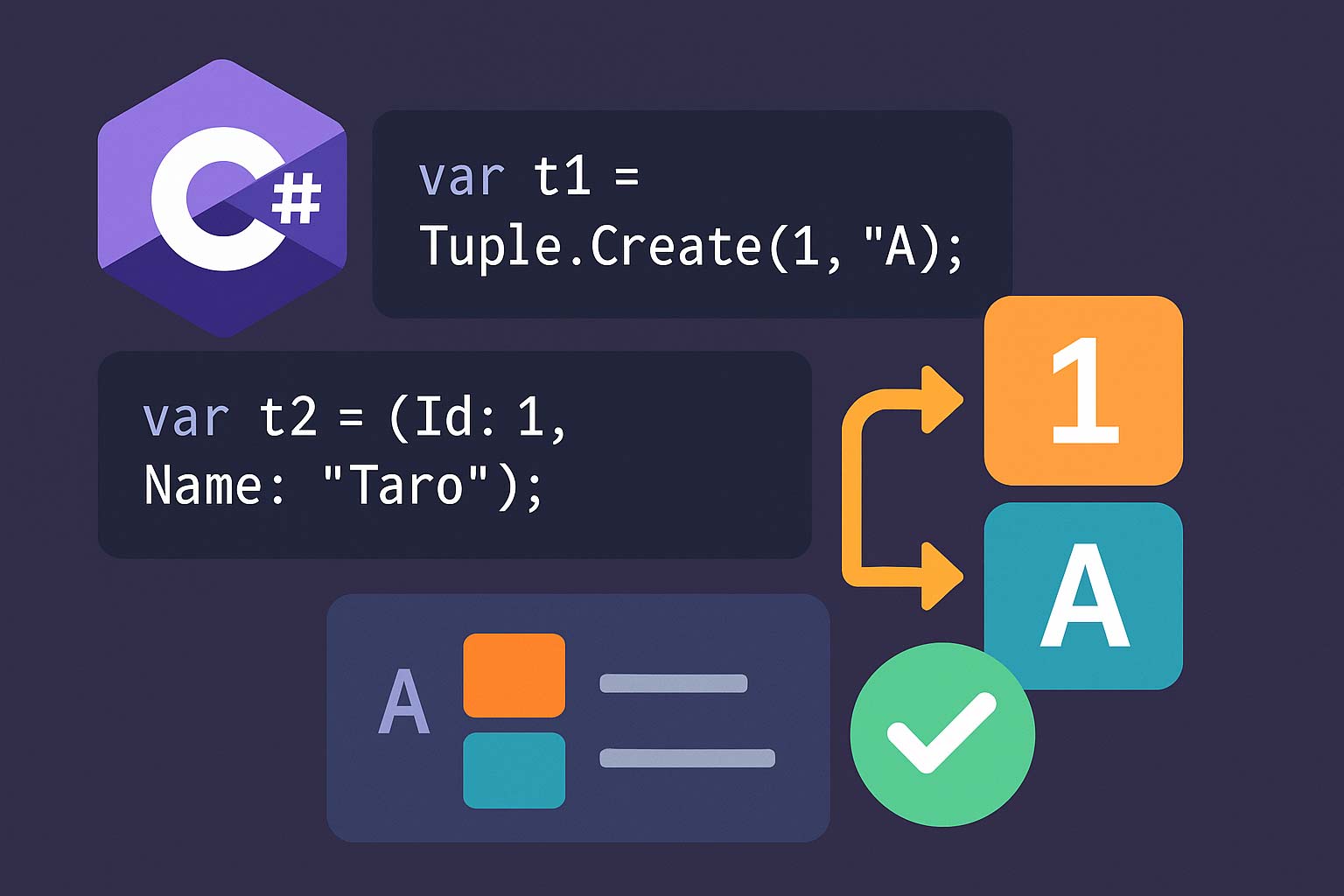
| 構文 | Tuple.Create(1, "a") |
(1, "a") で直接生成 |
| 分解 | Item1 / Item2 経由 |
var (x, y) = ... |
両者の比較コード
// System.Tuple(参照型・GC 対象)
Tuple<string, int> oldTuple = Tuple.Create("Alice", 30);
Console.WriteLine(oldTuple.Item1);        // "Alice"
Console.WriteLine(oldTuple.Item2);        // 30
// oldTuple.Item1 = "Bob";                // NG: 読み取り専用

// System.ValueTuple(値型・軽量)
(string Name, int Age) tuple = ("Alice", 30);
Console.WriteLine(tuple.Name);            // "Alice"
Console.WriteLine(tuple.Age);             // 30
tuple.Name = "Bob";                       // OK: 書き換え可能
tuple.Age  = 31;

// var を使うと名前が推論される(C# 7.1+ のタプル投影初期化子)
string name = "Charlie"; int age = 40;
var auto = (name, age);                   // (string name, int age) と推論
Console.WriteLine(auto.name);
Console.WriteLine(auto.age);
新規コードでは Tuple を使わない
System.Tuple は参照型で GC 対象になるうえ、要素名が Item1 / Item2 しか付けられず、可読性・パフォーマンスの両面で ValueTuple に劣ります。新規コードでは必ず (int, string) 構文で ValueTuple を使用し、Tuple は「古い API(.NET Framework 初期の非同期パターン等)に渡すとき」のみに限定してください。名前付き要素の仕組み — TupleElementNamesAttribute
ValueTuple の要素名はコンパイル時のメタデータで、実体は Item1 / Item2 / ... フィールドです。名前はコンパイラが [TupleElementNames] 属性でメソッドシグネチャに付与し、参照側が同じ属性を読んで「擬似的な名前」として利用します。
要素名は属性として記録される
// 定義側
public static (int Width, int Height) GetSize() => (1920, 1080);

// 呼び出し側: Width / Height が IntelliSense に表示される
var size = GetSize();
Console.WriteLine(size.Width);  // 1920
Console.WriteLine(size.Height); // 1080

// 実体は Item1 / Item2 で同じ値にアクセス可能
Console.WriteLine(size.Item1);  // 1920(Width と同じ)
Console.WriteLine(size.Item2);  // 1080

// リフレクション経由では要素名は見えない(実フィールドは Item1/Item2)
var fields = typeof(ValueTuple<int, int>).GetFields();
foreach (var f in fields) Console.WriteLine(f.Name);
// → Item1, Item2(Width/Height ではない)

// 代入時に名前が異なると警告 CS8123
(int W, int H) renamed = GetSize(); // 警告: W, H の名前は無視される
タプル要素名は実行時には存在しない
タプル要素名はコンパイル時のメタデータのみで、リフレクション・シリアライゼーション・
タプル要素名はコンパイル時のメタデータのみで、リフレクション・シリアライゼーション・
dynamic 経由では失われます。JSON シリアライズでは ValueTuple<int, string> が{"Item1": 0, "Item2": "..."} として出力されます。外部に公開する API やシリアライズ対象には、必ず record かクラスを使ってください。複数戻り値 — out / Tuple / record の使い分け
複数戻り値の3つの書き方
// ① out パラメータ(従来の方法)
public static bool TryParseDate(string s, out DateTime result)
{
    return DateTime.TryParse(s, out result);
}

// 呼び出し側(out 宣言は C# 7.0+)
if (TryParseDate("2026-04-16", out DateTime date))
    Console.WriteLine(date);

// ② ValueTuple(C# 7.0+)— 複数値を自然に返せる
public static (bool Success, DateTime Value) TryParseDate2(string s)
{
    bool ok = DateTime.TryParse(s, out DateTime result);
    return (ok, result);
}

// 呼び出し側
var (success, value) = TryParseDate2("2026-04-16");
if (success) Console.WriteLine(value);

// ③ record(C# 9+)— 型名が付いて可読性が上がる
public sealed record ParseResult(bool Success, DateTime Value, string? Error);

public static ParseResult TryParseDate3(string s)
{
    return DateTime.TryParse(s, out var d)
        ? new ParseResult(true, d, null)
        : new ParseResult(false, default, "Invalid");
}
| 選択肢 | 向いている場面 | 注意点 |
|---|---|---|
out 引数 |
成功/失敗 + 値を返す「Try パターン」 | 呼び出し側が変数を用意する必要あり |
ValueTuple |
関数内部やプライベート API の一時的な複数戻り値 | 公開 API には記名性が弱い |
record |
公開 API・DTO・名前付きの意味がある複数値 | 専用クラスが増える |
公開 API は record、内部ヘルパーは ValueTuple
「外から呼ばれる API」の戻り値はほぼ常に
「外から呼ばれる API」の戻り値はほぼ常に
record またはクラスにしてください。名前付き ValueTuple は型名が冗長になるうえ、JSON 化や記名性に劣ります。逆に「同じアセンブリ内の private / internal なヘルパー」で一時的に複数値を返すだけならValueTuple の方が軽量で記述もシンプルです。分解(Deconstruction)— 自作型も対応できる
ValueTuple の分解と Deconstruct メソッドの実装
// ① ValueTuple の分解
var point = (X: 3, Y: 4);
var (x, y) = point;               // 新しい変数を宣言
Console.WriteLine($"{x}, {y}");   // 3, 4

// 既存変数への再代入は括弧なしで可能
int a, b;
(a, b) = (10, 20);

// ② 破棄(_)で不要な要素をスキップ
var (_, only_y) = point;
Console.WriteLine(only_y);        // 4

// ③ 独自クラスで分解を可能にするには Deconstruct メソッドを実装
public sealed class Person
{
    public string Name { get; }
    public int    Age  { get; }
    public string City { get; }

    public Person(string name, int age, string city)
        => (Name, Age, City) = (name, age, city);

    // Deconstruct(out ...) を書くだけで var (n, a, c) = person; が使える
    public void Deconstruct(out string name, out int age, out string city)
        => (name, age, city) = (Name, Age, City);

    // 部分分解用のオーバーロードも定義できる
    public void Deconstruct(out string name, out int age)
        => (name, age) = (Name, Age);
}

// 使用
var p = new Person("Alice", 30, "Tokyo");
var (n, ag, ci) = p;            // 3要素の Deconstruct
var (n2, ag2)   = p;            // 2要素の Deconstruct

// ④ record は Deconstruct 自動生成
public sealed record User(int Id, string Name);
var (id, name) = new User(1, "Bob"); // record は初期プロパティ順で自動生成
Deconstruct は拡張メソッドとしても定義できる
自分で所有していない型にも分解機能を追加できます。例:
自分で所有していない型にも分解機能を追加できます。例:
public static void Deconstruct(this MyClass c, out int a, out int b) を書けば、var (a, b) = myClass; のように分解できます。なお KeyValuePair<TKey, TValue> は .NET Core 2.0 / .NET Standard 2.1 以降でインスタンスメソッドの Deconstruct を持っており、foreach (var (key, value) in dict) が追加実装なしで使えます。タプル等価演算子 — == と != (C# 7.3+)
ValueTuple は == で比較できる
// ValueTuple 同士は == / != で要素ごとに比較される(C# 7.3+)
var a = (1, "hello");
var b = (1, "hello");
var c = (1, "world");

Console.WriteLine(a == b);   // true(要素がすべて等しい)
Console.WriteLine(a == c);   // false
Console.WriteLine(a != c);   // true

// 名前が違っても位置が同じで値が等しければ true
var named = (X: 1, Msg: "hello");
Console.WriteLine(a == named); // true

// 要素数や型が違うとコンパイルエラー
// var d = (1, "hello", true);
// Console.WriteLine(a == d); // CS0019: 演算子 "==" は適用できない

// Tuple(参照型)は == では参照比較になる
Tuple<int, string> t1 = Tuple.Create(1, "x");
Tuple<int, string> t2 = Tuple.Create(1, "x");
Console.WriteLine(t1 == t2);       // false(別インスタンス)
Console.WriteLine(t1.Equals(t2));  // true(構造的等価)
LINQ の GroupBy / Dictionary のキーとして使う
// ValueTuple は Equals/GetHashCode が構造的に自動実装されるため
// Dictionary のキーや LINQ の GroupBy に自然に使える
var sales = new[]
{
    (City: "Tokyo",  Category: "Food",   Amount: 1000),
    (City: "Tokyo",  Category: "Drink",  Amount: 500),
    (City: "Osaka",  Category: "Food",   Amount: 800),
    (City: "Tokyo",  Category: "Food",   Amount: 1200),
};

// 複合キー(City + Category)でグループ化
var grouped = sales
    .GroupBy(s => (s.City, s.Category))
    .Select(g => (g.Key.City, g.Key.Category, Total: g.Sum(x => x.Amount)));

foreach (var (city, cat, total) in grouped)
    Console.WriteLine($"{city}/{cat}: {total}");

// Dictionary のキーとしても使える
var lookup = new Dictionary<(string, int), string>();
lookup[("admin", 1)] = "管理者A";
lookup[("user", 5)]  = "一般B";
Console.WriteLine(lookup[("admin", 1)]);
パターンマッチングとの連携
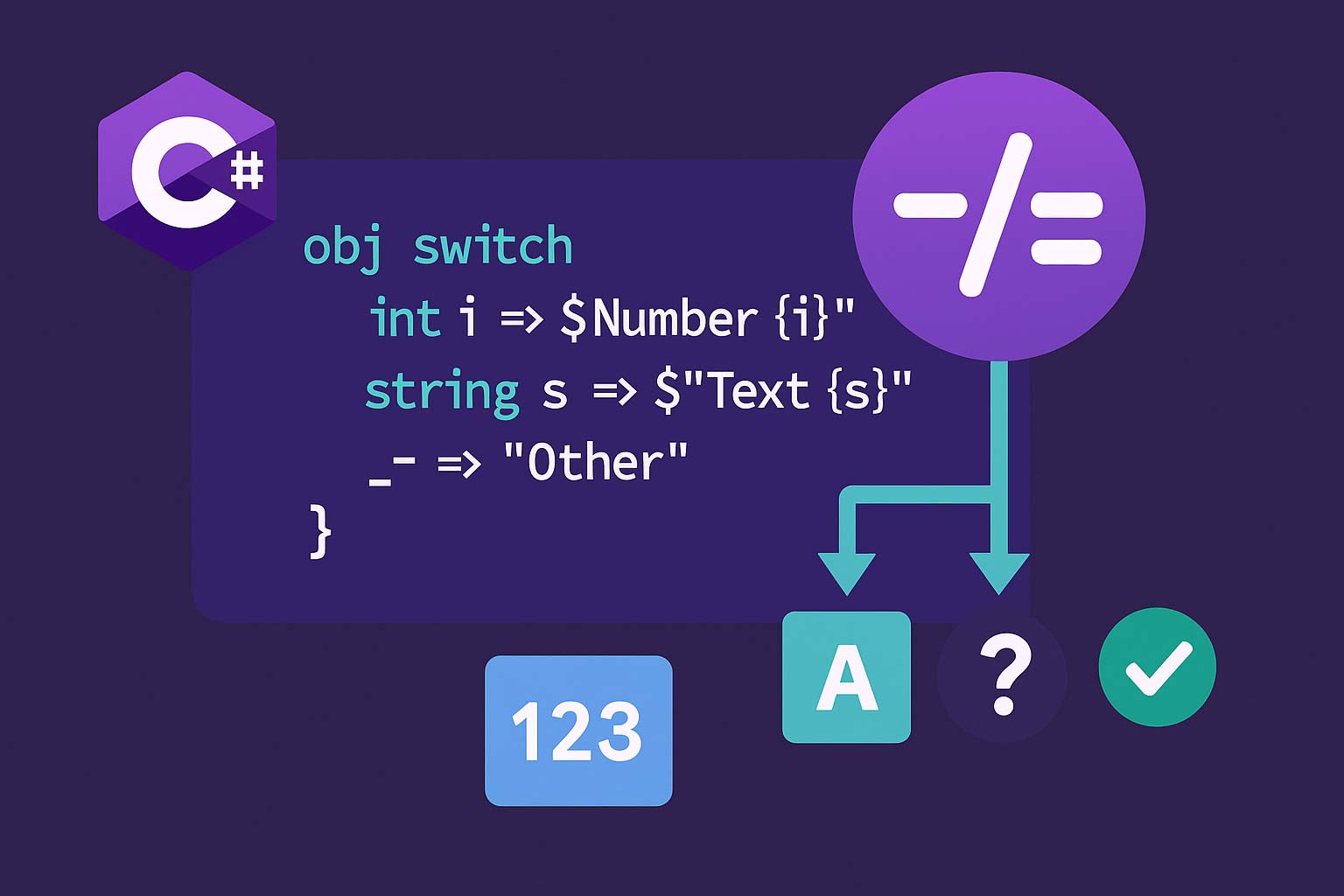
タプルパターンで複数変数を同時にマッチ
// タプルパターン: 複数値を同時にマッチできる(switch の if-else 連鎖を置換)
public enum Light { Red, Yellow, Green }

static string NextAction(Light light, bool emergency) =>
    (light, emergency) switch
    {
        (Light.Red,    true)  => "緊急:停止して通報",
        (Light.Red,    false) => "停止",
        (Light.Yellow, _)     => "減速",
        (Light.Green,  true)  => "徐行で通過",
        (Light.Green,  false) => "進行",
    };

// 位置パターンで record や ValueTuple を同時マッチ
var point = (X: 0, Y: 5);
string quadrant = point switch
{
    (0, 0)       => "原点",
    (> 0, > 0)   => "第1象限",
    (0, _)       => "Y軸上",
    (_, 0)       => "X軸上",
    _            => "その他",
};

// is 式でもタプルパターンが使える
if ((width, height) is (> 0, > 0))
    Console.WriteLine("有効なサイズ");
タプルパターンは if-else 連鎖をきれいに置き換える
2〜3個の変数の組み合わせで分岐する処理は、if-else が入れ子になって可読性が落ちがちです。タプルパターンを使えば「各入力値の組み合わせ」を1列に並べた表のように書けます。ステートマシン・信号機・ゲームの状態遷移・ビジネスルールなど、「複数入力×複数結果」の処理で特に強力です。
2〜3個の変数の組み合わせで分岐する処理は、if-else が入れ子になって可読性が落ちがちです。タプルパターンを使えば「各入力値の組み合わせ」を1列に並べた表のように書けます。ステートマシン・信号機・ゲームの状態遷移・ビジネスルールなど、「複数入力×複数結果」の処理で特に強力です。
ValueTuple vs record — どちらを使うか
| 観点 | ValueTuple |
record / record struct |
|---|---|---|
| 型名 | なし(構造的型) | あり(名目的型) |
| 公開 API | △(記名性が弱い) | ◎(意図が明示される) |
| メソッド追加 | 不可 | 可 |
| 継承 | 不可 | 不可(record struct)/ 可(record class) |
| シリアライズ | 要素名が Item1/Item2 に | 綺麗な JSON 名 |
| コスト | 定義不要でその場で使える | 型定義が必要 |
| 等価性 | 要素ごと比較(自動) | 要素ごと比較(自動) |
| 典型用途 | 一時的な複数戻り値・複合キー | DTO・値オブジェクト・判別共用体 |
使い分けの指針
// OK: 関数内・private な一時利用 → ValueTuple
public class OrderProcessor
{
    private (decimal Subtotal, decimal Tax, decimal Total) CalculateAmounts(Order o)
    {
        decimal sub  = o.Items.Sum(i => i.Price);
        decimal tax  = sub * 0.1m;
        return (sub, tax, sub + tax);
    }

    public decimal Process(Order o)
    {
        var (sub, tax, total) = CalculateAmounts(o);
        // ...
        return total;
    }
}

// OK: 公開 API・永続化 → record
public sealed record OrderSummary(decimal Subtotal, decimal Tax, decimal Total);

public OrderSummary Process(Order o) =>
    new(/* ... */);

// OK: LINQ の複合キー・Dictionary のキー → ValueTuple
var grouped = orders.GroupBy(o => (o.CustomerId, o.Date.Year));
8要素超の ValueTuple と Rest フィールド
ValueTuple は 8 要素目以降を Rest に格納
// ValueTuple は最大7要素までが直接フィールドを持ち、
// 8要素目以降は 8 つ目の位置(TRest)に別の ValueTuple としてネストされる

// 構文上は 8 要素以上でも透過的に書ける
var eight = (1, 2, 3, 4, 5, 6, 7, 8);
Console.WriteLine(eight.Item8); // 8(コンパイラがネストを隠してくれる)

// 実体は ValueTuple<T1..T7, TRest> で TRest が ValueTuple<T8> になる
// → var real = new ValueTuple<int,int,int,int,int,int,int,ValueTuple<int>>(
//       1,2,3,4,5,6,7, new ValueTuple<int>(8));

// 8要素を超えるタプルは可読性が落ちるため、record への移行を推奨
public sealed record BigDto(
    int A, int B, int C, int D,
    int E, int F, int G, int H, int I);
ITuple インターフェース(.NET Core 2.0+)
using System.Runtime.CompilerServices;

// ITuple: Tuple と ValueTuple の共通インターフェース
// Length プロパティと Item[int index] インデクサを持つ
public static string Describe(object obj)
{
    if (obj is ITuple t)
    {
        var sb = new StringBuilder($"Tuple(Length={t.Length}): ");
        for (int i = 0; i < t.Length; i++)
            sb.Append($"[{i}]={t[i]} ");
        return sb.ToString();
    }
    return "not a tuple";
}

Console.WriteLine(Describe((1, "a", true))); // Length=3: [0]=1 [1]=a [2]=True
Console.WriteLine(Describe(Tuple.Create(1, 2, 3)));

// パターンマッチング側から見ると、ITuple 実装型はすべて位置パターンで分解できる
// (位置要素数が一致する場合に限る)
よくある落とし穴と対処法
落とし穴① — 公開 API で ValueTuple を返すと記名性が弱い
// NG: 呼び出し側で何が返ってくるか型シグネチャを見ないと分からない
public (int, int, int) GetRgb(Color c) => (c.R, c.G, c.B);

// 改善①: 要素名を付ける(コンパイル時のみ有効だが IDE で補完される)
public (int Red, int Green, int Blue) GetRgb2(Color c) => (c.R, c.G, c.B);

// 改善②(公開 API では推奨): record にする
public sealed record Rgb(int Red, int Green, int Blue);
public Rgb GetRgb3(Color c) => new(c.R, c.G, c.B);
落とし穴② — ValueTuple はミュータブル
// ValueTuple のフィールドは public で書き換え可能
var pt = (X: 10, Y: 20);
pt.X = 100; // OK(record struct と異なり readonly ではない)

// 意図しない変更を防ぎたい場合は record struct を使う
public readonly record struct Point(int X, int Y);

var p = new Point(10, 20);
// p.X = 100; // NG: readonly record struct は変更不可

// ただし ValueTuple をメソッド引数で渡すと値渡しなので
// 呼ばれた側の変更は呼び出し元に反映されない(ref 引数なら別)
static void Bump((int X, int Y) pt) { pt.X++; }
var q = (X: 0, Y: 0);
Bump(q);
Console.WriteLine(q.X); // 0(呼び出し元は変わらない)
落とし穴③ — リフレクション / シリアライズで要素名が失われる
using System.Text.Json;

// 問題: System.Text.Json はデフォルトで「public プロパティ」のみ対象にする
//       ValueTuple のメンバーは「public フィールド」なので、デフォルトだと中身が出ない
var data = (Name: "Alice", Age: 30);
string json = JsonSerializer.Serialize(data);
Console.WriteLine(json); // {} (空オブジェクト!)

// フィールドを対象に含めると Item1 / Item2 として出力される
var options = new JsonSerializerOptions { IncludeFields = true };
string json2 = JsonSerializer.Serialize(data, options);
Console.WriteLine(json2); // {"Item1":"Alice","Item2":30}(要素名は失われる)

// 参考: Newtonsoft.Json はデフォルトでフィールドも扱うが
//       同様に Item1 / Item2 になる(要素名はメタデータのみで実体は Item1/2)

// 対策: JSON 化するデータは record を使う
public sealed record Person(string Name, int Age);
string json3 = JsonSerializer.Serialize(new Person("Alice", 30));
Console.WriteLine(json3); // {"Name":"Alice","Age":30}
落とし穴④ — using エイリアスを必要以上に使いすぎない(C# 12+)
// C# 12 から using エイリアスで名前付きタプルを定義できる
using Point = (int X, int Y);
using RgbColor = (byte R, byte G, byte B);

Point origin = (0, 0);
RgbColor red = (255, 0, 0);

// 便利だが「とにかくエイリアス」は逆効果
// 複雑なドメイン概念は record にして、エイリアスは純粋な技術的短縮に限定する
よくある質問
QValueTuple と record struct は何が違いますか?
A名目的型(名前で区別)かどうかが最大の違いです。
ValueTuple は構造的型で「要素の型と並びが同じなら同じ型」ですが、record struct は宣言した型名で区別されます。メソッドを追加したい・公開 API にする・シリアライズしたいなら record struct、関数内で一時的に複数値を扱うだけなら ValueTuple です。record struct は readonly にできるため不変性を保証でき、安全です。QTuple.Create は使うべきですか?
A原則使いません。
Tuple.Create(1, "a") は System.Tuple(参照型)を返すため GC 対象で、要素名も Item1 / Item2 のみです。現代の C# ではほぼ常に (1, "a") 構文で ValueTuple を使います。古い .NET Framework の API(System.Tuple を要求するもの)との互換性が必要なときだけ Tuple.Create を使ってください。Qタプルで要素を追加したいときはどうすればよいですか?
Aタプルに要素追加のメソッドはありません。新しいタプルを作り直す必要があります(
var ext = (a.X, a.Y, Z: 0);)。要素数を動的に変えたい場合はタプルではなくコレクション(配列・List)や record を使うべきサインです。タプルは「要素数が固定されている一時データ」に向いています。QValueTuple の要素名は実行時に取得できますか?
Aいいえ。要素名は
TupleElementNamesAttribute としてメソッド・フィールド・パラメーターのシグネチャに記録されますが、実行時に ValueTuple インスタンス自身から要素名を取得することはできません。リフレクションで MethodInfo.ReturnParameter.GetCustomAttributes などを使うことでメタデータからは読めますが、実用的ではありません。実行時に名前が必要ならば record を使ってください。Qタプルと匿名型はどう違いますか?
A
new { Name = "Alice", Age = 30 } の匿名型は参照型(クラス)でイミュータブルです。タプルの利点は「メソッドを超えて受け渡せる(戻り値・引数にできる)」こと、匿名型の利点は「プロパティ名を記録して LINQ の中間結果を表現しやすい」ことです。現代のコードでは LINQ の中間結果も ValueTuple を使えば同じことができ、さらに名前付きで GC 負荷も低いため、匿名型の出番はほぼ LINQ プロバイダー内部(Select(x => new { ... }))に限られます。まとめ
| ポイント | 推奨 |
|---|---|
| 旧 Tuple と ValueTuple | 新規コードは常に ValueTuple(値型・名前付き・==比較可) |
| 公開 API の複数戻り値 | record で型名を付ける。記名性・シリアライズ性が重要 |
| private / internal の一時利用 | ValueTuple が軽量で書きやすい |
| LINQ GroupBy / Dictionary キー | ValueTuple の複合キーが定番(Equals/GetHashCode 自動) |
| タプル等価 | C# 7.3+ なら == / != で要素比較できる |
| パターンマッチング | タプルパターンで if-else 連鎖を表形式にシンプル化 |
| Deconstruct | 独自型は Deconstruct(out ...) を実装すれば分解可能 |
| シリアライズ | 要素名が失われるため record を使う |
| 8要素超 | Rest フィールドで対応できるが、record に移行した方が読みやすい |
| ミュータビリティ | 不変にしたい場合は readonly record struct |
タプルと関係の深い機能は以下を参照してください。record型完全ガイドで値オブジェクト・判別共用体としての使い方、パターンマッチング完全ガイドでタプル・位置パターンの詳細、メソッド完全ガイドで out 引数との使い分け、値型と参照型完全ガイドで ValueTuple の値型特性を解説しています。