C# の Dictionary<TKey, TValue> は頻出コレクションですが、「存在しないキー参照で KeyNotFoundException」「同時アクセスで内部状態破損」「null 値とキー不在の区別」など、安全に使うためのイディオムを知らないとバグの温床になります。
本記事は12種類の実戦パターンをコード例で示す実装レシピ集です。Dictionary の内部構造や全 API の詳細はDictionary 完全ガイドに包括的にまとめているので、本記事は「業務で頻出する場面の定型コード」に焦点を当てます。
12パターン早見表
| シナリオ | パターン | 使う API |
|---|---|---|
| キー不在で例外を避ける | ① 安全アクセス 3 種比較 | TryGetValue / GetValueOrDefault / ContainsKey |
| 辞書でカウント | ② カウンターインクリメント | CollectionsMarshal.GetValueRefOrNullRef(.NET 6+) |
| キーごとに値をグルーピング | ③ アキュムレータ | TryGetValue + List 追加 |
| 計算結果のキャッシュ | ④ メモ化 | GetOrAdd パターン |
| 多段階のフォールバック | ⑤ デフォルト値チェーン | null 合体 + ?. |
| 複合キーでのルックアップ | ⑥ タプル / ValueTuple キー | ValueTuple の自動 Equals |
| ネストした辞書の操作 | ⑦ Dictionary of Dictionary | GetOrAddInner ヘルパー |
| 大文字小文字を無視 | ⑧ StringComparer | IEqualityComparer |
| スレッドセーフな更新 | ⑨ ConcurrentDictionary | AddOrUpdate / GetOrAdd |
| null を値として扱う | ⑩ null 値と不在の区別 | TryGetValue 必須 |
| 一括更新 | ⑪ Bulk update | Concat + ToDictionary |
| 読み取り専用公開 | ⑫ IReadOnlyDictionary | DI / API 境界 |
パターン① — 安全アクセス3種の使い分け
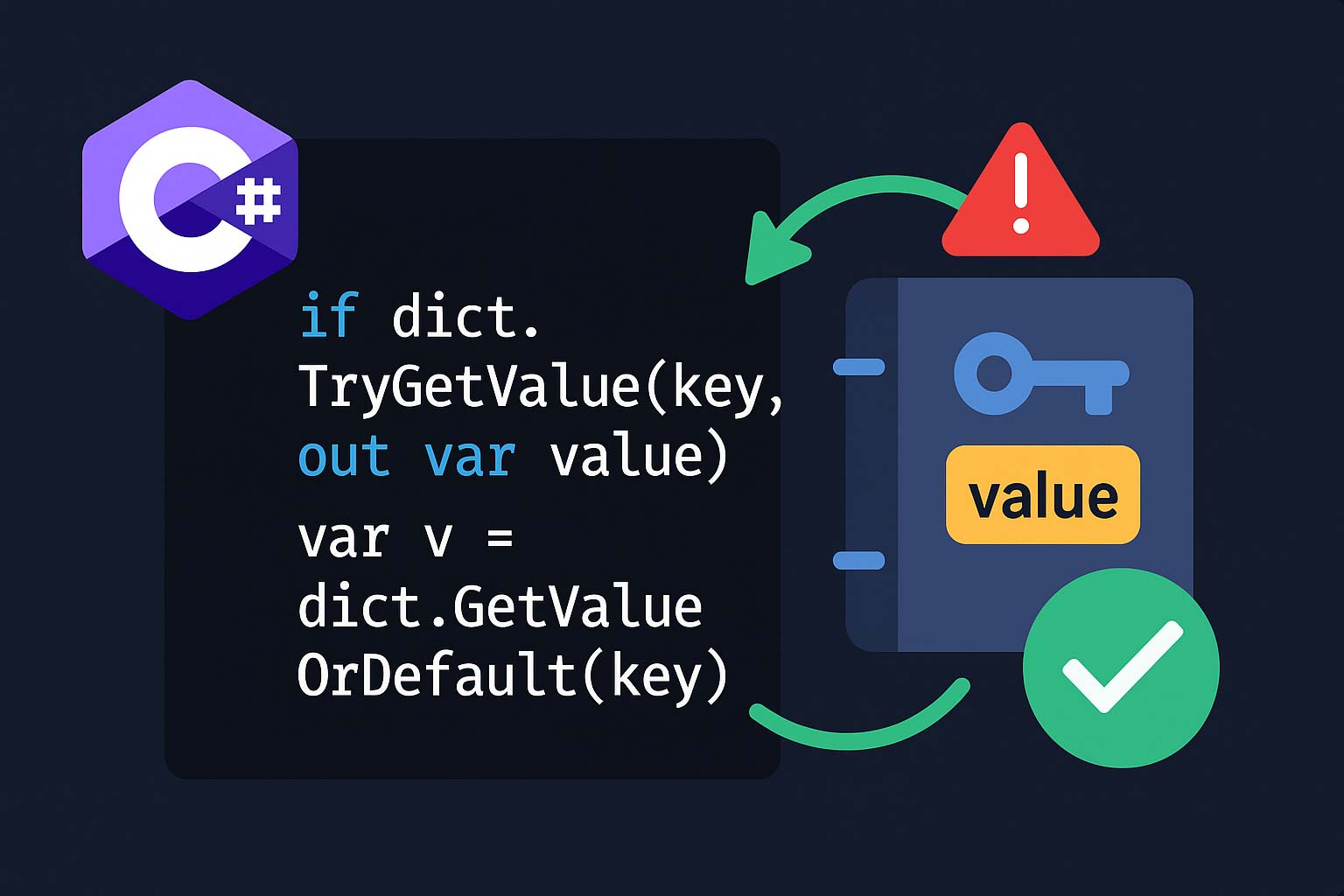
TryGetValue / GetValueOrDefault / ContainsKey の選び方
var scores = new Dictionary<string, int>
{
    ["Alice"] = 90, ["Bob"] = 85
};

// ① TryGetValue: 「存在確認 + 値取得」を1回のハッシュ計算で
if (scores.TryGetValue("Charlie", out int charlie))
{
    Console.WriteLine($"Charlie: {charlie}");
}

// ② GetValueOrDefault: 取れなければデフォルト値(.NET Core 2.0+ / .NET Standard 2.1+)
int dave = scores.GetValueOrDefault("Dave");         // 0(int のデフォルト)
int eve  = scores.GetValueOrDefault("Eve", -1);      // -1(明示デフォルト)

// ③ ContainsKey: 存在確認だけ(値は要らない場合)
if (scores.ContainsKey("Alice"))
    Console.WriteLine("Alice が登録済み");

// NG: ContainsKey + [] は2回ハッシュ計算される(TryGetValue の方が速い)
if (scores.ContainsKey("Alice"))
{
    int v = scores["Alice"];  // ハッシュ計算2回目(無駄)
    Console.WriteLine(v);
}

// さらにマルチスレッドでは TOCTOU(Time Of Check, Time Of Use)問題がある
// ContainsKey の後に別スレッドが削除するとインデクサが例外を投げる可能性
| 場面 | 推奨 |
|---|---|
| 値を使う | TryGetValue(key, out var v) |
| 存在確認のみ | ContainsKey(key) |
| デフォルト値で埋めたい | GetValueOrDefault(key, fallback) |
| NG パターン | ContainsKey(k) → dict[k] の連続呼び出し |
パターン② — カウンターインクリメント(出現回数を数える)
辞書でワードカウント
// 定番: TryGetValue + インクリメント
var counts = new Dictionary<string, int>();
foreach (var word in words)
{
    counts.TryGetValue(word, out int c);
    counts[word] = c + 1;
}
// ↑ TryGetValue が失敗すると c は 0(int のデフォルト)になる → そのまま +1 で 1

// より短い版(ContainsKey を使ったよくある書き方)
foreach (var word in words)
{
    if (counts.ContainsKey(word)) counts[word]++;
    else                           counts[word] = 1;
}

// .NET 6+ の決定版: CollectionsMarshal.GetValueRefOrAddDefault
using System.Runtime.InteropServices;
var counts2 = new Dictionary<string, int>();
foreach (var word in words)
{
    ref int slot = ref CollectionsMarshal.GetValueRefOrAddDefault(counts2, word, out _);
    slot++;  // スロットを直接インクリメント
    // → ハッシュ計算 1 回のみ。TryGetValue + 再代入より高速
}
.NET 6+ では CollectionsMarshal で最速カウント
CollectionsMarshal.GetValueRefOrAddDefault は「キーが無ければデフォルト値で追加し、そのスロットへの参照を返す」API で、カウンターやマージ操作をハッシュ計算1回・ボクシングなしで書けます。秒間数万回呼ばれるホットパスでは TryGetValue + dict[key] = ... より明確に速いため、頻度の高いカウントや集計では積極的に採用してください。パターン③ — キーごとに値をグルーピング
Dictionary> でアキュムレータ
// ユーザー別に注文をグルーピング
var byUser = new Dictionary<int, List<Order>>();

foreach (var order in orders)
{
    if (!byUser.TryGetValue(order.UserId, out var list))
    {
        list = new List<Order>();
        byUser[order.UserId] = list;
    }
    list.Add(order);
}

// 短縮版(.NET 6+ の GetValueRefOrAddDefault)
using System.Runtime.InteropServices;
var byUser2 = new Dictionary<int, List<Order>>();
foreach (var order in orders)
{
    ref var list = ref CollectionsMarshal.GetValueRefOrAddDefault(byUser2, order.UserId, out _);
    list ??= new List<Order>();   // null ならリスト作成
    list.Add(order);
}

// LINQ でよいならこれで済む(書き捨てなら最短)
var byUser3 = orders.GroupBy(o => o.UserId)
                    .ToDictionary(g => g.Key, g => g.ToList());

// ToLookup は「1対多の読み取り専用辞書」で用途が近い
ILookup<int, Order> lookup = orders.ToLookup(o => o.UserId);
パターン④ — メモ化(計算結果のキャッシュ)
GetOrAdd 風ヘルパー
// Dictionary には標準の GetOrAdd が無いので自前で用意する
public static TValue GetOrAdd<TKey, TValue>(
    this Dictionary<TKey, TValue> dict,
    TKey key,
    Func<TKey, TValue> factory) where TKey : notnull
{
    if (!dict.TryGetValue(key, out var value))
    {
        value = factory(key);
        dict[key] = value;
    }
    return value;
}

// 使用例: 高コストな計算のキャッシュ
var cache = new Dictionary<int, BigInteger>();
public BigInteger Factorial(int n)
    => cache.GetOrAdd(n, k => k <= 1 ? 1 : k * Factorial(k - 1));

// 注: 単一スレッド前提。マルチスレッドでは後述の ConcurrentDictionary.GetOrAdd を使う

// インスタンスを再利用するキャッシュ
var regexCache = new Dictionary<string, Regex>();
Regex GetRegex(string pattern) =>
    regexCache.GetOrAdd(pattern, p => new Regex(p, RegexOptions.Compiled));
パターン⑤ — 多段階デフォルト値チェーン
複数の辞書を順番にフォールバック
// 環境変数 → appsettings.json → デフォルトの順に設定値を探す
public string GetSetting(string key)
{
    return envVars.GetValueOrDefault(key)
        ?? appSettings.GetValueOrDefault(key)
        ?? defaults.GetValueOrDefault(key)
        ?? "unknown";
}

// 値型(int 等)には ?? が使えないので Nullable で扱う
public int? GetPriority(string key)
{
    if (highPriority.TryGetValue(key, out int h))  return h;
    if (mediumPriority.TryGetValue(key, out int m)) return m;
    if (lowPriority.TryGetValue(key, out int l))    return l;
    return null;
}

// 複数辞書からの最初のヒット取得を LINQ で
int? value = new[] { dict1, dict2, dict3 }
    .Select(d => d.TryGetValue(key, out int v) ? (int?)v : null)
    .FirstOrDefault(v => v.HasValue);
パターン⑥ — 複合キーでのルックアップ
ValueTuple をキーとして使う
// ValueTuple は Equals/GetHashCode が構造的に自動実装されるので
// そのまま Dictionary のキーに使える
var prices = new Dictionary<(string City, string Product), decimal>
{
    [("Tokyo", "Apple")]    = 150m,
    [("Tokyo", "Banana")]   = 100m,
    [("Osaka", "Apple")]    = 140m,
};

decimal tokyoApple = prices[("Tokyo", "Apple")];   // 150
prices[("Osaka", "Banana")] = 90m;                // 追加

// 複数文字列キー: タプルのままでも良いが、record を使うとより明示的
public sealed record ProductLocation(string City, string Product);

var prices2 = new Dictionary<ProductLocation, decimal>
{
    [new("Tokyo", "Apple")] = 150m,
};

// GroupBy にも複合キーを渡せる
var grouped = sales.GroupBy(s => (s.City, s.Category))
                   .ToDictionary(g => g.Key, g => g.Sum(x => x.Amount));
パターン⑦ — ネストした辞書の安全操作
Dictionary>
// 地域別 × 商品カテゴリ別の売上
var sales = new Dictionary<string, Dictionary<string, int>>();

// ヘルパー: 内側辞書を自動作成しながら値を設定
static Dictionary<string, int> GetOrAddInner(
    Dictionary<string, Dictionary<string, int>> outer, string outerKey)
{
    if (!outer.TryGetValue(outerKey, out var inner))
    {
        inner = new Dictionary<string, int>();
        outer[outerKey] = inner;
    }
    return inner;
}

GetOrAddInner(sales, "Tokyo")["Electronics"] = 1500;
GetOrAddInner(sales, "Tokyo")["Books"]       = 300;
GetOrAddInner(sales, "Osaka")["Electronics"] = 900;

// 安全な取得(両階層のチェック)
int GetSafe(Dictionary<string, Dictionary<string, int>> d, string region, string category)
    => d.TryGetValue(region, out var inner) && inner.TryGetValue(category, out int value)
        ? value : 0;

Console.WriteLine(GetSafe(sales, "Tokyo", "Electronics"));  // 1500
Console.WriteLine(GetSafe(sales, "Nagoya", "Electronics"));  // 0(region が無い)

// 一般的に2段以上のネストは複合キー(ValueTuple / record)に書き換えた方がシンプル
// new Dictionary<(string, string), int>() など
パターン⑧ — 大文字小文字を無視したキー
StringComparer でケースインセンシティブ辞書
// HTTP ヘッダー・環境変数・設定キーなど「表記ゆれ」がある場面で必須
var headers = new Dictionary<string, string>(StringComparer.OrdinalIgnoreCase)
{
    ["Content-Type"] = "application/json",
    ["Accept"]       = "text/plain",
};

Console.WriteLine(headers["content-type"]);  // OK: "application/json"
Console.WriteLine(headers["CONTENT-TYPE"]);  // OK: 同じ値

// TryAdd / ContainsKey も比較器を使って大文字小文字を無視
headers.TryAdd("Accept", "text/html");  // 既に存在 → false

// 用途別の推奨:
// - 内部識別子(プロトコルヘッダー・ファイル名)       → OrdinalIgnoreCase
// - 多言語対応が必要なユーザー入力                   → InvariantCultureIgnoreCase
// - ロケールに応じた照合                             → CurrentCultureIgnoreCase

// 独自型キーには IEqualityComparer<T> を実装
public sealed class PersonComparer : IEqualityComparer<(string First, string Last)>
{
    public bool Equals((string First, string Last) x, (string First, string Last) y)
        => StringComparer.OrdinalIgnoreCase.Equals(x.First, y.First)
        && StringComparer.OrdinalIgnoreCase.Equals(x.Last,  y.Last);

    public int GetHashCode((string First, string Last) obj)
        => HashCode.Combine(
            obj.First.ToUpperInvariant(),
            obj.Last.ToUpperInvariant());
}
パターン⑨ — スレッドセーフな更新
ConcurrentDictionary の GetOrAdd / AddOrUpdate
using System.Collections.Concurrent;

// Dictionary はスレッドセーフではないので複数スレッドからの書き込みは危険
// ConcurrentDictionary を使う

var counters = new ConcurrentDictionary<string, int>();

// 並行カウンタ: AddOrUpdate でアトミックな加算
Parallel.ForEach(events, ev =>
{
    counters.AddOrUpdate(
        key:              ev.Category,
        addValue:         1,
        updateValueFactory: (_, old) => old + 1);
});

// GetOrAdd でキャッシュ生成
var clients = new ConcurrentDictionary<string, HttpClient>();

HttpClient GetClient(string baseUrl) =>
    clients.GetOrAdd(baseUrl, url =>
        new HttpClient { BaseAddress = new Uri(url) });

// ⚠ factory は複数スレッドが同時に呼び出す可能性がある
// → factory は純粋計算 or 冪等にする(副作用があるとリソースリーク)

// 厳密に「1回だけ初期化」を保証したい場合は Lazy<T> と組み合わせる
var cache = new ConcurrentDictionary<string, Lazy<HttpClient>>();
HttpClient GetClientStrict(string baseUrl) =>
    cache.GetOrAdd(baseUrl, url =>
        new Lazy<HttpClient>(() => new HttpClient { BaseAddress = new Uri(url) }))
        .Value;
// factory(new HttpClient)は複数回走っても Lazy の中で1回だけ実行される
パターン⑩ — null を値として扱う
null 値とキー不在を区別する
// 値の型が参照型の場合「null が格納されている」と「キーが無い」が区別しにくい
var dict = new Dictionary<string, string?>
{
    ["found-but-null"] = null,
    ["normal"]         = "hello",
};

// NG: GetValueOrDefault だと null 値とキー不在の区別がつかない
string? x = dict.GetValueOrDefault("found-but-null");  // null
string? y = dict.GetValueOrDefault("missing");          // null
// → どちらも null で返るので違いが分からない

// OK: TryGetValue なら区別できる
bool existsA = dict.TryGetValue("found-but-null", out string? a);  // true, a = null
bool existsB = dict.TryGetValue("missing",        out string? b);  // false, b = null

// 値型では null 自体が入らないため、GetValueOrDefault でも問題は起きにくい
// ただし「0 が格納されている」と「キー不在」の区別が必要なら TryGetValue

// パターンマッチングと組み合わせ
string DisplayName(string userId) => dict.TryGetValue(userId, out var name) switch
{
    true when name is not null => name,
    true                       => "(未設定)",  // キーはあるが null
    false                      => "(不在)",
};
パターン⑪ — 一括更新と結合
複数辞書のマージと一括更新
var current = new Dictionary<string, int> { ["a"] = 1, ["b"] = 2 };
var updates = new Dictionary<string, int> { ["b"] = 99, ["c"] = 3 };

// 後勝ちマージ: Concat + GroupBy + Last
var merged1 = current.Concat(updates)
                     .GroupBy(kv => kv.Key)
                     .ToDictionary(g => g.Key, g => g.Last().Value);
// → { a:1, b:99, c:3 }

// 先勝ちマージ: 左側優先
var merged2 = current.Concat(updates)
                     .GroupBy(kv => kv.Key)
                     .ToDictionary(g => g.Key, g => g.First().Value);
// → { a:1, b:2, c:3 }

// 破壊的マージ: 既存辞書を直接更新(後勝ち)
foreach (var (k, v) in updates)
    current[k] = v;

// 条件付き追加(既存キーは変更しない)
foreach (var (k, v) in updates)
    current.TryAdd(k, v);   // .NET Core 2.0+

// 差分の抽出
var added = updates.Where(kv => !current.ContainsKey(kv.Key)).ToDictionary(kv => kv.Key, kv => kv.Value);
var changed = updates.Where(kv => current.TryGetValue(kv.Key, out int v) && v != kv.Value)
                     .ToDictionary(kv => kv.Key, kv => kv.Value);
パターン⑫ — 読み取り専用公開
IReadOnlyDictionary で安全な公開
public sealed class ConfigService
{
    private readonly Dictionary<string, string> _settings = new(StringComparer.OrdinalIgnoreCase);

    // 公開は IReadOnlyDictionary にして外部からの変更を禁止
    public IReadOnlyDictionary<string, string> Settings => _settings;

    public void Set(string key, string value) => _settings[key] = value;
    public void Remove(string key)            => _settings.Remove(key);
}

// 呼び出し側
var svc = new ConfigService();
svc.Set("theme", "dark");

// 読み取りはできる
string? theme = svc.Settings.TryGetValue("theme", out var t) ? t : null;

// 変更はコンパイルエラー
// svc.Settings["theme"] = "light";   // エラー: IReadOnlyDictionary のインデクサは読み取り専用
// svc.Settings.Remove("theme");      // エラー: IReadOnlyDictionary に Remove は無い

// さらに完全に不変にするなら FrozenDictionary(.NET 8+)
using System.Collections.Frozen;
var frozen = _settings.ToFrozenDictionary();  // 変更不可・読み取り最速
パフォーマンスの罠
避けるべき非効率パターン
var dict = new Dictionary<string, int>();

// NG① — ContainsKey + インデクサで2回ハッシュ
if (dict.ContainsKey(key))         // ハッシュ計算 1
    return dict[key];              // ハッシュ計算 2

// OK: TryGetValue で1回
if (dict.TryGetValue(key, out int v))
    return v;

// NG② — ContainsValue は O(n) の線形探索
bool hasValue = dict.ContainsValue(42);   // 全要素を走査

// OK: 値→キーの逆引き辞書を作っておく
var reverse = dict.ToDictionary(kv => kv.Value, kv => kv.Key);
bool hasValue2 = reverse.ContainsKey(42);

// NG③ — 大量要素を入れる前に初期容量を指定していない
var big = new Dictionary<int, string>();   // 初期4要素から都度リサイズ
for (int i = 0; i < 1_000_000; i++) big[i] = i.ToString();
// → 約20回のリサイズが発生

// OK: 初期容量を予測して渡す
var big2 = new Dictionary<int, string>(capacity: 1_000_000);
for (int i = 0; i < 1_000_000; i++) big2[i] = i.ToString();

// NG④ — foreach 中に Remove(例外)
foreach (var kv in dict)
    if (kv.Value == 0) dict.Remove(kv.Key);   // InvalidOperationException

// OK: スナップショット化
foreach (var key2 in dict.Keys.ToList())
    if (dict[key2] == 0) dict.Remove(key2);
よくある質問
QTryGetValue と GetValueOrDefault はどちらを使うべきですか?
A「値が無いときの処理を分岐したい」なら
TryGetValue、「デフォルト値で埋めて続行」なら GetValueOrDefault です。値が null になり得る参照型では、GetValueOrDefault は「キー不在」と「null 値が格納されている」を区別できないため、区別が必要なら TryGetValue を使ってください。QCollectionsMarshal.GetValueRefOrAddDefault はいつ使うべきですか?
A「キー存在確認 → 更新または追加」を1回のハッシュ計算で完了したいホットパス(カウンタ・アキュムレータ・頻度集計)で効果的です。通常の
TryGetValue + インデクサ代入は2回のハッシュ計算になるため、数万回/秒以上のループでは明確な性能差が出ます。ref で直接スロットを操作できるためボクシングも避けられます。QConcurrentDictionary の GetOrAdd を使うときの注意点は?
Afactory は複数スレッドが同時に呼ばれる可能性がある点です。結果として辞書に入るのは1つだけですが、factory 自体は複数回実行されます。ネットワーク接続やDB接続を作る factory ではリソースリークになるため、
Lazy<T> と組み合わせて「確実に1回だけ」を保証するパターンを使ってください(記事内パターン⑨参照)。Q大量の辞書操作を高速化するコツは?
A① 初期容量を指定(
new Dictionary<K,V>(capacity: N))、② CollectionsMarshal.GetValueRefOr… でハッシュ計算1回、③ 読み取り専用なら FrozenDictionary(.NET 8+)、④ string キーには StringComparer.Ordinal(カルチャ依存比較を避ける)、の4点が効果的です。最も簡単に高速化できるのは初期容量の指定で、リサイズを抑制するだけで2倍以上速くなるケースがあります。Qネストされた辞書と複合キー、どちらを使うべき?
A2階層でもネスト辞書より複合キー(ValueTuple / record)の辞書の方がシンプルで、null チェックが不要になります。ネスト辞書が適するのは「内側の辞書を独立して取り出して操作したい」ケース(例: カテゴリ別にサブ集計を別々に扱いたい)だけです。迷ったら複合キー → 必要なら後でネストに切り替える、が安全な判断です。
まとめ
| 場面 | 推奨パターン |
|---|---|
| 安全な値取得 | TryGetValue(存在確認 + 値取得を1回のハッシュで) |
| デフォルト値 | GetValueOrDefault(null 値との区別に注意) |
| カウント | CollectionsMarshal.GetValueRefOrAddDefault(.NET 6+) |
| グルーピング | TryGetValue + List 追加 or LINQ GroupBy |
| メモ化 | GetOrAdd 拡張メソッド(単一スレッド) |
| 複合キー | ValueTuple or record をキーに使う |
| ネスト辞書 | 2階層までは複合キーに書き換え検討 |
| 表記ゆれ対応 | StringComparer.OrdinalIgnoreCase |
| 並行更新 | ConcurrentDictionary + AddOrUpdate / Lazy<T> |
| null 値の扱い | TryGetValue で「不在」と「null 値」を区別 |
| 一括更新 | Concat + GroupBy + ToDictionary(後勝ち/先勝ち) |
| 公開 API | IReadOnlyDictionary で書き換えを禁止 |
| パフォーマンス | 初期容量 + CollectionsMarshal + FrozenDictionary(.NET 8+) |
Dictionary の内部構造・全 API・型別比較(SortedDictionary/ImmutableDictionary/FrozenDictionary)はDictionary 完全ガイド、並行コレクションの詳細は依存性注入完全ガイド(DI + キャッシュ設計)、HashSet との使い分けはHashSet 完全ガイド、複合キーの record はrecord 型完全ガイドを参照してください。