LINQ の集約処理は単に Sum・Count・Average を呼ぶだけではありません。1回のパスで複数指標を計算する・条件付き集計・ピボット / ロールアップ・時系列バケット集計・統計値(中央値・分散・パーセンタイル)・Aggregate による自由な畳み込みなど、業務の SQL クエリ相当を C# 側で完結させる強力な機能群が揃っています。
本記事は集約処理の実戦パターンを中心に、集約関数の完全カタログ・.NET 6+/9+ の新 API・PLINQ での並列集約・パフォーマンス比較まで体系的に解説します。GroupBy 自体の詳細(複合キー・外部結合・ToLookup 等)はLINQ GroupBy・OrderBy・Join 完全ガイドを参照してください。
集約関数の完全カタログ
| 関数 | 戻り値 | 空シーケンス時 |
|---|---|---|
Count() |
int |
0 |
LongCount() |
long |
0 |
Sum() |
数値型 | 0(reference 型要素は NRE) |
Average() |
double/decimal |
InvalidOperationException |
Min() |
要素の型 | 参照型は null、値型は例外 |
Max() |
要素の型 | 参照型は null、値型は例外 |
MinBy()(.NET 6+) |
要素の型 | 参照型は null、値型は例外 |
MaxBy()(.NET 6+) |
要素の型 | 参照型は null、値型は例外 |
Aggregate() |
任意 | seed ありなら seed、なしなら例外 |
First() / Last() |
要素の型 | InvalidOperationException |
Single() |
要素の型 | 要素数 ≠ 1 で例外 |
基本集約関数の使い方
public sealed record Sale(string Category, string Product, decimal Price, int Qty, DateTime Date);

var sales = new List<Sale>
{
    new("食品", "リンゴ",   150, 10, new(2025, 1, 15)),
    new("食品", "パン",     300,  5, new(2025, 1, 20)),
    new("飲料", "コーヒー", 200,  8, new(2025, 2, 10)),
    new("飲料", "紅茶",     180, 12, new(2025, 2, 15)),
    new("雑貨", "ノート",   400,  3, new(2025, 3, 1)),
};

// 件数
int count = sales.Count();                        // 5
long longCount = sales.LongCount();               // 5 (long)

// 合計
decimal totalPrice = sales.Sum(s => s.Price);     // 1230
int totalQty       = sales.Sum(s => s.Qty);       // 38
decimal revenue    = sales.Sum(s => s.Price * s.Qty); // 合計売上

// 平均
decimal avgPrice = sales.Average(s => s.Price);   // 246

// 最小・最大
decimal minPrice = sales.Min(s => s.Price);       // 150
decimal maxPrice = sales.Max(s => s.Price);       // 400

// .NET 6+: MaxBy / MinBy で「最大値を持つ要素」を直接取得
Sale? expensiveSale = sales.MaxBy(s => s.Price);  // ノートのエントリ
Sale? cheapestSale  = sales.MinBy(s => s.Price);  // リンゴのエントリ
空シーケンスの Average / Min / Max は例外
Average は空シーケンスで InvalidOperationExceptionを投げます。Min/Max は値型では例外、参照型では null を返します(.NET 6+ では T? オーバーロードあり)。リスクを回避するには Any() で事前チェックするか、DefaultIfEmpty(0).Average() や sales.Select(s => (decimal?)s.Price).Average() でnullable 版を使ってください。MaxBy / MinBy — 「最大を持つ要素」を直接取得(.NET 6+)
OrderByDescending().First() を置き換える
// Before (.NET 5 以前): 全ソート → 1件取得(非効率)
Sale mostExpensive = sales.OrderByDescending(s => s.Price).First();

// After (.NET 6+): 1パスで最大要素を見つける(効率的)
Sale? mostExpensive2 = sales.MaxBy(s => s.Price);

// 複数条件でのソートは MaxBy に置き換えできないので注意
// MaxBy は「単一のキー関数」で最大値を持つ要素を返す
Sale? earliestHighPriced = sales
    .Where(s => s.Price >= 200)
    .MinBy(s => s.Date);

// 空シーケンス対応(.NET 6+ は null を返す、値型でも nullable)
var empty = new List<Sale>();
Sale? nothing = empty.MaxBy(s => s.Price);   // null(例外ではない)

// 同値最大が複数あった場合は「最初に出現したもの」が返る(安定的)
GroupBy + 複数集計の同時実行
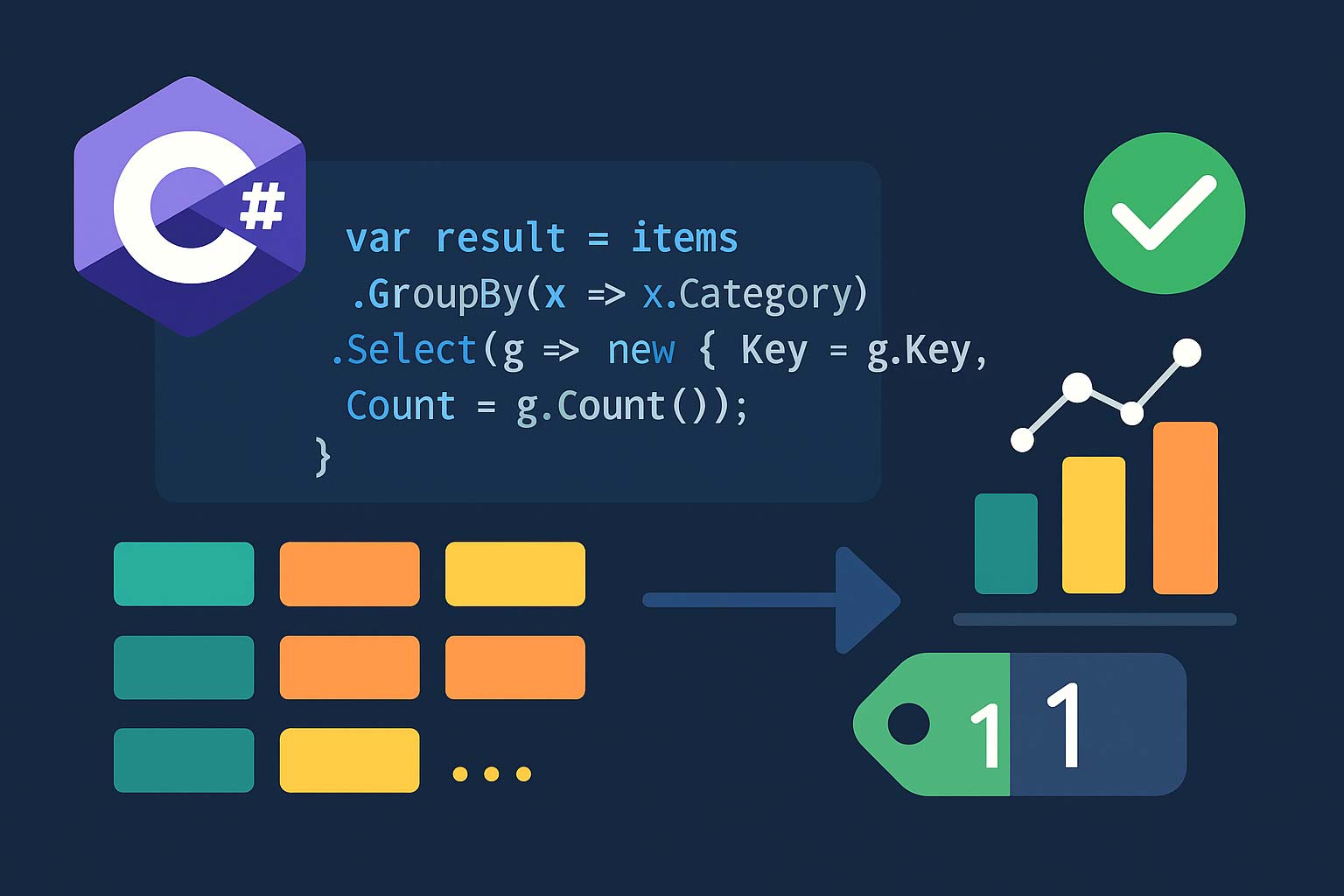
1つのグループで複数指標を一度に計算
// カテゴリ別に「件数・合計・平均・最高単価・売上」をすべて算出
var summary = sales
    .GroupBy(s => s.Category)
    .Select(g => new
    {
        Category    = g.Key,
        Count       = g.Count(),
        TotalQty    = g.Sum(s => s.Qty),
        AvgPrice    = g.Average(s => s.Price),
        MaxPrice    = g.Max(s => s.Price),
        Revenue     = g.Sum(s => s.Price * s.Qty),
        TopProduct  = g.MaxBy(s => s.Price * s.Qty)?.Product,  // 売上1位の商品
    })
    .OrderByDescending(x => x.Revenue)
    .ToList();

// 表示
foreach (var r in summary)
{
    Console.WriteLine(
        $"{r.Category,-6} 件数:{r.Count,3} 売上:{r.Revenue,8} " +
        $"平均:{r.AvgPrice,6:F0} 最高:{r.MaxPrice,5} TOP:{r.TopProduct}");
}
集約は必ず
LINQ の集約結果を複数回列挙するとそのたびにクエリが再実行されます。LINQ-to-Objects では走査コストが倍になるだけですが、LINQ-to-Entities や LINQ-to-SQL では DB にクエリが複数回発行されます。集約結果を複数回使う場合は必ず一度
ToList() か ToArray() で実体化LINQ の集約結果を複数回列挙するとそのたびにクエリが再実行されます。LINQ-to-Objects では走査コストが倍になるだけですが、LINQ-to-Entities や LINQ-to-SQL では DB にクエリが複数回発行されます。集約結果を複数回使う場合は必ず一度
ToList() / ToArray() で実体化してください。条件付き集計 — SQL の SUM(CASE WHEN) 相当
Where + 集約 or 三項演算子 + Sum
// ① Where でフィルタしてから集約(シンプル)
decimal foodTotal = sales.Where(s => s.Category == "食品").Sum(s => s.Price);

// ② 三項演算子で「条件を満たすなら加算・そうでなければ0」を Sum する
decimal foodTotal2 = sales.Sum(s => s.Category == "食品" ? s.Price : 0);

// ③ 複数の条件付き集計を1回のパスで実行(最効率)
var breakdown = sales
    .GroupBy(_ => 1)
    .Select(g => new
    {
        FoodTotal      = g.Sum(s => s.Category == "食品" ? s.Price * s.Qty : 0),
        DrinkTotal     = g.Sum(s => s.Category == "飲料" ? s.Price * s.Qty : 0),
        OthersTotal    = g.Sum(s => s.Category != "食品" && s.Category != "飲料" ? s.Price * s.Qty : 0),
        HighValueCount = g.Count(s => s.Price >= 200),
        LowStockCount  = g.Count(s => s.Qty < 5),
    })
    .First();

// ④ Count も条件付きに
int foodItemCount = sales.Count(s => s.Category == "食品");

// ⑤ GroupBy の中で条件付き集計
var mixedSummary = sales
    .GroupBy(s => s.Category)
    .Select(g => new
    {
        Category       = g.Key,
        HighPriceCount = g.Count(s => s.Price >= 200),
        LowPriceCount  = g.Count(s => s.Price < 200),
    });
ピボットテーブル — 縦持ちを横持ちに
月×カテゴリの売上マトリックス
// 目標: カテゴリ(行)× 月(列)の売上マトリックス
//
// Category  | 1月   | 2月   | 3月
// 食品      | 3000  | 0     | 0
// 飲料      | 0     | 3760  | 0
// 雑貨      | 0     | 0     | 1200

// Step 1: GroupBy(Category, Month)で集計
var pivotData = sales
    .GroupBy(s => new { s.Category, Month = s.Date.Month })
    .Select(g => new
    {
        g.Key.Category,
        g.Key.Month,
        Revenue = g.Sum(s => s.Price * s.Qty),
    })
    .ToList();

// Step 2: Category でグルーピングし、月ごとの値を辞書化
var pivot = pivotData
    .GroupBy(x => x.Category)
    .ToDictionary(
        g => g.Key,
        g => g.ToDictionary(x => x.Month, x => x.Revenue));

// Step 3: 表として出力
int[] months = { 1, 2, 3, 4, 5, 6, 7, 8, 9, 10, 11, 12 };
Console.Write($"{"Category",-10}");
foreach (var m in months) Console.Write($"{m,6}月");
Console.WriteLine();

foreach (var (cat, monthly) in pivot)
{
    Console.Write($"{cat,-10}");
    foreach (var m in months)
        Console.Write($"{(monthly.GetValueOrDefault(m, 0)),8}");
    Console.WriteLine();
}
ロールアップ(階層集計)
カテゴリ小計 + 全体合計の同時算出
// SQL の ROLLUP 相当を LINQ で実現

var categoryTotals = sales
    .GroupBy(s => s.Category)
    .Select(g => new
    {
        Category = g.Key,
        Revenue  = g.Sum(s => s.Price * s.Qty),
    })
    .ToList();

decimal grandTotal = categoryTotals.Sum(c => c.Revenue);

// 全体に対する比率を計算
var withPercentage = categoryTotals
    .Select(c => new
    {
        c.Category,
        c.Revenue,
        Percentage = (double)c.Revenue / (double)grandTotal * 100,
    })
    .OrderByDescending(c => c.Revenue);

foreach (var c in withPercentage)
    Console.WriteLine($"{c.Category,-6} {c.Revenue,8:N0} ({c.Percentage,5:F1}%)");

Console.WriteLine(new string('-', 30));
Console.WriteLine($"{"合計",-6} {grandTotal,8:N0}");

// 2段階の階層集計: カテゴリ → 商品
var twoLevel = sales
    .GroupBy(s => s.Category)
    .Select(catGroup => new
    {
        Category = catGroup.Key,
        CategoryTotal = catGroup.Sum(s => s.Price * s.Qty),
        Products = catGroup
            .GroupBy(s => s.Product)
            .Select(prodGroup => new
            {
                Product = prodGroup.Key,
                Revenue = prodGroup.Sum(s => s.Price * s.Qty),
            })
            .OrderByDescending(p => p.Revenue)
            .ToList(),
    });
時系列バケット集計
日次 / 週次 / 月次 / 年次で集計
// 月次売上
var monthly = sales
    .GroupBy(s => new { s.Date.Year, s.Date.Month })
    .Select(g => new
    {
        Period = $"{g.Key.Year}-{g.Key.Month:D2}",
        Revenue = g.Sum(s => s.Price * s.Qty),
    })
    .OrderBy(x => x.Period);

// 週次: ISO 週番号でグルーピング
using System.Globalization;
var weekly = sales
    .GroupBy(s => new
    {
        s.Date.Year,
        Week = ISOWeek.GetWeekOfYear(s.Date),
    })
    .Select(g => new
    {
        Period = $"{g.Key.Year}-W{g.Key.Week:D2}",
        Revenue = g.Sum(s => s.Price * s.Qty),
    });

// 日次: Date(時間部分を切り落とす)
var daily = sales
    .GroupBy(s => s.Date.Date)    // 時刻を切り捨てた日付
    .Select(g => new
    {
        Date    = g.Key,
        Count   = g.Count(),
        Revenue = g.Sum(s => s.Price * s.Qty),
    })
    .OrderBy(x => x.Date);

// 時間帯別(0-5時、6-11時、12-17時、18-23時)
var hourlyBuckets = sales
    .GroupBy(s => s.Date.Hour switch
    {
        < 6  => "深夜",
        < 12 => "午前",
        < 18 => "午後",
        _    => "夜間",
    })
    .Select(g => new { Bucket = g.Key, Count = g.Count() });

// 欠落期間の埋め方: 連続した月リストと LEFT JOIN
var allMonths = Enumerable.Range(1, 12)
    .Select(m => new { Year = 2025, Month = m });

var monthlyComplete = allMonths
    .GroupJoin(
        monthly,
        a => $"{a.Year}-{a.Month:D2}",
        m => m.Period,
        (a, ms) => new
        {
            Period = $"{a.Year}-{a.Month:D2}",
            Revenue = ms.Sum(m => m.Revenue),  // 一致なしは 0
        });
統計値の計算 — 中央値・分散・パーセンタイル
標準偏差・分散・中央値を LINQ で
// 分散と標準偏差(標本分散ではなく母分散)
decimal[] prices = sales.Select(s => s.Price).ToArray();
decimal mean = prices.Average();
decimal variance = prices.Average(p => (p - mean) * (p - mean));
double stddev = Math.Sqrt((double)variance);

// 中央値(ソートしてから中央の要素)
public static decimal Median(IEnumerable<decimal> source)
{
    var sorted = source.OrderBy(x => x).ToArray();
    int n = sorted.Length;
    if (n == 0) throw new InvalidOperationException("空シーケンス");
    return n % 2 == 1
        ? sorted[n / 2]
        : (sorted[n / 2 - 1] + sorted[n / 2]) / 2;
}

decimal med = Median(prices);

// パーセンタイル(p0〜p100)— 線形補間版
public static double Percentile(IEnumerable<double> source, double p)
{
    var sorted = source.OrderBy(x => x).ToArray();
    int n = sorted.Length;
    if (n == 0) throw new InvalidOperationException();
    double rank = (p / 100.0) * (n - 1);
    int lo = (int)Math.Floor(rank);
    int hi = (int)Math.Ceiling(rank);
    if (lo == hi) return sorted[lo];
    return sorted[lo] + (rank - lo) * (sorted[hi] - sorted[lo]);
}

double[] values = prices.Select(p => (double)p).ToArray();
double p50 = Percentile(values, 50);  // 中央値
double p95 = Percentile(values, 95);  // 95パーセンタイル(SLO で頻出)
double p99 = Percentile(values, 99);

// 最頻値(Mode)
var mode = prices
    .GroupBy(p => p)
    .OrderByDescending(g => g.Count())
    .First()
    .Key;

// 全要約を一度に計算(一時実体化で複数パス)
var stats = prices.ToArray();
var summary = new
{
    Count  = stats.Length,
    Sum    = stats.Sum(),
    Mean   = stats.Average(),
    Min    = stats.Min(),
    Max    = stats.Max(),
    Median = Median(stats),
    StdDev = Math.Sqrt((double)stats.Average(p => (p - mean) * (p - mean))),
};
Aggregate — 自由な畳み込み
Aggregate で任意の集約ロジックを表現
// Sum / Count / Average / Min / Max のどれでも Aggregate で書ける
int sum = numbers.Aggregate(0, (acc, x) => acc + x);

// ① 連結: 文字列を "-" で連結
string joined = new[] { "a", "b", "c" }.Aggregate((acc, x) => acc + "-" + x);
// → "a-b-c"(string.Join の方が速いので実務では Join を使う)

// ② 複数指標を1パスで同時計算(Tuple で蓄積)
var (min, max, sum2, count) = sales.Aggregate(
    seed:    (Min: decimal.MaxValue, Max: decimal.MinValue, Sum: 0m, Count: 0),
    func:    (acc, s) => (
        Min:   Math.Min(acc.Min, s.Price),
        Max:   Math.Max(acc.Max, s.Price),
        Sum:   acc.Sum + s.Price,
        Count: acc.Count + 1));

Console.WriteLine($"Min:{min} Max:{max} Sum:{sum2} Avg:{sum2/count}");

// ③ 結果を別の型に変換する版 (resultSelector)
double avg = sales.Aggregate(
    seed:             (Sum: 0m, Count: 0),
    func:             (acc, s) => (acc.Sum + s.Price, acc.Count + 1),
    resultSelector:   acc => acc.Count == 0 ? 0 : (double)acc.Sum / acc.Count);

// ④ 累積和(スキャン)— Aggregate では取れないが Scan 相当を Select で作れる
decimal running = 0;
var cumulative = sales.Select(s => running += s.Price).ToList();
// → 合計の積み上げ系列

// ⑤ パースして検証付き累積(エラーがあれば早期離脱)
var result = sales.Aggregate(
    seed: (Ok: true, Sum: 0m),
    func: (acc, s) => !acc.Ok ? acc
                   : s.Qty < 0 ? (Ok: false, Sum: acc.Sum)
                   : (Ok: true, Sum: acc.Sum + s.Price * s.Qty));
.NET 9+ の新しい集約 API — CountBy / AggregateBy
GroupBy + 集計を1行で
// .NET 9 から CountBy / AggregateBy が追加された
// GroupBy + Select(g => new { g.Key, ... }) の一般的なパターンを簡潔に書ける

// CountBy: キーごとの件数
IEnumerable<KeyValuePair<string, int>> counts =
    sales.CountBy(s => s.Category);
// → { ("食品", 2), ("飲料", 2), ("雑貨", 1) }

foreach (var (cat, count) in counts)
    Console.WriteLine($"{cat}: {count}");

// AggregateBy: キーごとの任意集約
var totalsByCategory = sales.AggregateBy(
    keySelector: s => s.Category,
    seed:        0m,
    func:        (acc, s) => acc + s.Price * s.Qty);
// → { ("食品", 3000), ("飲料", 3760), ("雑貨", 1200) }

// 複数指標を Aggregate で取るパターン
var statsByCategory = sales.AggregateBy(
    keySelector: s => s.Category,
    seed:        (Count: 0, Sum: 0m),
    func:        (acc, s) => (acc.Count + 1, acc.Sum + s.Price));

foreach (var (cat, stats) in statsByCategory)
    Console.WriteLine($"{cat}: 件数={stats.Count} 合計={stats.Sum}");
PLINQ による並列集約
AsParallel で数百万件を並列集計
// 大量データに対しては PLINQ で並列化できる
var bigData = Enumerable.Range(1, 10_000_000).ToArray();

// シングルスレッド
long sumSeq = bigData.Aggregate(0L, (acc, x) => acc + x);

// 並列: AsParallel を挟むだけ
long sumPar = bigData.AsParallel().Sum(x => (long)x);

// スレッドセーフな Aggregate には4引数オーバーロードを使う
long sumPar2 = bigData.AsParallel().Aggregate(
    seed:                    () => 0L,                       // スレッドごとの初期値
    updateAccumulatorFunc:   (acc, x) => acc + x,            // スレッド内で加算
    combineAccumulatorsFunc: (a, b) => a + b,                // スレッド間で合算
    resultSelector:          final => final);

// GroupBy + 集約を並列化
var parallelSummary = bigSales
    .AsParallel()
    .GroupBy(s => s.Category)
    .Select(g => new
    {
        Category = g.Key,
        Count    = g.Count(),
        Sum      = g.Sum(s => s.Amount),
    })
    .ToList();

// PLINQ が効くのは:
// - 1要素あたりの処理が軽くない(数 μs 以上)
// - 要素間に依存がない(純粋な畳み込み)
// - 件数が数万以上(オーバーヘッドより効果が上回る)
パフォーマンス比較 — LINQ vs foreach vs Dictionary
| 手法 | 速度 | 可読性 | 向いている場面 |
|---|---|---|---|
LINQ GroupBy + Sum |
中 | 高 | 記述量最小、通常のケース |
foreach + Dictionary |
高 | 中 | ホットパス・大量データ |
AsParallel + GroupBy |
高(大量) | 高 | 100 万件以上の集計 |
CollectionsMarshal + foreach |
最高 | 低 | 秒間数千万件の集計 |
低レベル実装との比較
using System.Runtime.InteropServices;

// LINQ で書いたカテゴリ別合計
var linqTotals = sales.GroupBy(s => s.Category).ToDictionary(g => g.Key, g => g.Sum(s => s.Price));

// foreach + Dictionary(手書き: 初期容量を指定すると速い)
var dict = new Dictionary<string, decimal>(capacity: 10);
foreach (var s in sales)
{
    dict.TryGetValue(s.Category, out decimal current);
    dict[s.Category] = current + s.Price;
}

// .NET 6+: CollectionsMarshal で最速
var dict2 = new Dictionary<string, decimal>(capacity: 10);
foreach (var s in sales)
{
    ref decimal slot = ref CollectionsMarshal.GetValueRefOrAddDefault(dict2, s.Category, out _);
    slot += s.Price;  // ハッシュ計算 1 回、ボクシングなし
}

// 実運用では通常の LINQ で十分だが、
// 100万件超 / 秒間数千回のホットパスでは低レベル実装を検討する価値あり
よくある質問
QGroupBy と ToLookup はどう違いますか?
A
GroupBy は IEnumerable<IGrouping<K,V>> を返す遅延評価のクエリで、最初の列挙時にグルーピングが行われます。ToLookup は ILookup<K,V> を返す即時評価のメソッドで、すぐにハッシュテーブルが構築されます。「一度集計して何度も使う」なら ToLookup、「1回だけパイプラインの途中で使う」なら GroupBy が適切です。ILookup は「欠損キーを参照すると空シーケンスを返す」という便利な性質があります。QLINQ の集約は何回まで連鎖できますか?
A技術的な上限はありませんが、読みやすさのため3〜4段以上のネスト集計は分割してください。例えば「カテゴリ別 → 月別 → 週別」のような深い階層は、中間結果を変数に取り出しながら段階的に書くと保守しやすくなります。また、LINQ-to-Entities では深いネストが非効率な SQL に変換されることがあるため、特に DB アクセスでは注意が必要です。
QMaxBy と OrderByDescending().First() はどちらを使うべきですか?
A.NET 6 以降なら MaxBy が一択です。
OrderByDescending().First() は全要素をソート(O(n log n))してから先頭を取るため無駄が多く、MaxBy は 1 パス(O(n))で最大要素を見つけられます。さらに MaxBy は空シーケンスに対して null を返し(.NET 6+)、First() のような例外リスクもありません。QGroupBy の結果が期待と異なります。キー比較はどうなっていますか?
Aデフォルトでは型の
Equals/GetHashCode が使われます。文字列の場合は大文字小文字を区別するため、GroupBy(s => s.Category, StringComparer.OrdinalIgnoreCase) のように比較器を明示することで表記ゆれを吸収できます。独自クラスをキーにする場合は record を使うと自動で構造的等価が実装されるため、期待通りにグルーピングされます。QDB クエリに LINQ GroupBy を使うと遅いのはなぜですか?
ALINQ-to-Entities では、複雑な GroupBy がクライアント評価に落ちてしまい、全データを取得してからメモリ上でグルーピングするケースがあります。EF Core 3.0+ では明示的に
AsEnumerable() を入れるまでクライアント評価を拒否するようになったため、生成される SQL を必ず確認してください(.ToQueryString())。複雑な集計は生 SQL や FromSqlRaw を使う方が高速なことも多いです。まとめ
| 目的 | 推奨 |
|---|---|
| 単純な集計 | Sum / Count / Average / Min / Max |
| 最大を持つ要素 | MaxBy / MinBy(.NET 6+) |
| 複数指標の同時計算 | GroupBy + Select で匿名型または record |
| 条件付き集計 | Where + Sum or 三項演算子 + Sum |
| ピボット | 二階層 GroupBy + Dictionary 化 |
| ロールアップ | GroupBy + 全体計算 + パーセンテージ |
| 時系列 | GroupBy(date.Year/Month/…) / ISOWeek / 時間帯 switch |
| 統計値 | 自作 Median / Percentile / Mode |
| 自由な畳み込み | Aggregate(Tuple で複数指標を1パス) |
| .NET 9+ | CountBy / AggregateBy で簡潔に |
| 大量データ | AsParallel or CollectionsMarshal で高速化 |
| 空シーケンス対策 | Any() 事前チェック or DefaultIfEmpty |
関連する LINQ 機能は以下を参照してください。LINQ 完全ガイドで Where・Select・遅延評価等の基本、LINQ GroupBy・OrderBy・Join 完全ガイドで GroupBy の詳細(複合キー・ToLookup・Join)、Dictionary 完全ガイドで集計結果の辞書化、タプル完全ガイドで集計結果の複数値返却を解説しています。