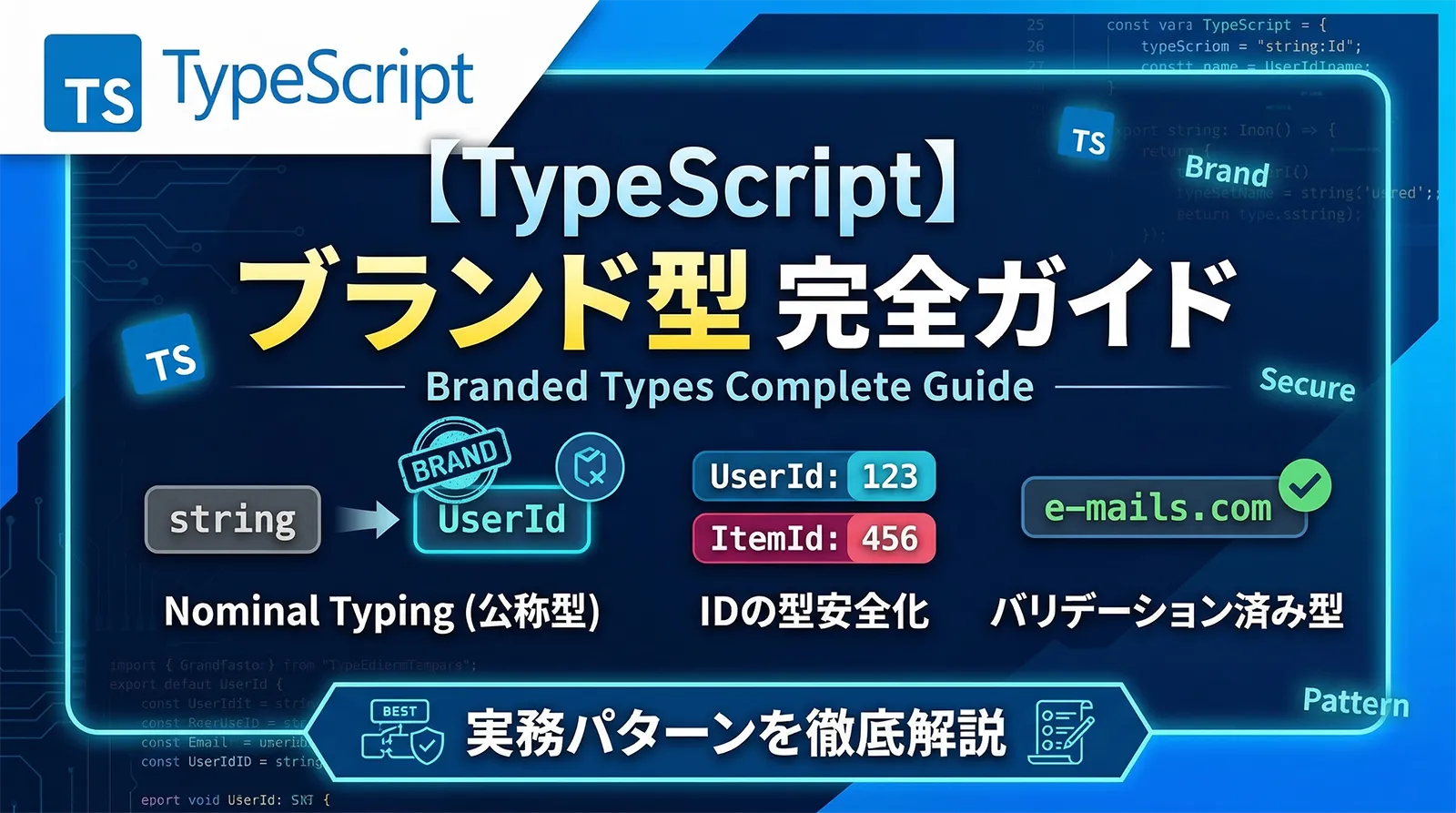
TypeScriptは構造的型付け(Structural Typing)を採用しています。これは「同じ形の型は互換性がある」という設計思想で、多くの場面で柔軟性をもたらします。しかしこの特性が原因で、次のようなバグが静かに紛れ込みます。
// ❌ これはコンパイルエラーにならない!
function deleteUser(userId: number): void { /* ... */ }
function deleteOrder(orderId: number): void { /* ... */ }

const userId  = 42;
const orderId = 99;

deleteUser(orderId);   // 本来は orderId なのに userId として渡せてしまう
deleteOrder(userId);   // 逆も然り。TypeScript は型エラーを出さない
ブランド型(Branded Types)はこの問題を解決する手法です。同じプリミティブ型(numberやstring)でも、用途を型レベルで区別することで、誤った代入をコンパイル時に検出できます。
- Structural Typing の仕組みとブランド型が必要になる理由
- intersection型を使ったブランド型の基本実装
- unique symbol を使った最も型安全な実装
- バリデーション付きファクトリー関数でブランド型を安全に生成する方法
- 汎用
Brand<T, B>型でコードを再利用する方法 - UserId・Email・Yen・NonEmptyString などの実務的なブランド型パターン
- Zodとの連携でブランド型を自動生成する方法
- ブランド型の制約と適切な使い所
Structural Typing の仕組みと限界
TypeScriptはオブジェクトの形(プロパティ名と型)が一致していれば互換性があると判断します。この設計のおかげでダックタイピングが自然に書けますが、同じ形でも「意味が違う」型を区別できません。
// Structural Typing の例
interface Point2D { x: number; y: number; }
interface Size    { x: number; y: number; } // 同じ形

function move(point: Point2D): void { /* ... */ }

const size: Size = { x: 100, y: 200 };
move(size); // OK! TypeScript は "形が同じ" とみなす
            // しかし意味的には Size を Point2D として渡すのは誤り

// プリミティブ型ではさらに区別できない
type UserId  = number; // ただの number の別名
type OrderId = number; // 同じく number

const uid: UserId  = 1;
const oid: OrderId = 2;

const x: UserId = oid; // エラーなし! どちらも number だから
この手法は文献によってOpaque型・Nominal型・Branded型と異なる名前で呼ばれます。厳密には微妙な違いがありますが、TypeScriptコミュニティではブランド型(Branded Types)が最も広く使われています。本記事では「ブランド型」に統一して解説します。
多くの言語(Java・C#・Rust等)はNominal Typing(公称型付け)を採用しており、同じ構造でも型名が違えば別の型として扱います。TypeScriptはNominal Typingを公式にはサポートしていませんが、ブランド型というテクニックでNominal Typingを疑似的に実現できます。
ブランド型の基本実装
方法1:intersection型(最もシンプル)
最も広く使われている手法が intersection型 を使ったブランド型です。ベース型に「ブランドプロパティ」を追加することで、型を区別できます。
// ブランド型の定義
type UserId  = number & { readonly __brand: "UserId" };
type OrderId = number & { readonly __brand: "OrderId" };

// ファクトリー関数(型アサーションを一か所に集約)
function createUserId(id: number): UserId {
  if (!Number.isInteger(id) || id <= 0) {
    throw new Error(`無効なUserId: ${id}`);
  }
  return id as UserId;
}

function createOrderId(id: number): OrderId {
  return id as OrderId;
}

// 利用側
function deleteUser(userId: UserId): void { /* ... */ }
function deleteOrder(orderId: OrderId): void { /* ... */ }

const uid = createUserId(42);
const oid = createOrderId(99);

deleteUser(uid);   // ✅ OK
deleteOrder(oid);  // ✅ OK
// deleteUser(oid); // ❌ Error: Argument of type "OrderId" is not assignable to "UserId"
// deleteUser(42);  // ❌ Error: number は UserId に代入不可
__brand プロパティはTypeScriptの型システム上だけに存在します。JavaScriptにコンパイルされると消えるため、実行時のオーバーヘッドはゼロです。as UserIdの型アサーションはファクトリー関数内だけに局所化することが重要です。呼び出し側が自由に as UserId を書ける状況では型安全性が崩れます。方法2:unique symbol(最も型安全)
unique symbolを使うと、同じ文字列名でも型が異なるため、より厳密な区別が可能です。
declare const __userIdBrand:  unique symbol;
declare const __orderIdBrand: unique symbol;

type UserId  = number & { readonly [__userIdBrand]:  never };
type OrderId = number & { readonly [__orderIdBrand]: never };

// 使い方は同じ
function createUserId(id: number): UserId {
  return id as UserId;
}

// unique symbol は各宣言が唯一の型を生成するため
// "UserId" のような文字列衝突が原理上起きない
unique symbolはconst宣言でのみ使えます。また、declare const(型のみの宣言)を使うことで実行時の変数生成を避けられます。一般的なプロジェクトではintersection型(方法1)の方がシンプルで十分です。unique symbolは厳格さが必要なライブラリ開発に向いています。方法3:汎用 Brand 型(最も実用的)
毎回同じパターンを書く代わりに、汎用の Brand 型を定義してコードを再利用できます。
// 汎用ブランド型
type Brand<T, B extends string> = T & { readonly __brand: B };

// 各ブランド型は1行で定義できる
type UserId    = Brand<number, "UserId">;
type OrderId   = Brand<number, "OrderId">;
type ProductId = Brand<number, "ProductId">;
type SessionId = Brand<string, "SessionId">;
type Email     = Brand<string, "Email">;
type Url       = Brand<string, "Url">;

// 通貨・単位
type Yen    = Brand<number, "Yen">;
type Dollar = Brand<number, "Dollar">;
type Gram   = Brand<number, "Gram">;
type Celsius    = Brand<number, "Celsius">;
type Fahrenheit = Brand<number, "Fahrenheit">;

// バリデーション済み文字列
type NonEmptyString  = Brand<string, "NonEmptyString">;
type TrimmedString   = Brand<string, "TrimmedString">;
type PositiveNumber  = Brand<number, "PositiveNumber">;
type IntegerNumber   = Brand<number, "IntegerNumber">;
ファクトリー関数の命名スタイル
ブランド型のファクトリー関数には2つのよく使われる命名スタイルがあります。プロジェクト内で統一しましょう。
// スタイル1: createXxx 関数(明示的・可読性高い)
function createUserId(n: number): UserId { return n as UserId; }
const uid = createUserId(42);

// スタイル2: 型名と同名のコンストラクタ風関数(簡潔・型名と一致)
const UserId = (n: number): UserId => n as UserId;
const uid2 = UserId(42);

// どちらも型システム上の機能は同じ。
// スタイル2は型名とファクトリー関数名が一致するため
// import { UserId } from "./types" で型もファクトリーも同時にインポートできる利点がある。
// ただし、TypeScriptでは変数と型で同名を使えるため名前衝突しない:
//   type UserId = Brand<number, "UserId">;     // 型
//   const UserId = (n: number): UserId => ...; // 値
//   const uid: UserId = UserId(42);            // 両方使える
ファクトリー関数でブランド型を安全に生成する
ブランド型は直接 as でキャストすると型安全性が損なわれます。ファクトリー関数の中に型アサーションを閉じ込め、必要なバリデーションを実行することがベストプラクティスです。
バリデーション付きファクトリー関数
type Brand<T, B extends string> = T & { readonly __brand: B };
type Email          = Brand<string, "Email">;
type PositiveInt    = Brand<number, "PositiveInt">;
type NonEmptyString = Brand<string, "NonEmptyString">;
type Percentage     = Brand<number, "Percentage">; // 0〜100

// Email
function createEmail(value: string): Email {
  const trimmed = value.trim().toLowerCase();
  if (!/^[^\s@]+@[^\s@]+\.[^\s@]+$/.test(trimmed)) {
    throw new Error(`無効なメールアドレス: "${value}"`);
  }
  return trimmed as Email;
}

// 正の整数
function createPositiveInt(value: number): PositiveInt {
  if (!Number.isInteger(value) || value <= 0) {
    throw new Error(`正の整数が必要です: ${value}`);
  }
  return value as PositiveInt;
}

// 空でない文字列
function createNonEmptyString(value: string): NonEmptyString {
  const trimmed = value.trim();
  if (trimmed.length === 0) {
    throw new Error("空文字列は使用できません");
  }
  return trimmed as NonEmptyString;
}

// パーセント(0〜100)
function createPercentage(value: number): Percentage {
  if (value < 0 || value > 100 || !Number.isFinite(value)) {
    throw new Error(`パーセントは 0〜100 の範囲: ${value}`);
  }
  return value as Percentage;
}

// 利用例
const email   = createEmail("Alice@Example.com");   // → "alice@example.com"
const count   = createPositiveInt(5);
const name    = createNonEmptyString("  Alice  ");  // → "Alice"
const taxRate = createPercentage(8);

// ブランド型として機能する
function sendEmail(to: Email, subject: NonEmptyString): void { /* ... */ }
sendEmail(email, name); // OK
// sendEmail("raw@email.com", "件名"); // ❌ Error: string は Email に代入不可
Result型を返すファクトリー関数
例外を投げる代わりに Result型 を返すパターンも実務でよく使われます。詳しくはTypeScript エラーハンドリング完全ガイドで解説しています。
type Result<T, E = string> = { ok: true; value: T } | { ok: false; error: E };

function tryCreateEmail(value: string): Result<Email> {
  const trimmed = value.trim().toLowerCase();
  if (!/^[^\s@]+@[^\s@]+\.[^\s@]+$/.test(trimmed)) {
    return { ok: false, error: `無効なメールアドレス: "${value}"` };
  }
  return { ok: true, value: trimmed as Email };
}

// 使用例(例外なしで安全に処理)
const result = tryCreateEmail(userInput);
if (result.ok) {
  sendEmail(result.value, subject); // result.value は Email 型
} else {
  console.error(result.error);
}
Zod との連携でブランド型を自動生成
Zod の .brand() メソッドを使うと、スキーマのバリデーションとブランド型の生成を同時に行えます。
import { z } from "zod";

// .brand() でZodスキーマにブランドを付与
const emailSchema = z.string()
  .email("有効なメールアドレスを入力してください")
  .transform((s) => s.trim().toLowerCase())
  .brand("Email");

const userIdSchema = z.number()
  .int()
  .positive()
  .brand("UserId");

const positiveIntSchema = z.number()
  .int()
  .positive()
  .brand("PositiveInt");

// z.infer でブランド型を取得
type Email     = z.infer<typeof emailSchema>;      // string & z.BRAND<"Email">
type UserId    = z.infer<typeof userIdSchema>;     // number & z.BRAND<"UserId">
type PositiveInt = z.infer<typeof positiveIntSchema>;

// parse でバリデーション + ブランド型変換
const email  = emailSchema.parse("Alice@Example.com"); // Email 型
const userId = userIdSchema.parse(42);                 // UserId 型

// safeParse
const result = emailSchema.safeParse(rawInput);
if (result.success) {
  // result.data は Email 型
  sendEmail(result.data, subject);
}

// 型チェックも正常に機能する
function sendEmail(to: Email, subject: string): void { /* ... */ }
// sendEmail("raw@email.com", "件名"); // ❌ Error
sendEmail(email, "件名");              // ✅ OK
Zodの
.brand() は z.BRAND<"Email"> という内部型を使っており、自前の Brand<string, "Email">とは異なる型になります。プロジェクト全体でZodを使っているなら .brand() がシンプルです。Zodを使わない箇所では自前の Brand 型を定義して統一するか、型エイリアスで吸収するか選択してください。実務ユースケース
IDの型安全な管理
type Brand<T, B extends string> = T & { readonly __brand: B };

// エンティティIDの定義
type UserId    = Brand<number, "UserId">;
type OrderId   = Brand<number, "OrderId">;
type ProductId = Brand<number, "ProductId">;

// ファクトリー関数(DB生成のIDをブランド型に変換)
const UserId    = (n: number): UserId    => n as UserId;
const OrderId   = (n: number): OrderId   => n as OrderId;
const ProductId = (n: number): ProductId => n as ProductId;

// エンティティ型
interface User {
  id:    UserId;
  name:  string;
  email: string;
}

interface Order {
  id:        OrderId;
  userId:    UserId;    // どのユーザーの注文かを型で表現
  productId: ProductId;
  quantity:  number;
}

// サービス関数
async function getUser(id: UserId): Promise<User | null> {
  return db.users.findById(id);
}

async function getUserOrders(userId: UserId): Promise<Order[]> {
  return db.orders.findByUserId(userId);
}

// 使用例
const uid = UserId(1);
const oid = OrderId(101);

getUser(uid);          // ✅ OK
// getUser(oid);       // ❌ Error: OrderId は UserId に代入不可
// getUser(1);         // ❌ Error: number は UserId に代入不可

// DBから取得した値を変換するパターン
async function fetchOrdersForCurrentUser(rawUserId: number): Promise<Order[]> {
  const userId = UserId(rawUserId); // 1回だけ変換
  return getUserOrders(userId);
}
通貨・単位の型安全化
// 通貨・単位のブランド型
type Yen    = Brand<number, "Yen">;
type Dollar = Brand<number, "Dollar">;
type Gram   = Brand<number, "Gram">;
type Kilogram = Brand<number, "Kilogram">;

const Yen    = (n: number): Yen    => n as Yen;
const Dollar = (n: number): Dollar => n as Dollar;
const Gram   = (n: number): Gram   => n as Gram;

// 通貨変換関数(引数・戻り値の型が明確)
function yenToDollar(yen: Yen, rate: number): Dollar {
  return (yen / rate) as Dollar;
}

// 商品の価格計算
interface Product {
  id:    ProductId;
  name:  string;
  price: Yen;     // 常に円で管理
  weight: Gram;   // 常にグラムで管理
}

function calcTotalPrice(products: Product[], quantities: number[]): Yen {
  const total = products.reduce((sum, p, i) =>
    sum + p.price * (quantities[i] ?? 0), 0
  );
  return total as Yen;
}

// ❌ 円とドルを混在させるとコンパイルエラー
// const mixedPrice: Yen = Dollar(3.99); // Error!

// ✅ 明示的な変換関数が必要
const priceInYen = Yen(1980);
const priceInUsd = yenToDollar(priceInYen, 150);
バリデーション済み文字列型
以下のサンプルはブランド型の使い方を示す概念説明用の簡略実装です。実際のHTMLサニタイズには
DOMPurify や sanitize-html などのライブラリを使用してください。単純な文字置換(&/</>のエスケープだけ)では、すべてのXSSパターンを防ぐことはできません。// バリデーション済み文字列のブランド型
type Email = Brand<string, "Email">;
type Url = Brand<string, "Url">;
type NonEmptyString = Brand<string, "NonEmptyString">;
type SafeHtml = Brand<string, "SafeHtml">; // XSS sanitize 済み
type SqlParam = Brand<string, "SqlParam">; // SQLエスケープ済み
// ファクトリー関数
function toEmail(raw: string): Email {
const v = raw.trim().toLowerCase();
if (!/^[^\s@]+@[^\s@]+\.[^\s@]+$/.test(v)) throw new Error("Invalid email");
return v as Email;
}
function toUrl(raw: string): Url {
try { new URL(raw); } catch { throw new Error("Invalid URL"); }
return raw as Url;
}
function sanitizeHtml(raw: string): SafeHtml {
// DOMPurify等でXSSを除去
const cleaned = raw
.replace(/&/g, "&")
.replace(/</g, "<")
.replace(/>/g, ">");
return cleaned as SafeHtml;
}
function escapeForSql(raw: string): SqlParam {
return raw.replace(/'/g, "''") as SqlParam;
}
// API 関数の引数型に使うことで "未バリデーション文字列" の混入を防ぐ
function renderUserProfile(name: NonEmptyString, bio: SafeHtml): string {
return `<div><h2>${name}</h2><p>${bio}</p></div>`;
}
// 生の文字列は渡せない
// renderUserProfile("Alice", "<script>xss</script>"); // ❌ Error
// ファクトリー関数を通した値のみ渡せる
const safeName = createNonEmptyString("Alice");
const safeBio = sanitizeHtml(rawBio);
renderUserProfile(safeName, safeBio); // ✅ OK
ブランド型の型システムとの互換性
ブランド型とプリミティブ演算
type Yen = Brand<number, "Yen">;
const Yen = (n: number) => n as Yen;

const price = Yen(1000);
const tax   = Yen(80);

// ブランド型 + ブランド型 の演算結果は number になる
const total = price + tax; // total の型は number(Yen ではない)

// 再度ブランドを付ける必要がある
const totalYen = Yen(price + tax);  // Yen 型

// 比較演算は問題なく機能する
console.log(price > 500);  // true (boolean)
console.log(price === Yen(1000)); // true
Yen + Yen の結果は number になり Yen に戻りません。計算後の値を Yen型として扱うには、もう一度ファクトリー関数で包む必要があります。これはブランド型の設計上の制約であり、計算が多い箇所ではブランド型を使いすぎると冗長なコードになることがあります。境界部分(関数の引数・戻り値)だけに使うのが現実的です。配列・オブジェクトのブランド型との互換性
type UserId = Brand<number, "UserId">;

// 配列の型は正しく機能する
function getUsers(ids: UserId[]): Promise<User[]> { /* ... */ }

const ids: UserId[] = [UserId(1), UserId(2), UserId(3)];
getUsers(ids); // ✅ OK

// map の結果もブランド型を保持する
const doubled = ids.map((id) => UserId(id * 2)); // UserId[]

// JSON.stringify / JSON.parse でブランドは失われる
const serialized = JSON.stringify(UserId(42)); // "42"
const parsed = JSON.parse(serialized);         // number (ブランドなし)
// const restored = parsed as UserId;          // 再変換が必要
型ガードとの組み合わせ
ブランド型はユーザー定義型ガードと組み合わせると、if文で安全に生成できます。型の絞り込み完全ガイドも参照してください。
type Email = Brand<string, "Email">;

// 型ガード関数(is キーワードを使ったユーザー定義型ガード)
function isEmail(value: string): value is Email {
  return /^[^\s@]+@[^\s@]+\.[^\s@]+$/.test(value.trim());
}

// 使用例
function processInput(raw: string): void {
  if (isEmail(raw)) {
    // このブロック内で raw は Email 型
    sendEmail(raw, "件名");  // ✅ OK
  } else {
    console.error("有効なメールアドレスではありません");
  }
}

// assertion 関数パターン(TypeScript 3.7+)
function assertEmail(value: string): asserts value is Email {
  if (!/^[^\s@]+@[^\s@]+\.[^\s@]+$/.test(value.trim())) {
    throw new Error(`Invalid email: "${value}"`);
  }
}

// 以降の行では value は Email 型として扱われる
assertEmail(userInput);
sendEmail(userInput, "確認メール"); // ✅ OK
実務パターン3本
実務パターン1:リポジトリパターンでIDを型安全に管理
type Brand<T, B extends string> = T & { readonly __brand: B };
type UserId = Brand<number, "UserId">;

// ファクトリー関数とヘルパー型
const UserId = (n: number): UserId => {
  if (!Number.isInteger(n) || n <= 0) throw new Error(`Invalid UserId: ${n}`);
  return n as UserId;
};

// リポジトリインターフェース
interface UserRepository {
  findById(id: UserId): Promise<User | null>;
  findByEmail(email: Email): Promise<User | null>;
  save(user: Omit<User, "id">): Promise<User>;
  delete(id: UserId): Promise<void>;
}

// 実装
class PrismaUserRepository implements UserRepository {
  async findById(id: UserId): Promise<User | null> {
    const row = await prisma.user.findUnique({ where: { id } });
    if (!row) return null;
    // DBから返ってきた number を UserId に変換
    return { ...row, id: UserId(row.id) };
  }

  async delete(id: UserId): Promise<void> {
    await prisma.user.delete({ where: { id } });
  }

  // ... 他メソッド
}

// サービス層: 生の number は直接渡せないため型安全
class UserService {
  constructor(private repo: UserRepository) {}

  async deleteUser(rawId: number): Promise<void> {
    const id = UserId(rawId); // 境界でブランド型に変換
    await this.repo.delete(id);
  }
}
実務パターン2:フォーム送信データの型安全化
// フォームの各フィールドにブランド型を割り当て
type Email         = Brand<string, "Email">;
type NonEmptyString = Brand<string, "NonEmptyString">;
type PositiveInt   = Brand<number, "PositiveInt">;

// バリデーション済みフォームデータ型
interface ValidatedContactForm {
  name:    NonEmptyString;
  email:   Email;
  subject: NonEmptyString;
  message: NonEmptyString;
  age?:    PositiveInt;
}

// 生のフォームデータ型(バリデーション前)
interface RawContactForm {
  name:    string;
  email:   string;
  subject: string;
  message: string;
  age?:    string;
}

// バリデーションとブランド型変換を同時に行う関数
function validateContactForm(
  raw: RawContactForm
): { ok: true; data: ValidatedContactForm } | { ok: false; errors: Record<string, string> } {
  const errors: Record<string, string> = {};

  const name    = raw.name.trim();
  const email   = raw.email.trim().toLowerCase();
  const subject = raw.subject.trim();
  const message = raw.message.trim();

  if (name.length === 0)    errors.name    = "名前は必須です";
  if (!/^[^\s@]+@[^\s@]+\.[^\s@]+$/.test(email)) errors.email = "有効なメールアドレスを入力してください";
  if (subject.length === 0) errors.subject = "件名は必須です";
  if (message.length === 0) errors.message = "本文は必須です";

  const ageNum = raw.age ? Number(raw.age) : undefined;
  if (ageNum !== undefined && (!Number.isInteger(ageNum) || ageNum <= 0)) {
    errors.age = "年齢は正の整数を入力してください";
  }

  if (Object.keys(errors).length > 0) return { ok: false, errors };

  return {
    ok: true,
    data: {
      name:    name    as NonEmptyString,
      email:   email   as Email,
      subject: subject as NonEmptyString,
      message: message as NonEmptyString,
      age:     ageNum !== undefined ? ageNum as PositiveInt : undefined,
    },
  };
}

// 送信処理: ValidatedContactForm しか受け付けない
async function sendContactMail(form: ValidatedContactForm): Promise<void> {
  // form.email は Email 型が保証されている
  // form.name  は NonEmptyString 型が保証されている
  await mailer.send({
    to:      form.email,
    subject: form.subject,
    body:    `${form.name}さんからのメッセージ: ${form.message}`,
  });
}

// 使用例
const result = validateContactForm(rawInput);
if (result.ok) {
  await sendContactMail(result.data); // ✅ バリデーション済みのみ渡せる
} else {
  showErrors(result.errors);
}
実務パターン3:APIレスポンスをブランド型へ変換
// APIから返ってくるオブジェクトの型(ブランドなし)
interface ApiUserResponse {
  id:        number;
  name:      string;
  email:     string;
  createdAt: string; // ISO8601
}

// アプリ内で使うエンティティ型(ブランドあり)
interface User {
  id:        UserId;
  name:      NonEmptyString;
  email:     Email;
  createdAt: Date;
}

// APIレスポンス → ドメインエンティティへの変換(マッパー関数)
function mapApiUserToUser(api: ApiUserResponse): User {
  return {
    id:        UserId(api.id),
    name:      api.name.trim() as NonEmptyString,
    email:     api.email.toLowerCase() as Email,
    createdAt: new Date(api.createdAt),
  };
}

// フェッチ関数
async function fetchUser(id: UserId): Promise<User> {
  const res  = await fetch(`/api/users/${id}`);
  const data = await res.json() as ApiUserResponse;
  return mapApiUserToUser(data); // 変換して型安全なエンティティに
}

// 以後のコードはすべてブランド型で保護される
const user = await fetchUser(UserId(1));
console.log(user.email); // Email 型: 型安全にアクセス
ブランド型のデメリットと注意点
| デメリット | 内容 | 対策 |
|---|---|---|
| 型変換のボイラープレート | ブランド型を生成するファクトリー関数を毎回書く必要がある | 汎用 Brand<T, B> 型で定義を1行に削減 |
| 演算後の再ブランド付け | Yen + Yen の結果は number になる |
計算後に再度ファクトリー関数を適用。計算が多い箇所は使いすぎない |
| JSON往復でブランドが消える | JSON.stringify/parse するとブランドなし型に戻る |
APIバウンダリで再度バリデーション + ブランド付けを行う |
| 型表示の複雑化 | エラーメッセージに __brand が表示される |
慣れると気にならなくなる。重要な型だけに使うと影響を限定できる |
| 学習コスト | ブランド型を知らない開発者には馴染みのないパターン | 型定義にコメントを付ける。チームでのドキュメント整備 |
ブランド型は強力ですが、すべての変数に適用する必要はありません。特に効果的なのは「誤った引数を渡しやすい関数の引数」「通貨・単位の混在を防ぎたい値」「バリデーション済みであることを証明したい文字列」です。内部実装の変数やローカルスコープでは通常の型で十分です。
よくある質問
Qブランド型と type alias(型エイリアス)の違いは何ですか?
Atype UserId = number は単なるエイリアスで number と完全に互換性があります。ブランド型は number & { __brand: "UserId" } という intersection型で、number単体からは代入できません。ブランド型はファクトリー関数を通じてのみ生成できるため、型安全性が実質的に高まります。
Qブランド型を使うと実行時パフォーマンスに影響しますか?
A影響しません。ブランド型はTypeScriptの型システムにのみ存在します。JavaScriptにコンパイルされると __brand プロパティは消え、ファクトリー関数(id as UserId)も型アサーションなので何のコードも生成されません。実行時には通常の number や string として扱われます。
QPrismaなどのライブラリが返すIDをブランド型にするにはどうすればよいですか?
APrismaが返すオブジェクトは id: number の生の型です。リポジトリ層(DAOまたはServiceの境界)でファクトリー関数を使って変換します。例:return { ...row, id: UserId(row.id) }; この変換を1か所に集約することで、型安全なドメインエンティティを保証できます。
Qunknown から取得した値にブランド型を付けても安全ですか?
AZodなどのバリデーションを使う場合のみ安全です。value as Email のような単純なキャストは型チェックをスキップするため、実行時に型が保証されません。Zod の .brand() を使うか、ファクトリー関数内でバリデーションを行った上でキャストしてください。
QTypeScript 5.x でブランド型のより良いサポートはありますか?
ATypeScript自体はNominal Typingを公式サポートしていません。ただし satisfies 演算子(TypeScript 4.9+)との組み合わせや、Zodの .brand() が型システムにネイティブ統合されるなど、エコシステム側での改善は続いています。公式でのNominal Typing実装はGitHubのIssue #202で長年議論されていますが、まだマージされていません。
まとめ
ブランド型(Branded Types)は、TypeScriptのStructural Typingの限界を補い、「意味的に異なる値を型レベルで区別する」手法です。
| ユースケース | 推奨パターン | 主な効果 |
|---|---|---|
| IDの型安全化 | Brand<number, "UserId"> + ファクトリー関数 |
誤ったIDを別のエンティティに渡すバグを防止 |
| 通貨・単位の型安全化 | Brand<number, "Yen"> + 変換関数 |
円とドルの混在・グラムとキログラムの混在を防止 |
| バリデーション済み文字列 | Brand<string, "Email"> + バリデーション |
未検証の文字列が関数に渡ることを防止 |
| スキーマとブランドの統一 | Zod の .brand() |
バリデーションとブランド型生成をZodスキーマで一元管理 |
| APIバウンダリ | マッパー関数で変換 | APIレスポンスのプリミティブ型をドメイン型に変換 |
ブランド型は実行時コストゼロで型安全性を向上できる強力なテクニックです。IDの混在バグ・単位の混在バグ・未バリデーション文字列の問題など、プロジェクトで繰り返し起きている型に関連するバグがあれば、ブランド型の導入を検討してみてください。
TypeScriptの型の基礎・ジェネリクス・型の絞り込みを合わせて理解することで、ブランド型をより効果的に活用できます。