C# 8 で導入された null 許容参照型(Nullable Reference Types, NRT)は、参照型に対して null を許容するかしないかを型レベルで区別し、コンパイラのフロー解析で NullReferenceException を未然に防ぐ機能です。重要なのは「ランタイムの挙動は一切変わらない」ことで、純粋にコンパイル時の警告だけで安全性を高めるため、既存コードへの段階的適用が可能です。
本記事では NRT の本質・Nullable コンテキストの4状態・フロー解析の仕組み・ライブラリ設計で必須のNullable 属性群([NotNullWhen]・[MaybeNullWhen]・[NotNullIfNotNull]・[MemberNotNull]・[DoesNotReturn])・ジェネリック型との組み合わせ・required(C# 11+)連携・既存プロジェクトへの段階的移行戦略・落とし穴まで体系的に解説します。
NRT の本質 — ランタイム挙動は変わらない
// NRT 無効(C# 7 以前の動作)
string s = null;       // 代入可能
s.Length;              // 実行時に NullReferenceException

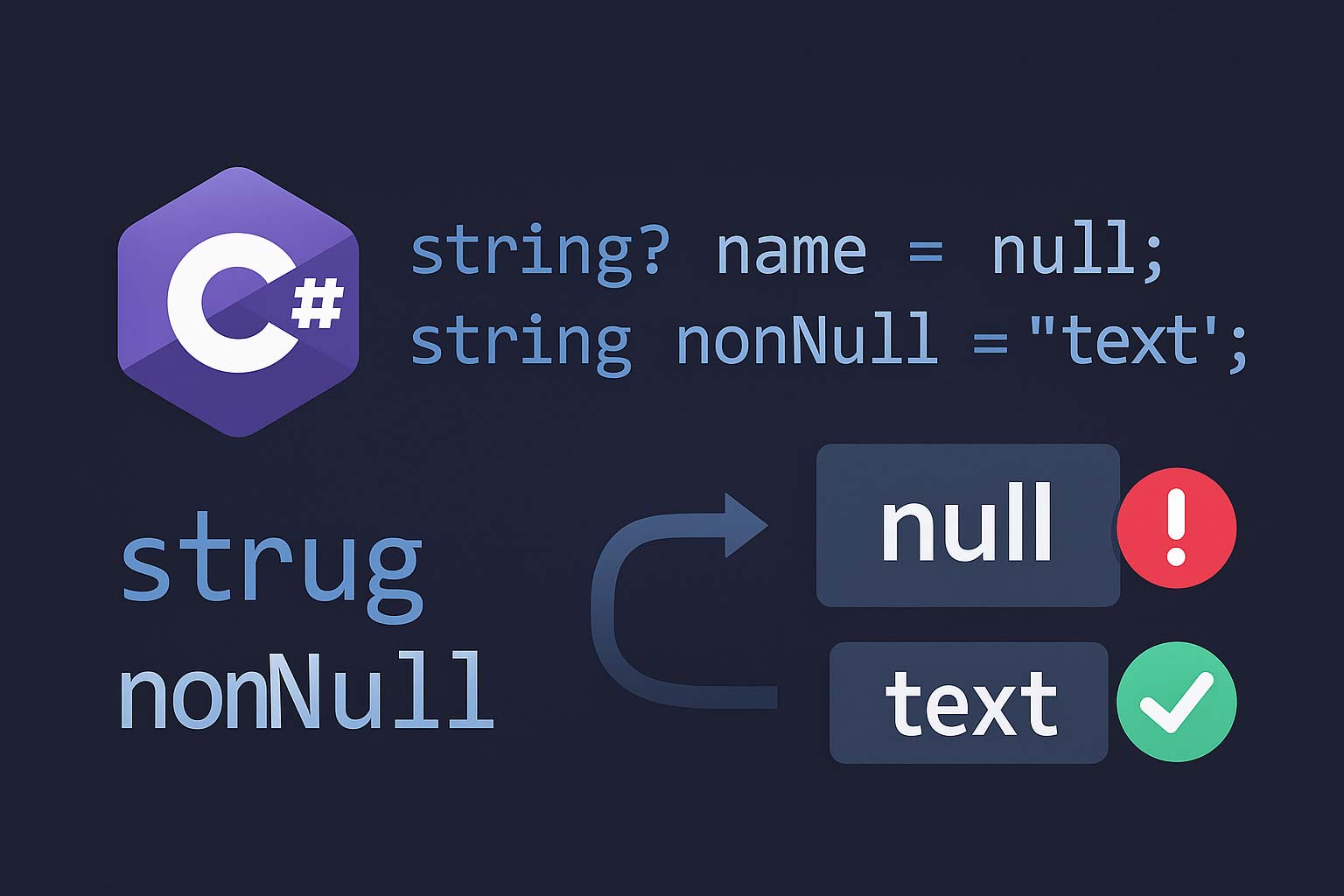
// NRT 有効: string と string? が区別される
string notNull = "x";       // null 不可(警告)
string? canBeNull = null;   // null 可

notNull = null;             // 警告 CS8625
canBeNull.Length;           // 警告 CS8602(null の可能性)

// 重要: 警告を無視してコンパイルしても動く
// ランタイムの挙動は何も変わっていない
// → 実行時に null が入れば従来通り NullReferenceException

// NRT は「開発時に null 漏れを検出する静的解析」である
string? は実行時には普通の string と同じ System.String 型で、リフレクションで typeof(string?) == typeof(string) になります。? はコンパイラが読むメタデータ(NullableAttribute)として記録されるだけで、ランタイムには「null 許容」という概念が存在しないのです。だから「null を許さない型」なのに実行時には null が入り得る、という状況が起きます。Nullable コンテキストの4つの状態
| コンテキスト | アノテーション(? の解釈) |
警告(フロー解析) | .csproj での指定 |
|---|---|---|---|
enable |
有効 | 有効 | <Nullable>enable</Nullable> |
warnings |
無効(? 無視) |
有効 | <Nullable>warnings</Nullable> |
annotations |
有効 | 無効 | <Nullable>annotations</Nullable> |
disable |
無効 | 無効 | <Nullable>disable</Nullable>(既定) |
<Project Sdk="Microsoft.NET.Sdk">
  <PropertyGroup>
    <TargetFramework>net8.0</TargetFramework>
    <!-- 新規プロジェクトはこれが既定 -->
    <Nullable>enable</Nullable>
    <!-- さらに警告をエラー扱いにしたいとき -->
    <WarningsAsErrors>Nullable</WarningsAsErrors>
  </PropertyGroup>
</Project>
// ファイル全体を enable にする(プロジェクト設定より優先)
#nullable enable

public class A
{
    public string Name { get; set; } = "";  // NRT 有効
}

// 特定のメソッドだけ無効化(レガシーコード統合時)
#nullable disable
public class Legacy
{
    public string Name { get; set; }  // 警告なし
}
#nullable restore   // 以前のコンテキストに戻す

// 警告だけ無効化(アノテーションは有効)
#nullable disable warnings
// ここでは ? の意味は残るが null 関連の警告は出ない
#nullable restore warnings
フロー解析 — null チェックで状態が変わる
NRT の警告は「変数の現在の null 状態」を追跡するフロー解析に基づきます。if (x != null) や x is not null などのチェックを入れると、コンパイラはそのブロック内で「x は null ではない」と認識し、警告を出さなくなります。
void Process(string? input)
{
    // 警告: input は null の可能性
    // Console.WriteLine(input.Length);

    // パターン① — != null で狭める
    if (input != null)
        Console.WriteLine(input.Length);   // OK: input は null でない状態

    // パターン② — is not null(C# 9+)
    if (input is not null)
        Console.WriteLine(input.Length);   // OK

    // パターン③ — 早期リターン
    if (input is null) return;
    Console.WriteLine(input.Length);       // OK: この後 input は null ではない

    // パターン④ — string.IsNullOrEmpty(属性で伝える)
    if (string.IsNullOrEmpty(input)) return;
    Console.WriteLine(input.Length);       // OK: IsNullOrEmpty は NotNullWhen(false)

    // パターン⑤ — null 合体で非 null 化
    string safe = input ?? "default";
    Console.WriteLine(safe.Length);        // OK

    // パターン⑥ — throw で契約
    string nonNull = input ?? throw new ArgumentNullException(nameof(input));
    Console.WriteLine(nonNull.Length);     // OK

    // パターン⑦ — null 条件演算子
    int? len = input?.Length;              // null なら null
    Console.WriteLine(len ?? -1);
}
if (IsValid(input)) input.Length; のようにチェックを別メソッドに切り出すと、コンパイラは IsValid の戻り値と input の null 状態を関連付けられません。このような「外部メソッドが null チェックをした」という情報を伝えるには後述の [NotNullWhen] 属性を使います。ライブラリを公開する場合は、適切な属性を付けないと利用者側で警告が消せません。Nullable 属性群 — フロー解析を拡張する
単純な ? 注釈だけでは表現できない「条件付きの null 可否」をコンパイラに伝える属性群が用意されています。System.Diagnostics.CodeAnalysis 名前空間にあります。
| 属性 | 意味 | 適用箇所 |
|---|---|---|
[NotNull] |
常に非 null になる(代入後) | out / ref / プロパティ |
[MaybeNull] |
null になり得る(戻り値/out で) | return / out |
[AllowNull] |
入力で null を許容(型は非 null) | setter / 引数 |
[DisallowNull] |
入力で null を禁止(型は nullable) | setter / 引数 |
[NotNullWhen(bool)] |
戻り値が X のとき out/引数は非 null | bool 戻り値メソッド |
[MaybeNullWhen(bool)] |
戻り値が X のとき out は null の可能性 | TryXxx メソッド |
[NotNullIfNotNull(nameof)] |
引数が非 null なら戻り値も非 null | 戻り値 |
[MemberNotNull(nameof)] |
メソッド呼出後はフィールドが非 null | Initialize 系メソッド |
[MemberNotNullWhen] |
戻り値が X のときフィールドが非 null | IsInitialized 系 |
[DoesNotReturn] |
このメソッドは決して戻らない | Throw 系ヘルパー |
using System.Diagnostics.CodeAnalysis;

// 戻り値が true のとき result は非 null 、false のとき null になり得る
public bool TryGetUser(int id, [NotNullWhen(true)] out User? result)
{
    result = _db.Find(id);
    return result is not null;
}

// 呼び出し側
if (TryGetUser(1, out User? user))
{
    Console.WriteLine(user.Name);  // OK: true だったので user は非 null
}
else
{
    // Console.WriteLine(user.Name); // 警告: user は null の可能性
}

// .NET 標準の string.IsNullOrEmpty もこの属性が付いている
// public static bool IsNullOrEmpty([NotNullWhen(false)] string? value)
using System.Diagnostics.CodeAnalysis;

// input が null なら null を返し、非 null なら非 null を返す
[return: NotNullIfNotNull(nameof(input))]
public string? Trim(string? input) => input?.Trim();

// 呼び出し側
string? a = Trim(null);        // a は null の可能性
string  b = Trim("hello");     // "hello" は非 null なので戻り値も非 null と推論される
// → 呼び出し側の ! が不要になる。ライブラリ設計の定番イディオム
public class Connection
{
    private string? _connStr;

    [MemberNotNull(nameof(_connStr))]
    public void Configure(string host)
    {
        _connStr = $"host={host}";
    }

    public void Use()
    {
        // _connStr が null なら警告
        // Configure 呼び出し後は MemberNotNull で非 null と判明する
    }
}

// コンストラクタで複数フィールドを初期化するとき
public class Service
{
    private string _name;
    private List<string> _tags;

    public Service(string name) => Init(name);

    [MemberNotNull(nameof(_name), nameof(_tags))]
    private void Init(string name)
    {
        _name = name;
        _tags = new();
    }
}
// → コンストラクタで Init を呼ぶだけで _name / _tags が初期化されたとコンパイラが認識
using System.Diagnostics.CodeAnalysis;

public static class Throw
{
    [DoesNotReturn]
    public static void InvalidOperation(string message)
        => throw new InvalidOperationException(message);

    [DoesNotReturn]
    public static T NotFound<T>(string name)
        => throw new KeyNotFoundException($"{name} not found");
}

// 使用側
public string GetName(User? user)
{
    if (user is null) Throw.InvalidOperation("user required");
    return user.Name;   // OK: Throw.InvalidOperation は戻らないので user は非 null
}
ジェネリック型パラメータの扱い
// ① T? は T が参照型でも値型でも「null 許容」を表す(C# 9+)
public class Container<T>
{
    public T? Value { get; set; }
}

var intContainer = new Container<int>();       // Value は int?
var strContainer = new Container<string>();    // Value は string?

// ② where T : notnull — null を許さないことを保証する制約
public sealed class NonNullCache<TKey> where TKey : notnull
{
    private readonly Dictionary<TKey, string> _cache = new();
    public void Add(TKey key, string value) => _cache[key] = value;
}

// NonNullCache<string?> とはコンパイルできない(notnull 違反)
// 通常の Dictionary のキー制約もこれ
public sealed class Dictionary<TKey, TValue> where TKey : notnull { }

// ③ where T : class で参照型のみ、where T : class? で nullable 参照型も許可
public class RefOnly<T> where T : class { }    // T は非 null 参照型
public class RefNullable<T> where T : class? { } // T は null 可の参照型

// ④ default(T) の扱いが複雑
public T? GetOrDefault<T>(Dictionary<string, T> dict, string key)
{
    // T がクラスか構造体か不明なので default(T) は警告対象
    return dict.TryGetValue(key, out var v) ? v : default;
    // C# 9+: 戻り値が T? なので default でも警告されない
}
required と NRT の組み合わせ(C# 11+)
// C# 11 の required と NRT の組み合わせで「必須かつ非 null」を表現
public sealed class User
{
    public required string Name  { get; init; }  // 必須 + 非 null
    public required string Email { get; init; }
    public string? Bio { get; init; }            // 任意 + null 可
}

// NG: Name と Email が必須なので省略できない
// var u = new User();  // CS9035

// OK: 必須プロパティを全部指定
var u = new User { Name = "Alice", Email = "a@x" };

// required がない場合の警告回避テクニック(非推奨)
public sealed class UserOld
{
    public string Name { get; init; } = default!;  // ! で警告抑制
    public string Email { get; init; } = default!;
}
// → ランタイムには null が入るので本質的な解決にならない
// → C# 11+ なら required を使う方が安全

// コンストラクタで初期化するパターン
public sealed class UserCtor
{
    public string Name { get; }

    public UserCtor(string name) => Name = name ?? throw new ArgumentNullException();
}
既存プロジェクトの段階的移行
// 戦略: ファイル単位で徐々に NRT を有効化

// ① プロジェクトは <Nullable>disable</Nullable> のまま
// ② 新規コードのファイルだけ先頭で #nullable enable
// ③ 既存ファイルも優先順位の高いものから enable

// プロジェクト全体 enable + 既存ファイルは disable ディレクティブで逃がす:
// ① <Nullable>enable</Nullable> をプロジェクトに設定
// ② 大量の警告が出る
// ③ 既存ファイル冒頭に #nullable disable を追加 → 警告ゼロ
// ④ ファイルを1つずつ修正して #nullable disable を削除

// モジュール単位での disable
// Services フォルダだけ有効にしたい場合
// Services/*.cs 冒頭に #nullable enable、他は disable

// TreatWarningsAsErrors の段階的適用
<PropertyGroup>
  <Nullable>enable</Nullable>
  <!-- まずは警告として出す -->
  <!-- 移行完了後にエラー化 -->
  <!-- <WarningsAsErrors>Nullable</WarningsAsErrors> -->
  <!-- 特定の警告だけ無効化 -->
  <!-- <NoWarn>CS8618</NoWarn> -->
</PropertyGroup>
既存プロジェクトで NRT を有効化すると、「コンストラクタで初期化されていない非 null プロパティ」の警告 CS8618 が大量発生します。解決策は ①
required(C# 11+)を付ける、② = "" などデフォルト値で初期化する、③ コンストラクタで必須引数として受け取るの3つです。一時的に = default! で逃がすこともできますが、ランタイムには null が入るため根本解決にはなりません。ライブラリ / 公開 API での NRT 設計
using System.Diagnostics.CodeAnalysis;

public static class StringHelper
{
    // ① 入力が null なら null を返し、非 null なら非 null を返す
    [return: NotNullIfNotNull(nameof(input))]
    public static string? Normalize(string? input)
        => input?.Trim().ToLowerInvariant();

    // ② 成功時のみ out が非 null
    public static bool TryParse(string? input, [NotNullWhen(true)] out int? value)
    {
        if (int.TryParse(input, out int v))
        {
            value = v;
            return true;
        }
        value = null;
        return false;
    }

    // ③ 失敗時も null だが戻り値が null 可能
    public static string? SafeGet(Dictionary<string, string> d, string key)
    {
        return d.TryGetValue(key, out var v) ? v : null;
    }

    // ④ 絶対に戻らない例外ヘルパー
    [DoesNotReturn]
    public static T Throw<T>(string message) =>
        throw new InvalidOperationException(message);
}
! を書かないで済む」API を目指す公開ライブラリの API 設計では、利用者が null 許容抑制演算子
! を書かなくて済むように適切な属性を付けるのがベストプラクティスです。TryXxx 系に [NotNullWhen(true)]、Normalize 系に [NotNullIfNotNull]、例外ヘルパーに [DoesNotReturn] を付けることで、利用者側のコードが追加の null チェックなしで警告ゼロになります。よくある落とし穴
public void Process(string name)
{
    Console.WriteLine(name.Length);  // NRT 有効でも警告ゼロ
}

// 外部から null が渡ってくるケース
Process(null!);               // ! で抑制すると警告ゼロ
// dynamic d = null; Process(d);        // dynamic → NRT が効かない
// JSON デシリアライズ: JsonSerializer.Deserialize<string>("null");
// → 実行時に NullReferenceException

// 対策: 公開 API の入口ではランタイムチェックを忘れない
public void ProcessSafe(string name)
{
    ArgumentNullException.ThrowIfNull(name);  // .NET 6+
    Console.WriteLine(name.Length);
}
// EF Core: プロパティが非 null だが DB のカラムが NULL 許容だと警告
public sealed class Product
{
    public int Id { get; set; }
    public string Name { get; set; } = "";  // CS8618 回避で ""
    public string? Description { get; set; }  // NULL 許容カラム
}

// JSON: 必須プロパティが JSON から欠けると警告通りにならない
public sealed class ApiResponse
{
    public string Token { get; set; } = "";  // 非 null だが JSON に欠けると ""
}
// System.Text.Json では [JsonRequired] 属性 + NRT + required の組み合わせを使う

// 対策: JSON / DB からのデータは「境界層」で検証し、
//      内部モデルは NRT で null を完全に排除する
// NG: 警告を消すためだけに ! を連打
string? name = GetName();
int len = name!.Length;            // null なら実行時クラッシュ
name!.SendNotificationAsync(...);  // 本質的な null チェックを回避

// OK: ArgumentNullException.ThrowIfNull で明示的に契約
public void UseName(string? name)
{
    ArgumentNullException.ThrowIfNull(name);
    Console.WriteLine(name.Length);  // 以降は非 null と分かる
}

// ! を使うべき限られた場面:
// ① テストの Arrange で「ここは絶対 null ではない」と分かっているとき
// ② NRT 以前の古いライブラリを呼び出して戻り値が絶対 null ではないとき
// ③ [MemberNotNull] 属性を付けられない場面(テストのヘルパー等)
// NRT は参照型のみに影響する
// 値型の nullable は C# 2.0 からある Nullable<T>

int x = 0;        // 従来通り
int? y = null;    // Nullable<int>

// NRT の対象ではないので挙動は変わらない
// ただし「T? がジェネリックで値型にも使える」のは C# 9+
public T? GetOrDefault<T>() { /* ... */ return default; }
// T = int なら T? = int? (Nullable<int>)
// T = string なら T? = string? (NRT)
よくある質問
string と string? はランタイムには全く同じ System.String 型です。typeof(string?) == typeof(string) は true になります。だからこそ外部から(リフレクション・JSON デシリアライズ・未対応ライブラリ)null が入り得ることを忘れず、公開 API の入口では ArgumentNullException.ThrowIfNull でランタイムチェックも並行して行うのが本当の null 安全設計です。<Nullable>enable</Nullable> にする、② 大量の警告が出た既存ファイルは冒頭に #nullable disable を追加して一時的に無効化、③ 新規コードとリファクタ対象のファイルから #nullable disable を順に削除する戦略がおすすめです。一気に全ファイルを対応しようとすると挫折するので、モジュール単位・優先度順に進めてください。<WarningsAsErrors>Nullable</WarningsAsErrors> は移行完了後に設定します。TryXxx 系メソッド([NotNullWhen(true)])、正規化系メソッド([NotNullIfNotNull])、初期化系メソッド([MemberNotNull])、例外ヘルパー([DoesNotReturn])が典型です。内部の private メソッドでは属性を付けるより、ロジックを明示的に書いてフロー解析に任せる方がシンプルです。T? が参照型でも値型でもどちらでも使えますが、T がどちらかわからない場合の default(T) の扱いが曖昧です。参照型なら null、値型なら型のゼロ値になるため、返したあとの使用側で警告が出ることがあります。where T : class(参照型限定)・where T : struct(値型限定)・where T : notnull(null 不可)の制約をなるべく明示的に付けると、ライブラリ利用者が扱いやすくなります。<Nullable>enable</Nullable> を設定し、public API すべてに適切な ? 注釈と必要な Nullable 属性を付け、<WarningsAsErrors>Nullable</WarningsAsErrors> で警告を見逃さないようにします。まとめ
| 項目 | ベストプラクティス |
|---|---|
| 本質 | コンパイル時警告のみ。ランタイム挙動は不変 |
| プロジェクト設定 | 新規は <Nullable>enable</Nullable> + <WarningsAsErrors>Nullable</WarningsAsErrors> |
| ファイル単位制御 | #nullable enable/disable/restore で段階的移行 |
| 4 コンテキスト | enable(両方有効)/ warnings / annotations / disable |
| 非 null の初期化 | required(C# 11+)・コンストラクタ引数・デフォルト値 |
| TryXxx 系 | [NotNullWhen(true)] out T? で利用側の警告ゼロに |
| 正規化関数 | [return: NotNullIfNotNull(...)] |
| 初期化メソッド | [MemberNotNull(nameof(...))] |
| 例外ヘルパー | [DoesNotReturn] |
| ジェネリック | T? + where T : class / notnull / struct を適切に制約 |
| ランタイム保護 | 公開 API は ArgumentNullException.ThrowIfNull も併用 |
! の濫用回避 |
警告を消すだけの ! は禁物。根本解決を優先 |
関連する null 対策は以下を参照してください。NullReferenceException 完全ガイドで実行時対策と null 安全演算子、Nullable型完全ガイドで値型の Nullable<T> の仕組み、init 専用プロパティ完全ガイドで required との組み合わせ、ジェネリック完全ガイドで where T : notnull 制約の詳細を解説しています。