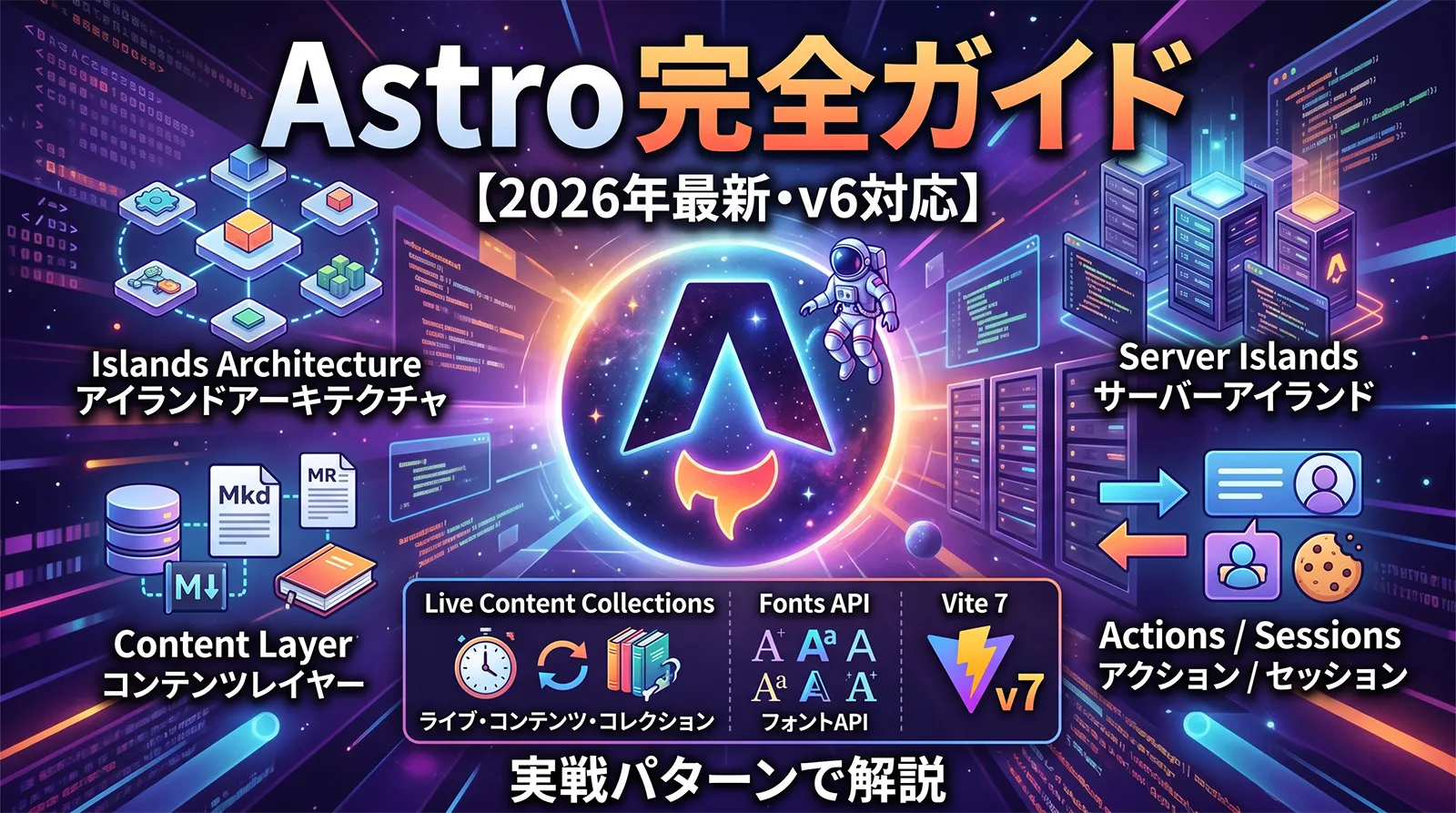
2026 年のフロントエンドで「コンテンツ主体のサイトなら Next.js ではなく Astro」という選択が一気に広がりました。デフォルトでゼロ JS、必要な部分だけ島のように Hydrationする Islands Architecture に加え、v5 で入った Content Layer・Server Islands・Actions・astro:env、v5.7 で安定化した Sessions、そして v6 の Vite 7 / Environment API / Live Content Collections によって、「ブログ・ドキュメント・マーケティング・eコマース LP・AI 関連コンテンツ」すべての現実解になりました。
この記事は 2026 年 4 月時点の Astro 6.1.x を前提に、Islands Architecture の本質から Content Layer・Server Islands・Actions・Sessions・View Transitions・Fonts API・Live Content Collections・CSP まで、機能ごとに TypeScript の実戦コードで体系的に解説します。React / Vue / Svelte / Solid との使い分け、Cloudflare Workers / Bun / Deno での本番デプロイ、5 → 6 移行、落とし穴まで網羅します。
- 2026 年 4 月時点の Astro バージョン整理
- Islands Architecture ── デフォルトゼロ JS の思想
- プロジェクト作成 ── create astro と最小構成
- ファイルベースルーティングと .astro コンポーネント
- Content Layer ── Markdown・API・CMS を統一データ層に
- Server Islands ── 静的キャッシュと動的コンテンツの同居
- Actions ── 型安全なフォーム・RPC
- astro:env ── 型安全な環境変数
- Sessions ── 安全なサーバー側セッション(v5.7 で安定)
- View Transitions ── ネイティブ API で SPA 風遷移
- Fonts API ── 組込みフォント管理(v6 で安定)
- Live Content Collections(v6+)── リクエスト時のコンテンツ取得
- Content Security Policy(v6 で安定)
- デプロイ ── SSR アダプター比較
- Astro 5 → 6 移行手順
- 落とし穴と注意点
- よくある質問
- まとめ
2026 年 4 月時点の Astro バージョン整理
v5 からの流れを時系列で押さえておくと、機能マップが整理できます。
| リリース | 時期 | 主なハイライト |
|---|---|---|
| Astro 5.0 | 2024 年 12 月 | Content Layer、Server Islands、Actions、astro:env、Simplified Prerendering(hybrid と static を default: static に統合)、Vite 6 対応 |
| Astro 5.7 | 2025 年 4 月 | Sessions 安定化、SVG コンポーネント安定化、Experimental Fonts API |
| Astro 6.0 | 2026 年 Q1 | Vite 7 と Environment API(開発で本番ランタイムを使える)・Fonts API 安定化・Live Content Collections・CSP 安定化・Zod 4・Node 22+ 必須 |
| 推奨 | 2026 年 4 月 | Astro 6.1 系。新規プロジェクトはこの系列から |
Islands Architecture ── デフォルトゼロ JS の思想
Astro ページはビルド時に 静的 HTML として生成され、ブラウザにはほぼ 0 バイトの JS が配られます。インタラクティブな部分だけを「島」として埋め込み、client:* ディレクティブで明示的に Hydration します。
---
// --- Frontmatter: ビルド時(サーバー)で実行される TypeScript
import Header from "../components/Header.astro";
import Counter from "../components/Counter.tsx";   // React
const title = "codingls demo";
---
<html lang="ja">
  <head><title>{title}</title></head>
  <body>
    <Header />
    <!-- ここだけが hydration される。他は純 HTML -->
    <Counter client:load initial={10} />
    <!-- client:visible / client:idle / client:media="(min-width:768px)" / client:only="react" -->
  </body>
</html>
client:* ディレクティブの選び方:・
client:load = ページ読み込み時即座(重要だが最小限に)・
client:idle = requestIdleCallback で遅延(メニュー・モーダル等)・
client:visible = ビューポート進入時(スクロール先の UI)・
client:media = メディアクエリ一致時(モバイル専用 UI)・
client:only = SSR せずクライアントのみで描画(ブラウザ API 必須の UI)プロジェクト作成 ── create astro と最小構成
# npm / pnpm / yarn / bun すべて対応
npm create astro@latest my-site
# ? Where should we create your new project? ./my-site
# ? How would you like to start your new project? Empty
# ? Install dependencies? Yes
# ? Do you plan to write TypeScript? Yes (Strict)
# ? Initialize a new git repository? Yes

cd my-site
npm run dev              # http://localhost:4321
npm run build            # dist/ に静的サイト生成

# React を追加(Vue / Svelte / Solid も同じ流れ)
npx astro add react
# tailwind や MDX も同様
npx astro add tailwind mdx
# アダプター(SSR 実行環境)を追加
npx astro add node       # or vercel / netlify / cloudflare / deno / bun
import { defineConfig } from "astro/config";
import react from "@astrojs/react";
import tailwind from "@astrojs/tailwind";
import mdx from "@astrojs/mdx";
import cloudflare from "@astrojs/cloudflare";

export default defineConfig({
  output: "static",              // 5.0 以降は既定。個別ページで prerender=false にすれば SSR
  adapter: cloudflare(),         // SSR / Actions / Server Islands を使うなら必須
  integrations: [react(), tailwind(), mdx()],
  site: "https://codingls.com",  // 絶対 URL が必要な箇所で使われる
});
output: "hybrid" は廃止され、default は static、動的にしたいページだけ export const prerender = false を付ける方針に変わりました。既存コードを移行する時は config 側の hybrid を削り、動的ページ個別に prerender = false を書き加えます。ファイルベースルーティングと .astro コンポーネント
---
import Layout from "../../layouts/Layout.astro";
import { getCollection, getEntry } from "astro:content";

export async function getStaticPaths() {
  const posts = await getCollection("blog");
  return posts.map((p) => ({ params: { slug: p.id } }));
}

const { slug } = Astro.params;
const entry = await getEntry("blog", slug!);
if (!entry) return Astro.redirect("/404");
const { Content } = await entry.render();
---
<Layout title={entry.data.title}>
  <article class="prose">
    <h1>{entry.data.title}</h1>
    <time>{entry.data.publishedAt.toISOString().slice(0, 10)}</time>
    <Content />
  </article>
</Layout>
getStaticPaths が返す params の組み合わせ分だけ HTML が作られます。SSR の動的ルートにしたい場合は getStaticPaths を削り export const prerender = false; を追加するだけで、リクエスト時レンダリングに切り替わります。Content Layer ── Markdown・API・CMS を統一データ層に
Content Layer は v5.0 で導入された新しいコンテンツ管理 API です。Markdown ファイルも外部 CMS も REST API も同じ「コレクション」として型付きで扱えるのが最大の特徴で、複数ソースを混在させられます。
import { defineCollection, z } from "astro:content";
import { glob } from "astro/loaders";

// ① ローカル Markdown(従来 Content Collections の正式後継)
const blog = defineCollection({
  loader: glob({ pattern: "**/*.md", base: "./src/data/blog" }),
  schema: z.object({
    title: z.string(),
    publishedAt: z.coerce.date(),
    updatedAt: z.coerce.date().optional(),
    tags: z.array(z.string()).default([]),
    description: z.string().max(160),
    cover: z.string().optional(),
    draft: z.boolean().default(false),
  }),
});

// ② 外部 API(ここでは microCMS 風の HTTP ローダー)
const news = defineCollection({
  loader: async () => {
    const res = await fetch("https://api.example.com/news?limit=100", {
      headers: { "X-API-KEY": import.meta.env.NEWS_API_KEY! },
    });
    const data = await res.json();
    return data.contents.map((n: any) => ({
      id: n.id,
      title: n.title,
      body: n.body,
      publishedAt: n.publishedAt,
    }));
  },
  schema: z.object({
    title: z.string(),
    body: z.string(),
    publishedAt: z.coerce.date(),
  }),
});

export const collections = { blog, news };
---
import { getCollection } from "astro:content";

const posts = (await getCollection("blog", (p) => !p.data.draft))
  .sort((a, b) => b.data.publishedAt.getTime() - a.data.publishedAt.getTime());
---
<ul>
  {posts.map((p) => (
    <li>
      <a href={`/blog/${p.id}`}>{p.data.title}</a>
      <time>{p.data.publishedAt.toISOString().slice(0, 10)}</time>
    </li>
  ))}
</ul>
src/content/config.ts は v5 で src/content.config.ts に移動し、loader を明示する形に変わりました。既存プロジェクトの移行は config 1 ファイルの書き換えで済みます。glob() は Astro 公式ローダーで、loader 指定なしの旧方式からシームレスに切り替えられます。Server Islands ── 静的キャッシュと動的コンテンツの同居
Server Islands は「ページ全体は静的 HTML として配信・特定のコンポーネントだけをサーバーで遅延描画」する仕組みです。CDN キャッシュの恩恵を最大化しつつ、ログイン名やカートの中身など個別化コンテンツを混ぜられます。
---
import Avatar from "../components/Avatar.astro";          // Server Island
import CartBadge from "../components/CartBadge.astro";
import Hero from "../components/Hero.astro";              // 純静的
---
<Hero />
<nav>
  <!-- server:defer を付けると、このコンポーネントだけ SSR されて後で差し替わる -->
  <Avatar server:defer>
    <span slot="fallback" class="skeleton">…</span>
  </Avatar>
  <CartBadge server:defer>
    <span slot="fallback">0</span>
  </CartBadge>
</nav>
<main>
  <!-- 本文は静的 HTML のまま CDN でキャッシュ可能 -->
  <p>2026 年の売上ランキング...</p>
</main>
---
const user = Astro.cookies.get("session")?.value
  ? await getUser(Astro.cookies.get("session")!.value)
  : null;

// 個別に Cache-Control を設定可能
Astro.response.headers.set("Cache-Control", "private, max-age=60");
---
{user ? (
  <img src={user.avatarUrl} alt={user.name} width="32" height="32" />
) : (
  <a href="/login">ログイン</a>
)}
Actions ── 型安全なフォーム・RPC
Actions はクライアント/サーバーをまたぐ型安全な関数呼び出しの仕組みです。defineAction で定義するとクライアントから actions.xxx() で呼べ、引数は Zod で自動バリデーションされます。フォーム送信も RPC も同じ記述に統一できます。
import { defineAction } from "astro:actions";
import { z } from "astro:schema";

export const server = {
  // RPC 形式(JSON 送信)
  updateProfile: defineAction({
    input: z.object({
      name: z.string().min(1).max(30),
      bio: z.string().max(200).optional(),
    }),
    handler: async ({ name, bio }, ctx) => {
      const session = ctx.session;                 // Sessions API 参照
      if (!session?.userId) throw new Error("UNAUTH");
      await db.user.update({
        where: { id: session.userId },
        data: { name, bio },
      });
      return { ok: true };
    },
  }),

  // フォーム形式(accept: "form" を付ける)
  subscribe: defineAction({
    accept: "form",
    input: z.object({
      email: z.string().email(),
      // z.coerce.date() で input type="date" の文字列も検証できる
      consent: z.coerce.boolean().refine((v) => v === true, "同意が必要です"),
    }),
    handler: async ({ email }) => {
      await queueSubscription(email);
      return { success: true };
    },
  }),
};
クライアントから呼ぶ(RPC)
import { actions } from "astro:actions";

async function save() {
  const { data, error } = await actions.updateProfile({
    name: "Alice",
    bio: "codingls で Astro を書いている人",
  });
  if (error) {
    console.error(error.code, error.message);   // "UNAUTH" など
    return;
  }
  console.log(data.ok);    // true
}
HTML フォームからそのまま呼ぶ
---
import { actions } from "astro:actions";

// ページが SSR で動く必要がある
export const prerender = false;

const result = Astro.getActionResult(actions.subscribe);
if (result?.data?.success) return Astro.redirect("/thanks");
---
<form method="POST" action={actions.subscribe}>
  <input type="email" name="email" required />
  <label><input type="checkbox" name="consent" value="true" /> 利用規約に同意</label>
  <button>登録</button>
  {result?.error && <p class="err">{result.error.message}</p>}
</form>
defineAction を含むページ・エンドポイントは export const prerender = false を付けるか、output を static から外してください。静的モードのままでは Action が「動かない」のではなく「ビルド時にエラーになる」ので、早めに気づけます。astro:env ── 型安全な環境変数
import { defineConfig, envField } from "astro/config";

export default defineConfig({
  env: {
    schema: {
      // サーバー専用(機密)
      DATABASE_URL: envField.string({ context: "server", access: "secret" }),
      STRIPE_SECRET: envField.string({ context: "server", access: "secret" }),
      // サーバー+クライアント(公開設定)
      SITE_NAME: envField.string({ context: "server", access: "public", default: "codingls" }),
      // クライアント専用(public prefix 相当)
      PUBLIC_GA_ID: envField.string({ context: "client", access: "public", optional: true }),
    },
  },
});
import { DATABASE_URL, STRIPE_SECRET } from "astro:env/server";
import { PUBLIC_GA_ID } from "astro:env/client";

// 未設定ならビルドエラー。文字列型は自動推論
const conn = DATABASE_URL;
const ga = PUBLIC_GA_ID ?? "";
import.meta.env と何が違うか: astro:env はビルド時に存在チェックと型推論を行います。context(server / client)と access(public / secret)の組み合わせで「サーバー用シークレットをブラウザに漏らす」ような事故を静的に防げます。新規プロジェクトはこちらに統一すべきです。Sessions ── 安全なサーバー側セッション(v5.7 で安定)
Sessions は「Cookie にはセッション ID だけを置き、データはサーバー側のストアで管理する」仕組みです。Cookie の容量制限や改ざんリスクを回避でき、ショッピングカート・フラッシュメッセージ・ウィザード状態の保持に最適です。
import { defineConfig } from "astro/config";

export default defineConfig({
  session: {
    // fs / Redis / Upstash / Cloudflare KV / Vercel KV など
    driver: "redis",
    options: { url: process.env.REDIS_URL },
  },
});
---
// src/pages/cart.astro
const cart = (await Astro.session.get<CartItem[]>("cart")) ?? [];

if (Astro.request.method === "POST") {
  const form = await Astro.request.formData();
  const sku = form.get("sku") as string;
  const next = [...cart, { sku, qty: 1 }];
  await Astro.session.set("cart", next);
  return Astro.redirect("/cart");
}
---
<ul>{cart.map((c) => <li>{c.sku}</li>)}</ul>
View Transitions ── ネイティブ API で SPA 風遷移
---
import { ViewTransitions } from "astro:transitions";
---
<html lang="ja">
  <head>
    <ViewTransitions />
    <title>{Astro.props.title}</title>
  </head>
  <body><slot /></body>
</html>
<!-- 一覧ページのカード -->
<a href={`/blog/${post.id}`}>
  <img
    src={post.cover}
    alt=""
    transition:name={`cover-${post.id}`}
  />
  <h2 transition:name={`title-${post.id}`}>{post.title}</h2>
</a>

<!-- 詳細ページの同じ要素 -->
<img src={post.cover} transition:name={`cover-${post.id}`} />
<h1 transition:name={`title-${post.id}`}>{post.title}</h1>
<!-- ブラウザがネイティブに滑らか遷移を自動計算 -->
Fonts API ── 組込みフォント管理(v6 で安定)
import { defineConfig, fontProviders } from "astro/config";

export default defineConfig({
  experimental: {
    fonts: [
      {
        provider: fontProviders.google(),
        name: "Noto Sans JP",
        cssVariable: "--font-noto",
        weights: [400, 500, 700],
        subsets: ["latin", "japanese"],
        display: "swap",
        fallbacks: ["system-ui", "sans-serif"],
      },
    ],
  },
});
---
import { Font } from "astro:assets";
---
<head>
  <Font cssVariable="--font-noto" preload />
</head>
<style is:global>
  :root { font-family: var(--font-noto); }
</style>
Live Content Collections(v6+)── リクエスト時のコンテンツ取得
Live Content Collections は「ビルド時に全件取得せず、リクエスト時に都度 CMS / API から取り寄せる」動作モードです。毎分更新のお知らせや、認可が必要な会員向けコンテンツを、ビルドパイプラインを触らずに実装できます。
import { defineCollection, z } from "astro:content";

const newsLive = defineCollection({
  live: true,                                    // ← ここがポイント
  loader: async ({ filter }) => {
    const url = new URL("https://api.example.com/news");
    if (filter?.category) url.searchParams.set("category", filter.category);
    const res = await fetch(url);
    return await res.json();
  },
  schema: z.object({
    title: z.string(),
    category: z.string(),
    publishedAt: z.coerce.date(),
  }),
});

export const collections = { newsLive };
---
import { getLiveCollection } from "astro:content";
export const prerender = false;

const news = await getLiveCollection("newsLive", { category: "release" });
---
<ul>
  {news.map((n) => <li>{n.data.title}</li>)}
</ul>
Content Security Policy(v6 で安定)
export default defineConfig({
  experimental: {
    csp: {
      algorithm: "SHA-256",
      directives: {
        "default-src": ["'self'"],
        "img-src": ["'self'", "https:", "data:"],
        "connect-src": ["'self'", "https://api.example.com"],
      },
    },
  },
});
デプロイ ── SSR アダプター比較
| 環境 | アダプター | 向いているケース |
|---|---|---|
| Vercel | @astrojs/vercel |
フロントもバックもまとめて最速デプロイ。ISR 相当のキャッシュも標準 |
| Netlify | @astrojs/netlify |
CDN+Functions での典型的な JAMstack 運用 |
| Cloudflare Workers | @astrojs/cloudflare |
エッジで低レイテンシ。Cloudflare KV / R2 / D1 と統合しやすい |
| Deno Deploy | @astrojs/deno |
Web 標準 API ベース。エッジ配置の選択肢 |
| Bun | @astrojs/node + Bun 実行 |
自前 VPS で軽量運用。Bun 完全ガイド参照 |
| Node.js | @astrojs/node |
Docker・EC2・オンプレで堅実に |
# アダプター追加
npx astro add cloudflare

# ビルドして wrangler でデプロイ
npm run build
npx wrangler deploy dist
Astro 5 → 6 移行手順
| 項目 | 対応 |
|---|---|
| Node.js バージョン | 18 / 20 は廃止。Node 22+ に上げる |
| Vite | v6 → v7。カスタム pin していた場合は ^7 へ |
| Zod | astro/zod が v4 に。破壊的変更は公式 codemod で緩和 |
| Fonts API | experimental プリフィックス不要に。config からフラグ削除 |
| CSP | experimental から安定へ移行。directives を見直し |
| Live Content Collections | 新機能。既存のビルド時ロードはそのまま動く |
# 1) Astro 6 にアップグレード
npx @astrojs/upgrade latest

# 2) 依存を最新に揃える(React 19 / Tailwind / Vite 7 など)
npx npm-check-updates -u
npm install

# 3) 開発サーバーで warning を潰す
npm run dev
# 4) ビルド確認
npm run build
落とし穴と注意点
client:only を使いすぎると SEO が崩れる
client:only は SSR せずに初期 HTML に出力しないため、そのコンポーネントの内容は検索エンジンから見えません。SEO が重要なセクションには使わず、client:load / client:visible で SSR も行うべきです。
Server Islands のキャッシュ設計を誤ると個人情報が他人に見える
Server Island のレスポンスに Cache-Control: public, max-age=60 のような値を付けると、CDN が個別ユーザーの内容をキャッシュして他人に配信する事故が起きます。ログイン情報・カート・個別レコメンドの島は 必ず private、可能なら no-store を設定してください。
Actions はフォームかつ SSR ページで使う
defineAction を静的ページで使うとビルド失敗します。フォーム系の Actions を使うページには必ず export const prerender = false を書き、ホスティングで SSR アダプターが有効になっている必要があります。
Content Layer の schema 変更で全ビルド失敗
既存ファイルが新 schema を満たさないまま schema を厳しくすると、全件ビルドエラーになります。厳格化する時は「.optional() → 段階的にデータを埋める → required に戻す」という 2 ステップで移行してください。
astro:env の secret を JSX に露出させる
access: "secret" で宣言した変数を client コンポーネントに props として渡すと、ビルド時エラーではなく実行時にブラウザへ漏れる場合があります。secret はサーバー側のみで参照し、必要な値だけ計算結果として client に渡す設計を徹底してください。
View Transitions が何も起きない
別ドメインや別オリジンへの遷移では機能しません。また SPA モード(<ViewTransitions />)では内部遷移をフック化するため、script が誤って「通常遷移」扱いになっていると動きません。DevTools の Network タブで遷移が fetch 経由かフル reload かを確認してください。
よくある質問
npx astro add react vue svelte で複数の UI ライブラリを同時導入でき、<ReactCounter client:load /> と <SvelteClock client:idle /> が同じページに並んでも問題ありません。ただしバンドルサイズが増えるため、プロジェクトとしては 1〜2 ライブラリに絞る運用が多いです。**/*.mdx をロードすれば MDX 記事のコレクションになります。React 19 完全ガイドで解説した Document Metadata 相当のことも、MDX 内で export const metadata = {...} と frontmatter を組み合わせて自然に書けます。@astrojs/node アダプターでビルドした成果物は Bun でも実行可能です。bun run dist/server/entry.mjs で起動できます。Bun の詳細は Bun 完全ガイド を参照してください。Cloudflare Workers に載せる場合は @astrojs/cloudflare を使います。action={...} でフォームに渡す)ですが、Astro Actions は Vue コンポーネントからでも Svelte からでもバニラ JS からでも actions.xxx() として同じように呼べます。型安全性は Zod でクライアント / サーバー間の型共有を保証します。まとめ
- Astro 6 が 2026 年の本命: Islands Architecture に Content Layer / Server Islands / Actions / Sessions / Live Content Collections が揃い、コンテンツ系サイトの事実上の標準に
- Islands Architecture: デフォルト 0 JS、島単位で
client:load / idle / visible / media / onlyを使い分ける - Content Layer: Markdown・API・CMS を統一データ層に。schema を Zod で書くので型推論が効く
- Server Islands: 静的 HTML+サーバー描画の個別化コンポーネント。Cache-Control で粒度をコントロール
- Actions: 型安全フォーム・RPC。Zod でバリデーション、SSR 必須、UI ライブラリ非依存
- astro:env: 環境変数を server / client × public / secret で厳密に管理
- Sessions: Cookie に ID、実データはサーバーストア。Redis / KV / Upstash が定番
- View Transitions: ブラウザネイティブ API で SPA 風遷移。
transition:nameで共有要素遷移 - Fonts API / CSP / Live Content Collections が v6 で安定化し、サイト運用の標準部品に
- デプロイは Vercel / Netlify / Cloudflare / Deno / Bun / Node すべて OK。エッジ配置で低レイテンシが狙える
関連記事として React 19 完全ガイド、Bun 完全ガイド、TypeScript × Hono 完全ガイド、TypeScript × Vite 完全ガイド、TypeScript × Drizzle ORM 完全ガイド、Claude Code × Supabase フルスタック開発完全ガイド、Claude Code × Next.js フルスタック開発完全ガイド もあわせて、Astro を核に据えた 2026 年型コンテンツ配信スタックを組み上げてください。