C# の属性(Attribute)は「コードにメタデータを付加する」仕組みです。[Obsolete] や [Serializable] は誰でも目にしますが、属性の本当の力はカスタム属性・リフレクション・AttributeUsage の精密な制御・呼び出し元情報・DataAnnotations によるバリデーションにあります。
本記事では属性がコンパイル後にどう格納されるかという内部構造から始まり、AttributeUsage の全オプション・重要な組み込み属性・カスタム属性の設計パターン・リフレクションによる取得・System.ComponentModel.DataAnnotations・System.Text.Json 属性まで体系的に解説します。
属性の仕組み — コンパイル後にメタデータとして格納される
属性はコンパイル時に IL(中間言語)のメタデータテーブルに書き込まれます。実行時にはリフレクション API でこのメタデータを読み取れます。属性クラスのコンストラクターはリフレクションで読み取る際に実行されるため、宣言した時点では実行されないという点が重要です。
// 属性は [AttributeName(引数)] の形で要素に付与する
// 末尾の "Attribute" は省略可能 → [Obsolete] と [ObsoleteAttribute] は同じ

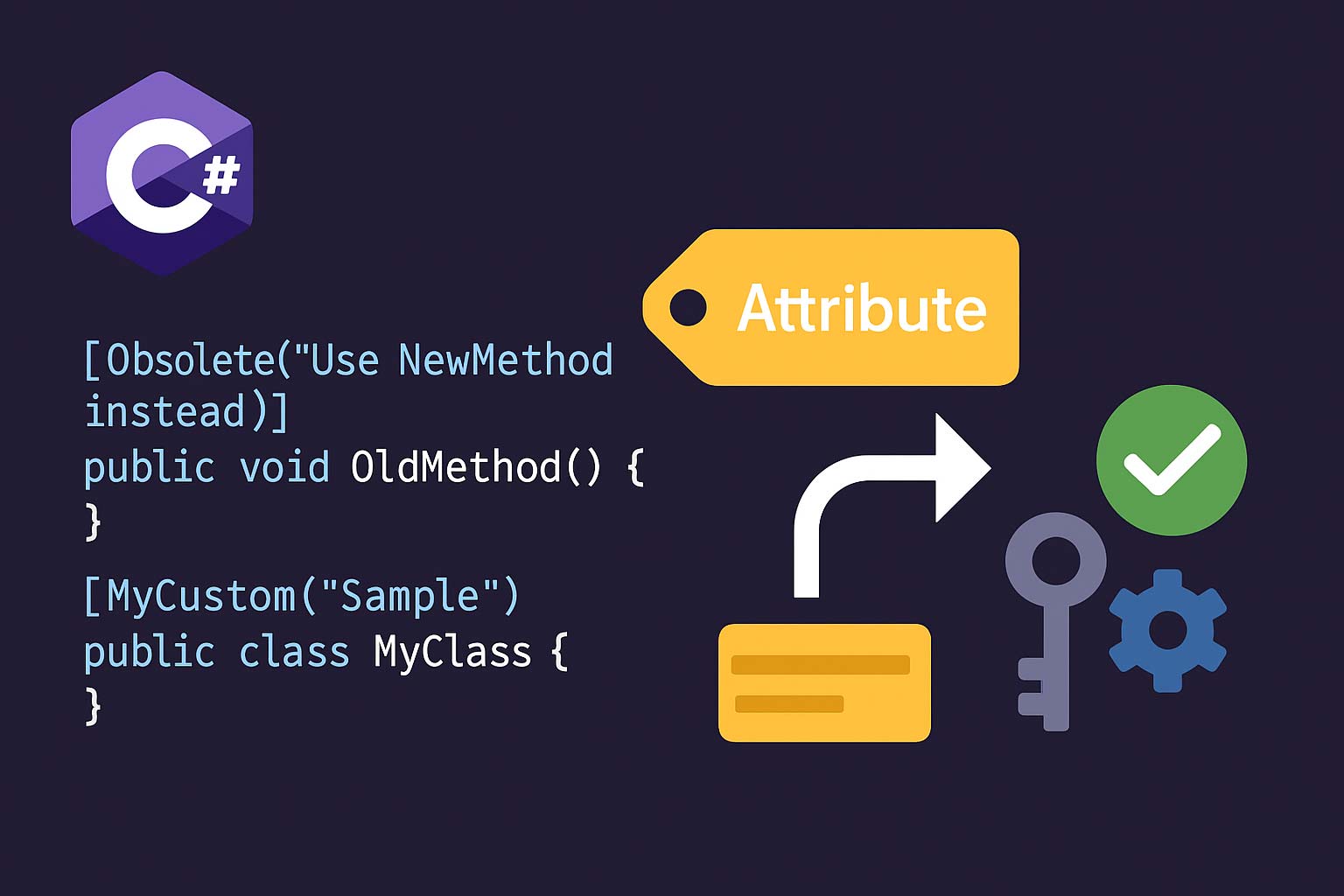
[Obsolete("v2.0 以降は NewMethod() を使ってください")]
public static void OldMethod() { }

[Obsolete("使用禁止", error: true)] // error=true にするとコンパイルエラー
public static void BannedMethod() { }

// 複数の属性を付与する(2通りの書き方)
[Serializable]
[Obsolete("v3 で削除予定")]
public class LegacyData { }

// または一つの [...] にまとめる
[Serializable, Obsolete("v3 で削除予定")]
public class LegacyData2 { }

// メソッド・プロパティ・フィールド・パラメーター・戻り値など様々な要素に付与できる
public class Example
{
    [DebuggerDisplay("Name={Name}, Age={Age}")]
    public record Person(string Name, int Age);

    [return: MarshalAs(UnmanagedType.Bool)] // 戻り値に付与
    public static extern bool NativeFunc();
}
属性のコンストラクターは、属性を宣言したときではなく、
GetCustomAttribute() などで読み取ったときに初めて実行されます。つまりリフレクションが走るまでコンストラクターのコードは動きません。これは属性の副作用(ファイル I/O、ネットワーク等)を避けるべき理由でもあります。AttributeUsage — 属性の適用対象・多重適用・継承を制御する
カスタム属性には必ず [AttributeUsage] を付けて、どの要素に適用できるか・複数回付けられるか・サブクラスに継承されるかを指定します。
// AttributeUsage の3パラメーター
// ① ValidOn: 適用対象(AttributeTargets 列挙体)
// ② AllowMultiple: 同じ要素に複数回付けられるか(デフォルト: false)
// ③ Inherited: サブクラスや override メソッドに継承されるか(デフォルト: true)

[AttributeUsage(
    AttributeTargets.Class | AttributeTargets.Method,
    AllowMultiple = false,
    Inherited     = true)]
public class AuthorAttribute : Attribute
{
    public string Name    { get; }
    public string Version { get; set; } = "1.0"; // named parameter(省略可能)

    public AuthorAttribute(string name) => Name = name; // positional parameter(必須)
}

// 使い方
[Author("Alice")]
[Author("Bob")]   // NG: AllowMultiple=false なのでコンパイルエラー
public class MyClass { }
| AttributeTargets 値 | 適用対象 |
|---|---|
Assembly |
アセンブリ([assembly: ...] 構文) |
Module |
モジュール |
Class |
クラス |
Struct |
構造体 |
Enum |
列挙体 |
Constructor |
コンストラクター |
Method |
メソッド |
Property |
プロパティ |
Field |
フィールド |
Event |
イベント |
Interface |
インターフェイス |
Parameter |
メソッドのパラメーター |
Delegate |
デリゲート |
ReturnValue |
メソッドの戻り値 |
GenericParameter |
型パラメーター(ジェネリクス T) |
All |
上記すべて |
// AllowMultiple = true: 同じ要素に複数回付けられる
[AttributeUsage(AttributeTargets.Method, AllowMultiple = true)]
public class TagAttribute : Attribute
{
    public string Value { get; }
    public TagAttribute(string value) => Value = value;
}

[Tag("performance")]
[Tag("experimental")]
[Tag("internal")]
public void ProcessData() { }
// → GetCustomAttributes で3つ取得できる

// Inherited = false: サブクラスには継承されない
[AttributeUsage(AttributeTargets.Class, Inherited = false)]
public class SealedMarkerAttribute : Attribute { }

[SealedMarker]
public class Base { }

public class Derived : Base { }
// → typeof(Derived).GetCustomAttribute<SealedMarkerAttribute>() は null を返す
// → typeof(Base).GetCustomAttribute<SealedMarkerAttribute>() は値を返す

// Inherited = true(デフォルト)+ virtual メソッドの場合
[AttributeUsage(AttributeTargets.Method, Inherited = true)]
public class LogAttribute : Attribute { }

public class ServiceBase
{
    [Log]
    public virtual void Execute() { }
}

public class ServiceImpl : ServiceBase
{
    public override void Execute() { } // [Log] は継承される
}
// → typeof(ServiceImpl).GetMethod("Execute")!.GetCustomAttribute<LogAttribute>()
//   → LogAttribute オブジェクトが返る(Inherited=true のため)
重要な組み込み属性
Obsolete — 廃止予告とコンパイル警告/エラー
// 警告のみ(デフォルト)
[Obsolete("NewCalculate() を使ってください")]
public int OldCalculate(int x) => x * 2;

// エラーとして扱う(コンパイル不可にする)
[Obsolete("このメソッドは削除されました", error: true)]
public void DeletedMethod() { }

// DiagnosticId と UrlFormat(C# 10 / .NET 5+)
[Obsolete("新APIを使用してください", DiagnosticId = "MY001",
          UrlFormat = "https://docs.example.com/migration/{0}")]
public void ObsoleteWithDocs() { }
Conditional — デバッグビルドのみ有効なメソッド
using System.Diagnostics;

// DEBUG シンボルが定義されているときのみ呼び出しがコンパイルされる
// → Release ビルドではメソッド呼び出し自体がコードから消える(引数も評価されない)
[Conditional("DEBUG")]
static void LogDebug(string message)
{
    Console.WriteLine($"[DEBUG] {message}");
}

// TRACE シンボルでも使える
[Conditional("TRACE")]
static void LogTrace(string message) { /* ... */ }

// 複数の Conditional: いずれかのシンボルが定義されていれば有効
[Conditional("DEBUG")]
[Conditional("TESTING")]
static void InternalAssert(bool condition) { /* ... */ }
[Conditional("DEBUG")] は呼び出し側のコンパイル時にその呼び出しが消えます。メソッド定義自体はどのビルドでも存在します。#if DEBUG はメソッド定義ごと消えるため、外部アセンブリから参照するライブラリの場合は [Conditional] が適切です。戻り値が void のメソッドにしか付けられない点にも注意してください。DebuggerDisplay / DebuggerBrowsable — デバッガー表示のカスタマイズ
using System.Diagnostics;

// デバッガーのウォッチ/ローカル変数ウィンドウでの表示形式を指定
[DebuggerDisplay("Id={Id}, Name={Name}, Active={IsActive}")]
public class User
{
    public int    Id       { get; set; }
    public string Name     { get; set; } = "";
    public bool   IsActive { get; set; }
}
// デバッガーで User オブジェクトを確認すると "Id=1, Name=Alice, Active=True" と表示される

// DebuggerBrowsable: デバッガーでのプロパティの展開方法を制御
public class BinaryTree<T>
{
    [DebuggerBrowsable(DebuggerBrowsableState.Never)] // デバッガーに表示しない
    private Node? _root;

    [DebuggerBrowsable(DebuggerBrowsableState.RootHidden)] // ルートを隠して子要素を直接展開
    private T[] DebugItems => ToArray();
}

// DebuggerStepThrough: デバッガーのステップ実行でスキップ(プロパティアクセサーなど)
[DebuggerStepThrough]
public string GetFormattedName() => $"{FirstName} {LastName}";
Flags — ビットフラグとして使える列挙体
// [Flags] を付けると ToString() がビット単位の名前列挙になり、
// ビット演算(|, &, ^, ~)を組み合わせて使うことが想定されたことを示す
[Flags]
public enum Permissions
{
    None    = 0,
    Read    = 1,      // 0001
    Write   = 2,      // 0010
    Execute = 4,      // 0100
    Delete  = 8,      // 1000
    All     = Read | Write | Execute | Delete  // 1111
}

var p = Permissions.Read | Permissions.Write;
Console.WriteLine(p);                         // "Read, Write"([Flags] なし: "3")
Console.WriteLine(p.HasFlag(Permissions.Read));  // True
Console.WriteLine(p.HasFlag(Permissions.Delete)); // False

// ビット演算でフラグを追加/削除
p |= Permissions.Execute;  // Execute を追加
p &= ~Permissions.Write;   // Write を削除
Console.WriteLine(p);      // "Read, Execute"
[Flags] は「この列挙体はビットフラグとして使うことを意図している」という宣言的なマーカーです。ToString() と Enum.Parse() の動作が変わり、「Read, Write」のような複合名で表示・解析できます。ビット演算自体はプログラマーが |・&・~ で行う必要があります。また各値は 2 の累乗(1, 2, 4, 8…)で定義しないと複合フラグが正しく動きません。StructLayout / FieldOffset — 構造体のメモリレイアウト制御
using System.Runtime.InteropServices;

// Sequential: フィールドを宣言順に配置(デフォルト、P/Invoke で使う)
[StructLayout(LayoutKind.Sequential)]
public struct Point
{
    public int X;
    public int Y;
}

// Explicit: 各フィールドのバイトオフセットを手動指定(Union 相当)
[StructLayout(LayoutKind.Explicit, Size = 4)]
public struct IntAndBytes
{
    [FieldOffset(0)] public int   IntValue;   // 4バイト
    [FieldOffset(0)] public byte  Byte0;      // 同じアドレスを共有(C の union)
    [FieldOffset(1)] public byte  Byte1;
    [FieldOffset(2)] public byte  Byte2;
    [FieldOffset(3)] public byte  Byte3;
}

// int の各バイトを分解する
var u = new IntAndBytes { IntValue = 0x01020304 };
Console.WriteLine(u.Byte3); // 0x01(ビッグエンディアン環境では逆)
DllImport — P/Invoke でネイティブ関数を呼ぶ
using System.Runtime.InteropServices;

public static class NativeMethods
{
    // Windows API の MessageBox を呼び出す
    [DllImport("user32.dll", CharSet = CharSet.Unicode, SetLastError = true)]
    public static extern int MessageBox(
        IntPtr hWnd,
        string lpText,
        string lpCaption,
        uint uType);

    // Linux/macOS では libc の関数を呼ぶ
    [DllImport("libc", EntryPoint = "printf")]
    public static extern int Printf(string format, int value);

    // .NET 7+ では LibraryImport が推奨(ソースジェネレーターで型安全)
    // [LibraryImport("user32.dll")]
    // public static partial int MessageBoxW(...);
}

// 使い方
NativeMethods.MessageBox(IntPtr.Zero, "Hello from C#!", "Info", 0);
呼び出し元情報属性 — CallerMemberName / CallerLineNumber / CallerFilePath
呼び出し元情報属性はメソッドの引数にデフォルト値とセットで使い、コンパイラが呼び出し元のメソッド名・行番号・ファイルパスを自動的に埋め込みます。ログや INotifyPropertyChanged の実装で特に有用です。
using System.Runtime.CompilerServices;

// ログ用ヘルパー: 呼び出し元情報を自動取得
static void Log(
    string message,
    [CallerMemberName] string memberName  = "",
    [CallerLineNumber] int    lineNumber  = 0,
    [CallerFilePath]   string sourceFile  = "")
{
    Console.WriteLine($"[{Path.GetFileName(sourceFile)}:{lineNumber}] {memberName}() - {message}");
}

// 呼び出し側: 引数を省略するだけでコンパイラが埋め込む
static void ProcessOrder(int id)
{
    Log("処理開始");
    // → "[Program.cs:25] ProcessOrder() - 処理開始" のように出力される
}

// INotifyPropertyChanged の実装を簡潔に書く
public class ViewModel : INotifyPropertyChanged
{
    public event PropertyChangedEventHandler? PropertyChanged;

    private string _name = "";
    public string Name
    {
        get => _name;
        set
        {
            if (_name != value)
            {
                _name = value;
                OnPropertyChanged(); // 引数不要: 自動的に "Name" が渡される
            }
        }
    }

    protected void OnPropertyChanged([CallerMemberName] string propertyName = "")
        => PropertyChanged?.Invoke(this, new PropertyChangedEventArgs(propertyName));
}
// C# 10 以降: 引数として渡された式そのものの文字列を取得できる
// → アサーションライブラリで値と式名を同時に表示するのに便利
static void Assert(
    bool condition,
    [CallerArgumentExpression("condition")] string? conditionExpr = null,
    [CallerMemberName] string memberName = "",
    [CallerLineNumber] int lineNumber = 0)
{
    if (!condition)
        throw new AssertionException(
            $"Assertion failed at {memberName}:{lineNumber}
  Expression: {conditionExpr}");
}

// 使い方
int x = 5;
Assert(x > 10);
// 例外メッセージ: "Assertion failed at Main:xx
  Expression: x > 10"
// → 式名 "x > 10" がそのまま取れる(従来は nameof が使えず手書きが必要だった)

// .NET 6+ の ArgumentNullException.ThrowIfNull もこれを内部で使用している
static void ThrowIfNull(
    object? argument,
    [CallerArgumentExpression("argument")] string? paramName = null)
{
    if (argument is null)
        throw new ArgumentNullException(paramName);
}
| 属性 | .NET バージョン | 取得できる情報 |
|---|---|---|
[CallerMemberName] |
.NET 4.5+ | 呼び出し元のメソッド名・プロパティ名 |
[CallerLineNumber] |
.NET 4.5+ | 呼び出し元のソースコード行番号 |
[CallerFilePath] |
.NET 4.5+ | 呼び出し元のソースファイルの完全パス |
[CallerArgumentExpression] |
C# 10 / .NET 6+ | 特定引数として渡された式の文字列 |
カスタム属性の設計パターン
カスタム属性を設計する際に知っておくべきルールがあります。引数の種類・命名規約・型制約をまとめて解説します。
// 属性のコンストラクター/プロパティに使える型は制限されている:
// - プリミティブ型 (bool, byte, char, short, int, long, float, double)
// - string
// - Type
// - Enum 型
// - object(実際には上記の型の値を渡す)
// - 上記の 1 次元配列

[AttributeUsage(AttributeTargets.Property | AttributeTargets.Field)]
public class ValidationAttribute : Attribute
{
    // OK: int, string, Type, bool
    public int    MinLength { get; set; }
    public int    MaxLength { get; set; }
    public string? Pattern  { get; set; }
    public Type?  ValidatorType { get; set; }
    public bool   IsRequired { get; set; }

    // OK: 配列
    public string[] AllowedValues { get; set; } = Array.Empty<string>();
}

// 使い方: 定数式のみ(変数や new は使えない)
public class Product
{
    [Validation(MinLength = 1, MaxLength = 100, IsRequired = true)]
    public string Name { get; set; } = "";

    [Validation(ValidatorType = typeof(PriceValidator))]
    public decimal Price { get; set; }

    // NG: 変数は使えない
    // const int MAX = 100; → const は OK
    // int max = 100;        → NG: コンパイルエラー
}
// 規約: 属性クラス名は "Attribute" で終わる
// → [Author] と書いたとき、コンパイラは AuthorAttribute を探す
// → Author と AuthorAttribute の両方を定義すると曖昧さがありエラーになる

[AttributeUsage(AttributeTargets.Class | AttributeTargets.Method)]
public sealed class AuthorAttribute : Attribute  // sealed を付けることが多い
{
    // positional parameter(コンストラクター引数): 必須
    public string Name { get; }

    // named parameter(プロパティ): 省略可能
    public string Email { get; set; } = "";
    public int    Since { get; set; }

    public AuthorAttribute(string name) => Name = name;
}

// 使い方: positional は順番通り、named は名前指定
[Author("Alice", Email = "alice@example.com", Since = 2020)]
public class DataProcessor { }

// sealed を付ける理由:
// 属性クラスを継承すると Inherited=true の挙動が複雑になりやすい
// → ほとんどのカスタム属性は sealed にするのが推奨
① クラス名は
XxxAttribute にする(サフィックス省略で [Xxx] と書けるようにする)②
sealed を付ける(継承による挙動の複雑化を防ぐ)③
[AttributeUsage] で適用対象を絞る(付け間違いをコンパイルエラーで検出)④ 必須情報はコンストラクター引数(positional)、省略可能な情報はプロパティ(named)にする
⑤ 属性クラスのコンストラクターに副作用(I/O など)を入れない
リフレクションで属性を取得する
実行時に属性を読み取るにはリフレクション API を使います。クラス・メソッド・プロパティなど取得対象によって使うメソッドが異なります。
using System.Reflection;

[Author("Alice", Email = "alice@example.com")]
public class UserService
{
    [Author("Bob")]
    [Tag("public-api")]
    [Tag("v2")]
    public void GetUser(int id) { }
}

// ① 単一の属性を取得(ない場合は null)
var type = typeof(UserService);
AuthorAttribute? classAuthor = type.GetCustomAttribute<AuthorAttribute>();
Console.WriteLine(classAuthor?.Name);   // "Alice"
Console.WriteLine(classAuthor?.Email);  // "alice@example.com"

// ② inherit フラグ: サブクラスを含む継承チェーンも検索するか
AuthorAttribute? inherited = type.GetCustomAttribute<AuthorAttribute>(inherit: true);

// ③ 複数の属性を取得(AllowMultiple=true の属性)
var method = type.GetMethod(nameof(UserService.GetUser))!;
IEnumerable<TagAttribute> tags = method.GetCustomAttributes<TagAttribute>();
foreach (var tag in tags)
    Console.WriteLine(tag.Value); // "public-api", "v2"

// ④ 存在確認のみ(属性インスタンスが不要な場合)
bool hasLog = method.IsDefined(typeof(LogAttribute), inherit: false);

// ⑤ 型情報を持つ CustomAttributeData(属性インスタンスを生成せずに情報取得)
var attrData = type.GetCustomAttributesData();
foreach (var data in attrData)
{
    Console.WriteLine($"属性型: {data.AttributeType.Name}");
    foreach (var arg in data.ConstructorArguments)
        Console.WriteLine($"  引数: {arg.Value}");
    foreach (var named in data.NamedArguments)
        Console.WriteLine($"  {named.MemberName} = {named.TypedValue.Value}");
}
using System.Reflection;

// クラス / 構造体 / インターフェイス
Type t = typeof(MyClass);
var classAttrs = t.GetCustomAttributes<MyAttribute>();

// メソッド
MethodInfo method = t.GetMethod("MethodName")!;
var methodAttrs = method.GetCustomAttributes<MyAttribute>();

// プロパティ
PropertyInfo prop = t.GetProperty("PropName")!;
var propAttrs = prop.GetCustomAttributes<MyAttribute>();

// フィールド
FieldInfo field = t.GetField("_fieldName",
    BindingFlags.Instance | BindingFlags.NonPublic)!;
var fieldAttrs = field.GetCustomAttributes<MyAttribute>();

// コンストラクター
ConstructorInfo ctor = t.GetConstructor(new[] { typeof(int) })!;
var ctorAttrs = ctor.GetCustomAttributes<MyAttribute>();

// メソッドのパラメーター
ParameterInfo[] parameters = method.GetParameters();
var paramAttrs = parameters[0].GetCustomAttributes<MyAttribute>();

// メソッドの戻り値
ParameterInfo returnParam = method.ReturnParameter;
var returnAttrs = returnParam.GetCustomAttributes<MyAttribute>();

// アセンブリ
Assembly asm = Assembly.GetExecutingAssembly();
var asmAttrs = asm.GetCustomAttributes<AssemblyVersionAttribute>();
Console.WriteLine(asmAttrs.FirstOrDefault()?.Version);
GetCustomAttribute() の呼び出しは初回は比較的コストが高く、ホットパスで毎回呼ぶと性能問題になります。取得した属性インスタンスは静的フィールドや Dictionary にキャッシュするか、CustomAttributeData を使ってインスタンス生成を遅延させてください。.NET 7+ では System.Reflection.Metadata の読み取り専用 API やソースジェネレーターで属性読み取りをコンパイル時に行うアプローチも有効です。// パターン: 型ごとに属性をキャッシュして毎回リフレクションしない
public static class AttributeCache<TAttr> where TAttr : Attribute
{
private static readonly Dictionary<MemberInfo, TAttr?> _cache = new();
private static readonly object _lock = new();
public static TAttr? Get(MemberInfo member)
{
lock (_lock)
{
if (!_cache.TryGetValue(member, out var attr))
{
attr = member.GetCustomAttribute<TAttr>();
_cache[member] = attr;
}
return attr;
}
}
}
// 使い方
var attr = AttributeCache<AuthorAttribute>.Get(typeof(UserService));
System.ComponentModel.DataAnnotations — 検証属性
System.ComponentModel.DataAnnotations 名前空間には、モデルのバリデーション(入力検証)に使う属性が多数用意されています。ASP.NET Core / Entity Framework Core / WPF などで広く使われます。
| 属性 | 検証内容 | 例 |
|---|---|---|
[Required] |
null/空文字を禁止 | [Required(AllowEmptyStrings = false)] |
[StringLength] |
文字列の最大/最小長 | [StringLength(100, MinimumLength = 1)] |
[MinLength] / [MaxLength] |
コレクション/文字列の長さ | [MaxLength(200)] |
[Range] |
数値の範囲 | [Range(0, 150)] |
[RegularExpression] |
正規表現パターン | [RegularExpression(@"^[0-9]{7}$")] |
[EmailAddress] |
メールアドレス形式 | [EmailAddress] |
[Phone] |
電話番号形式 | [Phone] |
[Url] |
URL 形式 | [Url] |
[Compare] |
別プロパティと一致確認 | [Compare("Password")] |
[CreditCard] |
クレジットカード番号形式 | [CreditCard] |
[Display] |
表示名(UI ラベル用) | [Display(Name = "氏名")] |
[DataType] |
UI ヒント(Password, Date 等) | [DataType(DataType.Password)] |
using System.ComponentModel.DataAnnotations;

public class RegisterRequest
{
    [Required(ErrorMessage = "ユーザー名は必須です")]
    [StringLength(50, MinimumLength = 3, ErrorMessage = "3〜50文字で入力してください")]
    [RegularExpression(@"^[a-zA-Z0-9_]+$", ErrorMessage = "英数字とアンダースコアのみ使用できます")]
    public string Username { get; set; } = "";

    [Required]
    [EmailAddress(ErrorMessage = "正しいメールアドレス形式で入力してください")]
    public string Email { get; set; } = "";

    [Required]
    [StringLength(100, MinimumLength = 8)]
    [DataType(DataType.Password)]
    public string Password { get; set; } = "";

    [Compare("Password", ErrorMessage = "パスワードが一致しません")]
    [DataType(DataType.Password)]
    public string ConfirmPassword { get; set; } = "";

    [Range(0, 150, ErrorMessage = "0〜150の値を入力してください")]
    public int Age { get; set; }
}

// 手動バリデーション(ASP.NET Core 以外の環境でも使える)
var request = new RegisterRequest
{
    Username = "al",  // 短すぎる
    Email    = "invalid-email",
    Password = "pass",
};

var context = new ValidationContext(request);
var results  = new List<ValidationResult>();
bool isValid = Validator.TryValidateObject(request, context, results, validateAllProperties: true);

if (!isValid)
{
    foreach (var result in results)
        Console.WriteLine($"- {result.ErrorMessage}");
    // - 3〜50文字で入力してください
    // - 正しいメールアドレス形式で入力してください
    // - (パスワードのエラー)
}
// ValidationAttribute を継承してカスタムバリデーターを作る
[AttributeUsage(AttributeTargets.Property | AttributeTargets.Field)]
public sealed class ZipCodeAttribute : ValidationAttribute
{
    // 日本の郵便番号(ハイフンあり/なし両対応): ^[0-9]{3}-?[0-9]{4}$
    private static readonly System.Text.RegularExpressions.Regex Pattern =
        new(@"^[0-9]{3}-?[0-9]{4}$", System.Text.RegularExpressions.RegexOptions.Compiled);

    protected override ValidationResult? IsValid(object? value, ValidationContext ctx)
    {
        if (value is null) return ValidationResult.Success; // null は [Required] に委ねる

        string str = value.ToString()!;
        if (Pattern.IsMatch(str))
            return ValidationResult.Success;

        // エラーメッセージに表示名(DisplayName)を含める
        return new ValidationResult(
            $"{ctx.DisplayName} は正しい郵便番号形式(例: 123-4567)で入力してください",
            new[] { ctx.MemberName! });
    }
}

// 使い方
public class Address
{
    [Display(Name = "郵便番号")]
    [ZipCode]
    public string ZipCode { get; set; } = "";
}
System.Text.Json のシリアライズ属性
.NET 5 以降標準の System.Text.Json は、クラスに属性を付けることでシリアライズ/デシリアライズの動作を細かく制御できます。
| 属性 | 効果 |
|---|---|
[JsonPropertyName("name")] |
JSON キー名を指定(デフォルトはプロパティ名) |
[JsonIgnore] |
シリアライズ/デシリアライズから除外 |
[JsonIgnore(Condition = ...)] |
WhenWritingNull など条件付き除外 |
[JsonConverter(typeof(T))] |
カスタムコンバーターを指定 |
[JsonExtensionData] |
未知のプロパティを Dictionary に格納 |
[JsonPropertyOrder] |
シリアライズ時の出力順を指定(.NET 7+) |
[JsonRequired] |
デシリアライズ時に必須フィールドとして扱う(.NET 7+) |
[JsonNumberHandling] |
数値の文字列変換設定 |
[JsonInclude] |
internal プロパティを含める |
using System.Text.Json;
using System.Text.Json.Serialization;

public class ApiResponse
{
    [JsonPropertyName("user_id")]          // JSON では "user_id" として出力
    public int UserId { get; set; }

    [JsonPropertyName("full_name")]
    public string FullName { get; set; } = "";

    [JsonIgnore]                           // シリアライズ対象外
    public string InternalSecret { get; set; } = "";

    [JsonIgnore(Condition = JsonIgnoreCondition.WhenWritingNull)]
    public string? OptionalNote { get; set; } // null のとき出力しない

    [JsonConverter(typeof(DateTimeOffsetConverter))]
    public DateTimeOffset CreatedAt { get; set; }

    [JsonExtensionData]                    // 未知のプロパティを受け取る
    public Dictionary<string, JsonElement>? ExtraProperties { get; set; }
}

// シリアライズ
var response = new ApiResponse
{
    UserId   = 1,
    FullName = "Alice",
    InternalSecret = "secret",  // 出力されない
};
string json = JsonSerializer.Serialize(response);
// → {"user_id":1,"full_name":"Alice","created_at":"..."}

// カスタムコンバーター
public class DateTimeOffsetConverter : JsonConverter<DateTimeOffset>
{
    public override DateTimeOffset Read(
        ref Utf8JsonReader reader, Type type, JsonSerializerOptions options)
        => DateTimeOffset.Parse(reader.GetString()!);

    public override void Write(
        Utf8JsonWriter writer, DateTimeOffset value, JsonSerializerOptions options)
        => writer.WriteStringValue(value.ToString("yyyy-MM-ddTHH:mm:sszzz"));
}
属性を活用した実践パターン
// 属性でバリデーション条件を宣言し、呼び出し前に自動チェックするパターン
[AttributeUsage(AttributeTargets.Parameter)]
public sealed class NotNullOrEmptyAttribute : Attribute { }

[AttributeUsage(AttributeTargets.Parameter)]
public sealed class PositiveAttribute : Attribute { }

// リフレクションでパラメーター属性を確認するバリデーター
public static class ParameterValidator
{
    public static void Validate(object?[] args, System.Reflection.ParameterInfo[] parameters)
    {
        for (int i = 0; i < parameters.Length; i++)
        {
            var param = parameters[i];
            var value = args[i];

            if (param.IsDefined(typeof(NotNullOrEmptyAttribute)) &&
                value is string s && string.IsNullOrEmpty(s))
            {
                throw new ArgumentException(
                    $"パラメーター '{param.Name}' は空にできません");
            }

            if (param.IsDefined(typeof(PositiveAttribute)) &&
                value is int n && n <= 0)
            {
                throw new ArgumentOutOfRangeException(
                    param.Name, $"'{param.Name}' は正の整数である必要があります");
            }
        }
    }
}
// メソッドに必要な権限を宣言する属性
[AttributeUsage(AttributeTargets.Method)]
public sealed class RequiresRoleAttribute : Attribute
{
    public string[] Roles { get; }
    public RequiresRoleAttribute(params string[] roles) => Roles = roles;
}

// サービスクラス
public class OrderService
{
    [RequiresRole("Admin", "Manager")]
    public void DeleteOrder(int orderId) { /* ... */ }

    [RequiresRole("User")]
    public Order GetOrder(int orderId) => throw new NotImplementedException();
}

// チェックロジック(ディスパッチャーや DI でラップして使う)
static void CheckPermissions(object service, string methodName, string currentUserRole)
{
    var method = service.GetType().GetMethod(methodName)!;
    var attr   = method.GetCustomAttribute<RequiresRoleAttribute>();

    if (attr != null && !attr.Roles.Contains(currentUserRole))
        throw new UnauthorizedAccessException(
            $"{methodName} には {string.Join("/", attr.Roles)} ロールが必要です");
}

// 実際のアプリケーションでは Castle.DynamicProxy / DispatchProxy などの
// インターセプターと組み合わせて完全な AOP を実現する
System.Text.Json の [JsonSerializable] や Microsoft.Extensions.Logging の [LoggerMessage] は、ソースジェネレーターと属性を組み合わせてコンパイル時にコードを自動生成します。これによりリフレクションを一切使わずに型安全なシリアライズ・ログが実現でき、AOT(Ahead-of-Time)コンパイルとも相性がよくなります。属性はソースジェネレーターのトリガーとして使われる新しいパターンが広がっています。よくある質問
typeof(MyValidator) のように Type 型で受け取り、Activator.CreateInstance(ValidatorType) で読み取り時にインスタンスを生成することは可能です。ただし属性インスタンスは長期間キャッシュされる場合があるため、コンストラクターやプロパティアクセサー内での副作用は避けてください。AttributeTargets.All、AllowMultiple = false、Inherited = true)が使われ、すべての要素に付けられる属性になります。意図せず広い範囲に使えてしまうため、カスタム属性には必ず [AttributeUsage] で適用対象を明示することを推奨します。GetInterfaceMap() でインターフェイスのメソッドを取得してから GetCustomAttribute() を呼ぶか、インターフェイス型から直接メソッド情報を取得する必要があります。これは属性の Inherited プロパティとは別の挙動です。[Serializable] は .NET のバイナリシリアライザー(BinaryFormatter)や旧 SoapFormatter 向けのマーカー属性です。System.Text.Json と Newtonsoft.Json は独自の属性体系([JsonPropertyName] 等)を持ちます。現代的な開発では [Serializable] が必要な場面はほぼなく、新規コードでは使わないのが一般的です。まとめ
| 機能・パターン | ポイント |
|---|---|
| 属性の仕組み | コンパイル後 IL のメタデータに格納。コンストラクターはリフレクション読み取り時に実行 |
| AttributeUsage | AttributeTargets で適用対象、AllowMultiple で多重適用、Inherited でサブクラス継承を制御 |
| Obsolete | error=true でコンパイルエラー化。DiagnosticId でカスタム警告 ID も指定可能 |
| Conditional | シンボル未定義ビルドでは呼び出しごと消える。void メソッド専用 |
| DebuggerDisplay | デバッガーでのオブジェクト表示形式を制御。開発体験向上に有効 |
| Flags | 列挙体をビットフラグとして扱う宣言。ToString()・Enum.Parse() の動作が変わる |
| DllImport | P/Invoke でネイティブ関数を呼ぶ。.NET 7+ は LibraryImport が推奨 |
| CallerInfo | CallerMemberName/CallerLineNumber/CallerFilePath でログ記述が簡潔に。C#10: CallerArgumentExpression |
| カスタム属性 | sealed・AttributeUsage 必須。引数は定数型のみ。positional=必須、named=省略可 |
| リフレクション | GetCustomAttribute |
| DataAnnotations | Required/Range/StringLength 等で宣言的バリデーション。ValidationAttribute 継承でカスタム検証 |
| System.Text.Json | JsonPropertyName/JsonIgnore/JsonConverter で JSON 形式を細かく制御 |
リフレクションと属性を組み合わせた動的なコードの書き方については、ジェネリック完全ガイドの型パラメーター制約と合わせて理解すると設計の幅が広がります。