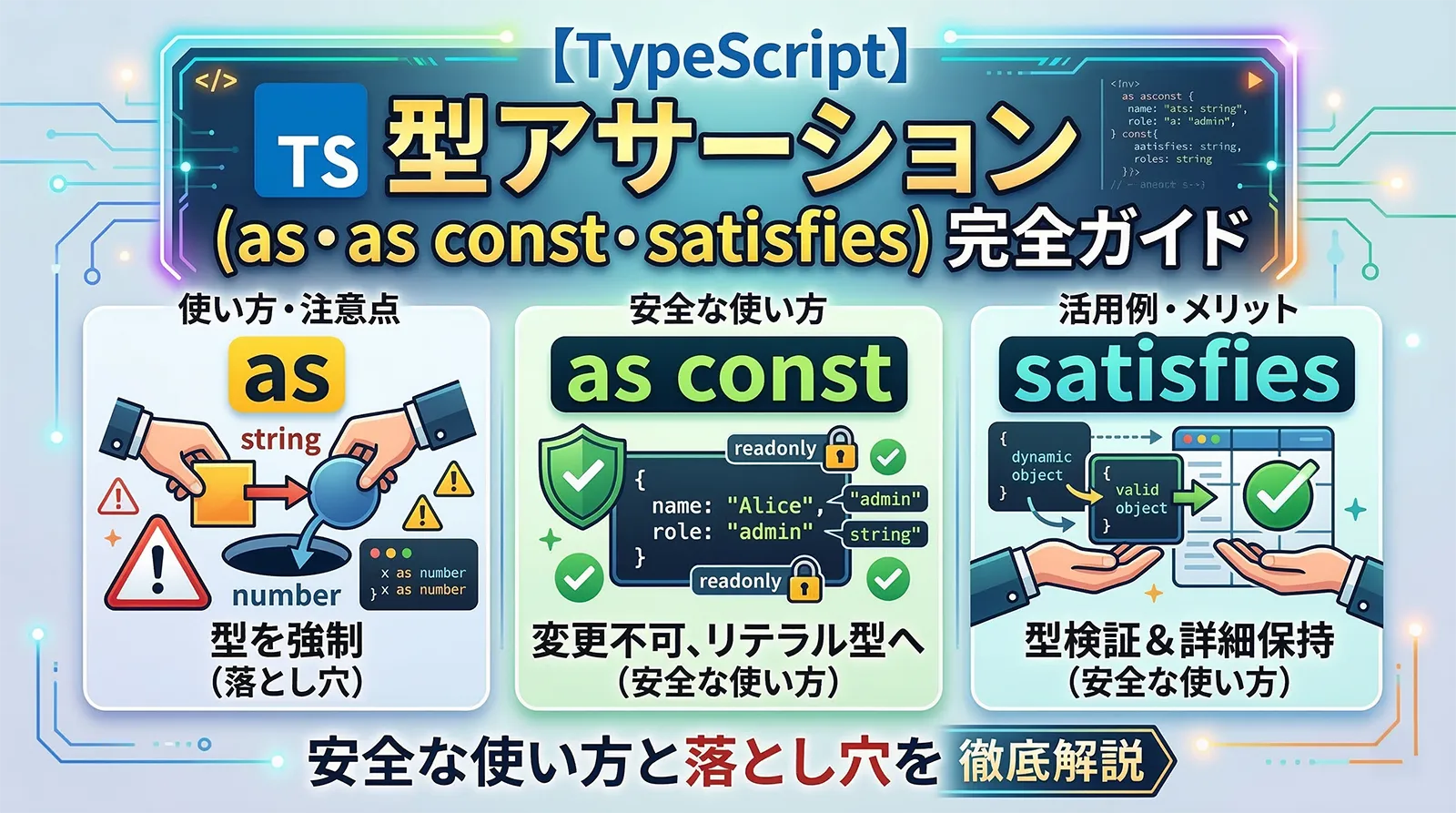
TypeScriptの型アサーション(Type Assertion)は、コンパイラの型推論を開発者が上書きできる機能です。as キーワード、as const、satisfies 演算子(TypeScript 4.9)、非nullアサーション演算子(!)など、似た構文が複数存在します。
本記事では各アサーションの仕組みと正しい使い方、型ガードとの違い、そして「やりすぎ」による落とし穴まで実例付きで解説します。
型アサーションとは
型アサーションとは、TypeScriptコンパイラに対して「この値の型は〇〇だと私が保証する」と伝える仕組みです。コンパイル時のみ有効で、実行時に型変換は発生しません。
// コンパイラの推論: string | number
const val: string | number = "hello";

// 型アサーション: "これは string だ" と宣言
const len = (val as string).length; // OK

// 実行時は何も起きない(型情報は消える)
// コンパイル後: const len = val.length;
as T — 基本アサーション | as const — リテラル型へ固定 | ! — 非nullアサーション | satisfies T — 型検証+推論保持(TS 4.9)as キーワード
as T 構文は最もよく使われる型アサーションです。TypeScriptが型を正確に推論できない場面で活用します。
// DOM操作: getElementById は HTMLElement | null を返す
const input = document.getElementById("name") as HTMLInputElement;
input.value = "Alice"; // HTMLInputElement のプロパティにアクセス可

// JSON.parse は any を返す
interface User { id: number; name: string; }
const data = JSON.parse('{"id":1,"name":"Alice"}') as User;
console.log(data.name); // "Alice"

// イベントハンドラ
document.addEventListener("click", (e) => {
  const target = e.target as HTMLButtonElement;
  console.log(target.textContent);
});
<string>val という角括弧構文も存在しますが、JSXと衝突するため現在は非推奨です。常に as 構文を使用してください。// 旧構文(非推奨) const len = (<string>val).length; // 推奨 const len = (val as string).length;
as const(const アサーション)
as const はオブジェクト・配列のすべてのプロパティを読み取り専用のリテラル型に変換します。マジックナンバーの排除や設定オブジェクトの固定に非常に便利です。
// as const なし
const directions = ["north", "south", "east", "west"];
// 型: string[]

// as const あり
const directions = ["north", "south", "east", "west"] as const;
// 型: readonly ["north", "south", "east", "west"]

type Direction = typeof directions[number];
// 型: "north" | "south" | "east" | "west"
// オブジェクトへの as const
const config = {
  host: "localhost",
  port: 3000,
  debug: true,
} as const;

// 型:
// {
//   readonly host: "localhost";
//   readonly port: 3000;
//   readonly debug: true;
// }

// config.port = 8080; // エラー: 読み取り専用
// ルートパスの定義(実務パターン)
const ROUTES = {
  home: "/",
  users: "/users",
  profile: "/users/profile",
} as const;

type RoutePath = typeof ROUTES[keyof typeof ROUTES];
// "/" | "/users" | "/users/profile"

function navigate(path: RoutePath) {
  window.location.href = path;
}

navigate(ROUTES.home);    // OK
navigate("/dashboard");   // エラー: 型が一致しない
列挙値を
enum なしで型安全に管理できます。typeof ROUTES[keyof typeof ROUTES] パターンでユニオン型を自動生成できるため、値の追加・削除がそのまま型に反映されます。非nullアサーション演算子(!)
! 演算子は、値が null でも undefined でもないことをコンパイラに伝えます。strictNullChecks が有効な環境で特に活躍します。
function getElement(id: string): HTMLElement {
  // getElementById の戻り値は HTMLElement | null
  return document.getElementById(id)!; // null ではないと断言
}

// プロパティアクセスでも使用可
const map = new Map<string, number>();
map.set("key", 42);
const val = map.get("key")!; // number | undefined → number
console.log(val * 2); // 84
実行時に
null だった場合、TypeError: Cannot read properties of null が発生します。! は「必ず存在する」と確信できる場面にのみ使い、不確かな場合はオプショナルチェーン(?.)やif文による明示的なnullチェックを使ってください。// 危険: null の可能性がある
const el = document.getElementById("maybe-not-exist")!;
el.textContent = "hello"; // 実行時エラーの可能性
// 安全: nullチェックを先に
const el = document.getElementById("maybe-not-exist");
if (el) {
el.textContent = "hello"; // TypeScriptが null でないと認識
}
// またはオプショナルチェーン
document.getElementById("id")?.addEventListener("click", handler);
satisfies 演算子(TypeScript 4.9)
TypeScript 4.9で追加された satisfies 演算子は、型チェックは行いつつ、型推論の精度(リテラル型)を保持するという画期的な機能です。
type ColorInput = string | [number, number, number];

interface Palette {
  red: ColorInput;
  green: ColorInput;
  blue: ColorInput;
}

// 型注釈: red は ColorInput(広い型)→ toUpperCase 不可
const palette1: Palette = {
  red: "#ff0000",
  green: [0, 255, 0],
  blue: "#0000ff",
};
// palette1.red.toUpperCase(); // エラー: string | number[] に toUpperCase なし

// satisfies: Palette型でチェック + string として推論を保持
const palette2 = {
  red: "#ff0000",
  green: [0, 255, 0],
  blue: "#0000ff",
} satisfies Palette;

palette2.red.toUpperCase(); // OK: red は string と推論される
palette2.green.map(v => v * 2); // OK: green は number[] と推論される
さらに実務でよく使う設定オブジェクトパターン:
interface Config {
  port: number;
  host: string;
  options?: Record<string, unknown>;
}

// satisfies で型チェック + リテラル型推論を保持
const serverConfig = {
  port: 3000,
  host: "localhost",
} satisfies Config;

// port は 3000(リテラル型)として推論される
type Port = typeof serverConfig.port; // 3000

// 余分なプロパティはエラー
const badConfig = {
  port: 3000,
  host: "localhost",
  unknownProp: true, // エラー: Configに存在しないプロパティ
} satisfies Config;
① 設定オブジェクトの型安全な定義 ② パレット・カラーマップ等の値が混在するオブジェクト ③ API レスポンスのモックデータ定義 — 「型チェックしたいが、推論の精度も落としたくない」場面すべてに有効です。
二重アサーション
互換性のない型同士をアサーションしようとするとエラーになりますが、unknown(または any)を経由する二重アサーションで強制変換できます。
// 互換性なし → 直接アサーションはエラー
const x = "hello" as number;
// エラー: Conversion of type string to type number may be a mistake

// unknown 経由なら可能(二重アサーション)
const x = "hello" as unknown as number; // コンパイルは通る
console.log(x + 1); // 実行時: "hello1"(number ではない!)
型システムを完全に無効化します。ランタイムエラーの原因になりやすく、コードレビューで「なぜ必要か」の説明が求められます。ジェネリクスや型ガードで解決できないか先に検討してください。
型アサーション vs 型ガード
型アサーションと型ガードはどちらも型を絞り込みますが、本質的に異なります。
function processInput(input: string | number) {

  // 型アサーション(危険: 実行時チェックなし)
  const str = input as string;
  str.toUpperCase(); // input が number の場合、実行時エラー

  // 型ガード(安全: 実行時に確認)
  if (typeof input === "string") {
    input.toUpperCase(); // TypeScriptが string と認識
  } else {
    input.toFixed(2);   // TypeScriptが number と認識
  }
}
型ガードの詳細は 型の絞り込み(Type Narrowing)完全ガイド を参照してください。
落とし穴とリスク
① JSON.parse の過信
// BAD: 実行時に型が保証されない
const user = JSON.parse(apiResponse) as User;
console.log(user.name.toUpperCase()); // name が存在しない場合エラー

// GOOD: バリデーション後にアサーション
function parseUser(raw: unknown): User {
  const obj = raw as Record<string, unknown>;
  if (typeof obj.name !== "string" || typeof obj.id !== "number") {
    throw new Error("Invalid user data");
  }
  return obj as User; // バリデーション後なので安全
}
② DOM 要素の型ミス
// BAD: id が input 要素でない場合、実行時エラー
const input = document.getElementById("submit-btn") as HTMLInputElement;
input.value; // button要素なら value プロパティが違う

// GOOD: querySelector でより具体的に取得
const input = document.querySelector<HTMLInputElement>("input#name");
if (input) {
  input.value = "Alice";
}
③ any の伝染
// BAD: any にアサーションすると型安全性が失われる
const result = someValue as any;
result.nonExistentMethod(); // コンパイルエラーにならない

// GOOD: unknown を使って安全に処理
const result = someValue as unknown;
if (typeof result === "object" && result !== null) {
  // ここで型を絞り込んでから使う
}
安全な活用パターン
パターン1: 型ガード関数 + as(バリデーション後のアサーション)
interface ApiResponse {
  data: { id: number; name: string }[];
  total: number;
}

function isApiResponse(val: unknown): val is ApiResponse {
  if (typeof val !== "object" || val === null) return false;
  const obj = val as Record<string, unknown>;
  return Array.isArray(obj.data) && typeof obj.total === "number";
}

async function fetchUsers(): Promise<ApiResponse> {
  const res = await fetch("/api/users");
  const json: unknown = await res.json();
  if (!isApiResponse(json)) throw new Error("Invalid API response");
  return json; // isApiResponse でチェック済み → as 不要
}
パターン2: as const + satisfies の組み合わせ
type Theme = "light" | "dark" | "system";

const DEFAULT_SETTINGS = {
  theme: "dark",
  fontSize: 14,
  language: "ja",
} as const satisfies {
  theme: Theme;
  fontSize: number;
  language: string;
};

// theme は "dark"(リテラル型)として推論 + Theme型チェック済み
type DefaultTheme = typeof DEFAULT_SETTINGS.theme; // "dark"
パターン3: querySelector のジェネリクス活用
// as を使わずにジェネリクスで型を指定
const input = document.querySelector<HTMLInputElement>("input[name=email]");
const form  = document.querySelector<HTMLFormElement>("form#login");
const btn   = document.querySelector<HTMLButtonElement>(".submit-btn");

// 戻り値は T | null → null チェックは必要
if (input) {
  console.log(input.value);
}
パターン4: 型キャストヘルパー関数
// 再利用可能な型キャストヘルパー
function cast<T>(value: unknown): T {
  return value as T;
}

// as を直接書くより意図が明確
const user = cast<User>(JSON.parse(raw));

// より安全なバージョン(バリデーター付き)
function safeCast<T>(
  value: unknown,
  validator: (v: unknown) => v is T
): T {
  if (!validator(value)) throw new TypeError("Cast failed");
  return value;
}
まとめ
型アサーションは「コンパイラへの約束」です。型ガードで解決できる場合はそちらを優先し、アサーションはどうしても必要な場面に限定することで、実行時エラーのリスクを最小化できます。
特に as const と satisfies は安全性を保ちながら表現力を高める強力な組み合わせです。
関連記事:
FAQ
Q型アサーション(as)と型キャスト(Javaのキャスト)は同じですか?
A異なります。Javaのキャストは実行時に型変換を行い、失敗すると例外が発生します。TypeScriptの as はコンパイル時のみで、実行時には何も起きません。型変換も検証も行われないため、開発者が正確性を保証する必要があります。
Qsatisfies と型注釈(: T)はどう使い分けますか?
A変数の型を「広い型」として扱いたい場合は型注釈(: T)を使います。型チェックしつつ推論の精度(リテラル型など)も保ちたい場合は satisfies T を使います。特に設定オブジェクトや定数定義では satisfies が圧倒的に便利です。
Qas const と Object.freeze の違いは?
Aas const はコンパイル時のみで、実行時にオブジェクトは変更可能です。Object.freeze は実行時にも変更を防ぎますが、型推論はリテラル型になりません。両方を組み合わせると最強ですが、多くの場合 as const だけで十分です。
Qunknown と any の違いは何ですか?
Aany はすべての型チェックをスキップします。unknown は「型が不明」を表し、使う前に型チェック(型ガード)が必要です。外部データの受け取りには any ではなく unknown を使うほうが安全です。
QTypeScript 4.9 未満でも satisfies を使えますか?
Aいいえ。satisfies は TypeScript 4.9 で追加された演算子です。古いバージョンでは使えません。tsc --version でバージョンを確認し、必要であれば npm install typescript@latest でアップグレードしてください。